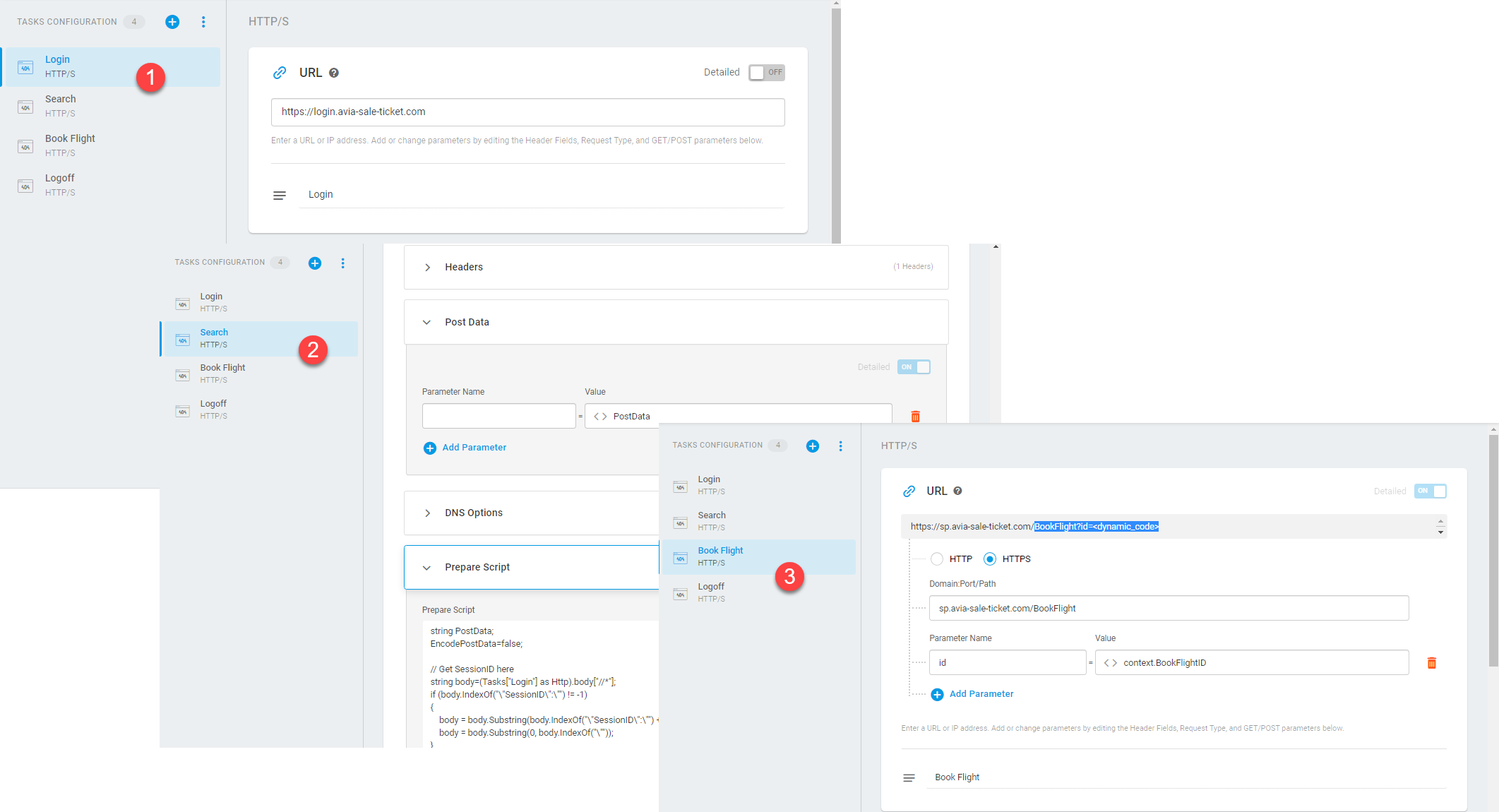
Some types of monitoring devices (ServerView and WebView) can represent a collection of several monitoring targets (targets of internet infrastructure or web services monitoring) to be performed in sequence on a set schedule.
All monitoring targets within a device are included in the alerting and reporting communications, so that if any single target within a device experience errors, the alerts and reports will reflect those errors. Therefore, if one target in a device is reporting an error while another target in that device is reporting success, the device will be considered down unless you have applied a filter on the device to ignore the specific errors being reported.
All targets inherit the monitoring settings from the device under which they were created.
When to Set Up Multiple Targets Within a Device
Monitoring targets grouped by device are meant to be directly related targets, such as individual page loads in a web transaction sequence. In essence, a multi-target device allows you to execute a flow that contains several requests, with each subsequent request using the data extracted from the responses to the previous one. A good example here would be the monitoring of Web API that requires authentication. In this case, you need to send two consecutive HTTP requests to the API. The first one will request an authentication token from the API. And the second one will use the token retrieved from the response to the first call to push payload to the target API.
Monitoring of “server farm” or “server pool” load balancing is another reason to set up a multi-target device. Upon configuring redundancy group monitoring, you may want to be alerted only when the threshold of redundancy fails. In this case, you can set it up under a single device. Leverage the Error detected in more than (X) tasks filter to set up the alert threshold.
How to Create and Manage a Multi-Target Device
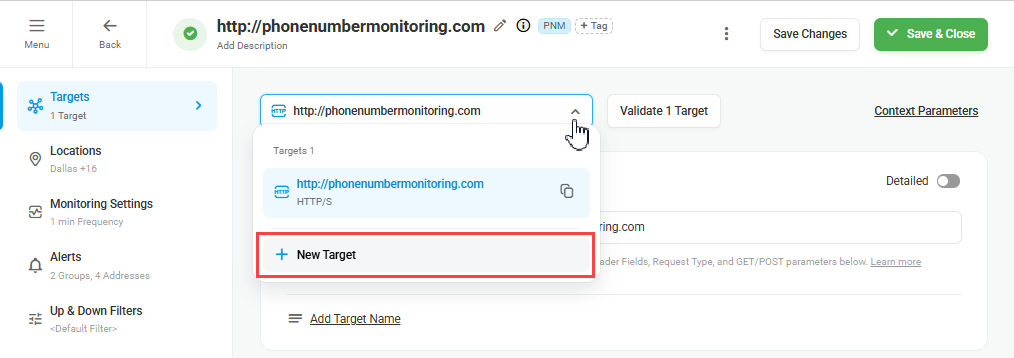
To add an additional target to a device, from the device edit screen, click the target drop-down menu and select New Target.
If you need to modify several targets within a device, it’s recommended to clone the device and then make the necessary changes.
Example: Website Transaction Monitoring
As an example, let’s consider an online flight booking process flow for an airline’s website. In this case, the flow will contain several related steps, for example, login, flight information search, flight reservation, and more. To simulate the flow and to execute requests sequentially, we need to configure the device with corresponding targets:
- First, we need to log in and receive the session ID in the response to use on the subsequent steps.
- On the next step, we can retrieve the session ID from the previous response and submit the request with the search parameters. The list of matched flights with the flight IDs and other details is expected to be sent in the response.
- To post the flight reservation request, we need to extract the necessary flight ID from the previous response and use it to submit the order.