





Encrypted Crypt storage
Organizations Worldwide
Permission access control
Website Monitoring Leader
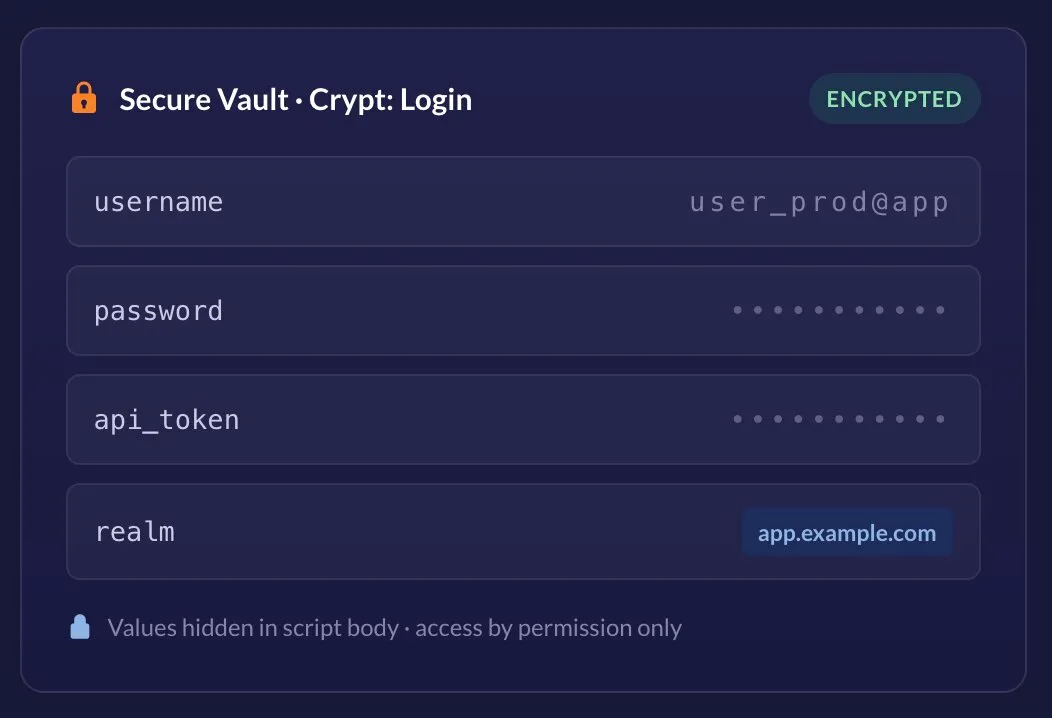
Synthetic monitoring often has to act like a real user — logging in, hitting authenticated APIs, and stepping through checkout flows. That means your monitoring tasks need real credentials. Secure Vault is where those credentials live: a permission-controlled manager inside the Dotcom-Monitor platform that stores sensitive data as encrypted Crypt Variables, organized into Crypt containers.
Once a value is in the Vault, you reference it by name from your EveryStep browser scripts, Web Services and Internet Infrastructure test requests, and device settings — the raw value never appears in the script body, in exported configuration, or in the recorded video report.
Stored as
Encrypted Crypt Variables
Organized in
Crypt containers
Works with
EveryStep · Web Services · Infrastructure
Access via
Manage > Secure Vault
Visibility
Masked in scripts & video reports
Access control
Per-user permissions
Host scoping
Optional Realm field
Hard-coding a password into a monitoring script is a liability — it leaks into exports, screenshots, and shared accounts. Secure Vault removes the trade-off between realistic monitoring and good security hygiene.
Every value you save is stored encrypted inside its Crypt container. The plaintext is never written into the script body or the exported device configuration.
“Only users with corresponding user permissions have access to Secure Vault to view and modify encrypted data.” Values stay hidden from everyone else — even teammates editing the same script.
Mark a variable for masked fields — like passwords — and its value is kept out of the recorded video report, so playback never captures your secrets on screen.
Define a secret once and reference it from EveryStep scripts, Web Services, and Internet Infrastructure requests. Update it in one place and every task picks up the change.
Optionally restrict a variable to specific web resources with the Realm field, so a credential is only ever sent to the hosts you name. (Not supported for Postman Collection requests.)
Bundle related variables into named Crypts — one per app, environment, or team — so large monitoring accounts stay tidy and secrets are easy to find.
Crypt Variables aren’t a separate chore bolted onto your workflow. Inside the EveryStep Recorder, any recorded parameter — a username, a password, a URL — can be converted to an encrypted variable on the fly.
Capture the real user journey — login, cart, checkout — with the EveryStep Recorder as you normally would.
Click the element, open the parameter’s action menu, and choose Convert to Crypt Variable.
Pick an existing variable from a Crypt, or add a new one on the spot — set its value and optional Realm.
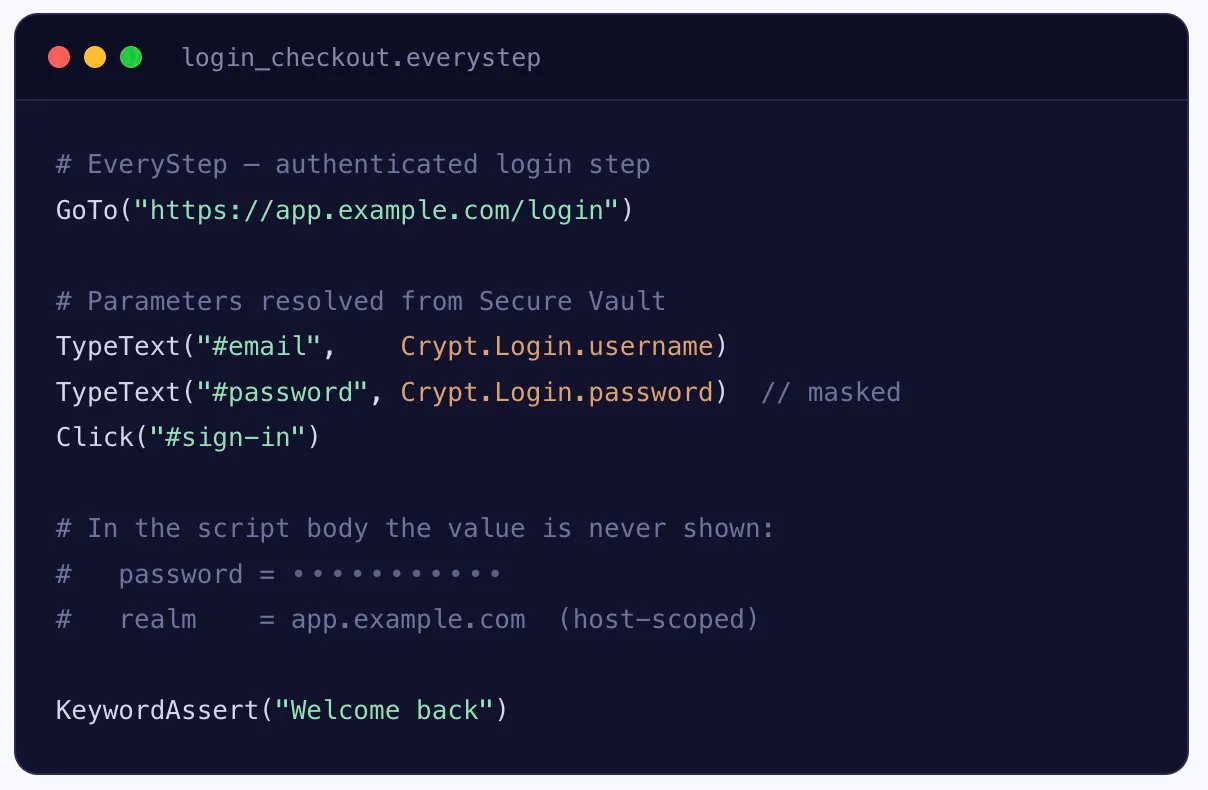
On execution the encrypted value is injected at the right step, while it stays hidden in the script body.
Need to change a value but don’t have Vault permissions? Convert the parameter back to a string with Convert to String and set it explicitly — the workflow stays reversible.
In your script, sensitive parameters point at a Crypt Variable instead of a literal. The platform resolves and injects the encrypted value at run time — anyone reading the script sees the reference, not the secret.
The same variables power authenticated API checks and infrastructure requests, so one Vault covers browser journeys and back-end monitoring alike.
Secure Vault doesn’t just hide values — it controls who can reach them and where they’re allowed to travel.
Crypt Variable values are encrypted at rest inside their containers, so secrets aren’t sitting in plaintext anywhere in your account.
The Unmasked Value option and Vault access are both permission-controlled — clear-text values are only ever shown to authorized users.
With Realm, a variable is only used for requests to the hosts you specify — limiting where a credential can ever be sent.
The same encrypted variables plug into browser scripting, API testing, and infrastructure checks.
Use case | What Secure Vault protects | Where it applies |
|---|---|---|
Authenticated logins | Usernames & passwords for user-journey scripts | EveryStep / UserView |
API monitoring | Bearer tokens, API keys, request parameters | Web Services requests |
Infrastructure checks | Credentials & sensitive request values | Internet Infrastructure tasks |
Checkout & forms | Card-like and personal fields kept off video | Masked-field variables |
Multi-environment | Per-env secrets grouped in separate Crypts | Crypt containers |
Host-restricted secrets | Credentials pinned to approved domains | Realm scoping |
Passwords and tokens never sit in a script, an export, or a screenshot — cutting off the most common leak paths.
Rotate a password in the Vault and every script and task that references it uses the new value immediately.
Teammates can build and run scripts against shared credentials without ever seeing the underlying values.
Encrypt parameters right inside the Recorder — no export, no external secrets tool, no context switch.
Permission-gated access means you decide exactly who can view or change sensitive data across the account.
Grouped Crypts keep secrets organized by app or environment, even as monitoring coverage scales up.
Every Dotcom-Monitor plan includes Secure Vault, EveryStep scripting, and monitoring from 30+ global locations. Start scripting authenticated journeys the secure way.
A Crypt Variable is an encrypted value — such as a password, token, or request parameter — stored inside a Crypt container in Secure Vault. You reference it by name in EveryStep scripts, Web Services, and Internet Infrastructure requests, and the platform injects the value at run time without exposing it in the script.
Only users with the corresponding permissions can view or modify encrypted data. For everyone else the value stays hidden in the script body. The Unmasked Value option, which reveals a value in clear form, is also limited to sufficiently permissioned users.
In the EveryStep Recorder, click the element whose parameter you want to protect, open the parameter’s action menu, and choose Convert to Crypt Variable. You can select an existing variable from a Crypt or create a new one on the spot — then save. Values can be edited later from within the Secure Vault interface.
Realm optionally restricts a variable to specific web resources — the credential is only used for requests to the hosts you name. Note that Realm is not supported for Postman Collection requests.
No — when a variable is set to apply only to masked fields (for example, password fields), it is kept out of the video report so sensitive data isn’t captured during playback.
Yes. Crypt Variables live in shared Crypts, so a single secret can be reused across many devices, tasks, and scripts. Update it once in the Vault and every reference picks up the change.
Open the Manage menu on the left sidebar and select Secure Vault. From there you can create a New Crypt, add variables, set the Unmasked Value and masked-field options, and specify a Realm. See the Secure Vault and Crypt Variables in EveryStep knowledge base articles for step-by-step details.