Website Uptime Monitoring That Catches Downtime First
Dotcom-Monitor’s uptime monitor checks your sites, servers and APIs at intervals as short as one minute. Choose checkpoints from a network of 30+ locations and get an alert when a failure meets your notification rules. See which location reported the problem, what it requested and how the service responded.
 One-Minute Checks Available
 Multi-Location Alerts
 Uptime and SLA Reports
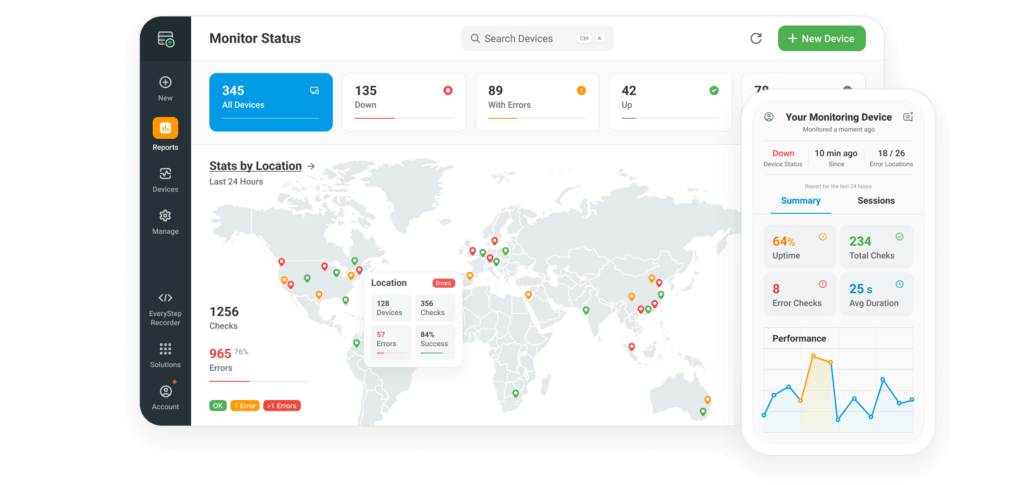
Website uptime monitoring tests whether people can reach your site and receive the response you intended, even when nobody is there to report a problem. Give the uptime monitor a URL and a success condition, such as finding the words “Order Summary” on your cart page, so that a maintenance notice served with a successful HTTP status still triggers a failure. When a check fails, your team can use the response and the location to decide whether to investigate the application, the server or the path between them.
Run a Free Website Uptime Check for a one-time HTTP or HTTPS availability test.












- 99.99% Uptime SLA
- G2 Top Performer
- Website monitoring leader since 1998
What Our Uptime Monitor Checks
Choose a check that answers a specific question about your service. A customer who sees a blank page and a customer whose browser cannot find your domain both report that the site is down. For server uptime monitoring, start with reachability. For a website, also test the page a visitor actually receives.
Check | What It Tests and Which Failure It Catches |
|---|---|
HTTP or HTTPS | Request a page and verify its status and expected text. A search for a phrase unique to the product catalog can catch an error template that still returns HTTP 200. |
Send an echo request to a host that accepts ICMP. Missing replies flag a reachability problem worth checking before you investigate the application running on that host. | |
Try to open a connection to a specific host and port. A failed connection can reveal that a service has stopped listening even though the machine still answers ping. | |
Query a record and compare the answer with the expected value. This catches a hostname that still points visitors to a retired server after a migration. | |
Check the certificate the endpoint actually presents and set an expiry warning. A successful renewal at the certificate authority does little for customers if the old certificate is still deployed. | |
Send a request and validate the response. Checking for an expected value in the body catches an endpoint that responds successfully but returns an empty or incorrect result. |
How Uptime Monitoring Works
Point your uptime monitoring software at the address customers would notice first if it failed. For a store, that might be the catalog. For a software service, it might be the sign-in page or the API endpoint its clients call first.




Enter the URL, hostname or endpoint. Define a successful response, choose the interval and select locations near your users. If the page can display several kinds of content, choose a phrase that appears only when the right page loads.
Dotcom-Monitor sends requests on your schedule and records the result from the checkpoint that ran each test. Intervals start at one minute on eligible plans, and the network spans 30+ locations. Compare locations when an issue appears to affect users in only one market.
Select who receives an alert by email, SMS or Slack and how failures should be confirmed. Route an urgent storefront outage to the person on call. Send a certificate renewal warning to the team that can deploy the replacement.
Open the affected period and compare the failed checks with the successful ones around them. Use the report to establish when the monitor first observed the issue, where it appeared and when checks began passing again.
How a Second Location Confirms an Outage
A failed request from one city can mean the site is down, or it can mean that one network is having trouble reaching it. Dotcom-Monitor’s False Positive Check tests the reporting agent’s connectivity and retries the task. The notification filter then determines whether the evidence meets the conditions for an alert.
With multiple locations configured, the default filter requires two locations to report the error. A device configured with only one location bypasses that requirement. Choose the rule according to who would be affected. Two-location confirmation suits a shared service whose team needs to know about a widespread outage. If you promise availability to customers in one particular region, configure a check that can alert on a failure confined to that region.
Uptime Monitoring Features
Match your uptime monitoring service to the way your team handles an incident. The interval determines when another check can detect a failure. The locations, notification rules and reports determine what the team can learn from it.
One-Minute Checks
Choose a short interval for sign-in or another endpoint with a tight availability target. A secondary page can run less frequently. For context, paid Web Services monitoring starts at $19.99 per month for ten targets checked every five minutes. See pricing for one-minute and infrastructure configurations.
30+ Global Locations
Select checkpoints near the people who depend on your service. The global monitoring network spans 33 locations. Location access varies by plan. Results from different regions help you investigate a problem that you cannot reproduce from the office.
Alerts and Escalation
Send notifications through channels your team already watches, including email, SMS and Slack where configured. Set recipients and escalation rules so a persistent failure reaches someone who can act on it.
Uptime and SLA Reports
Use uptime and SLA reports to review availability over the period your agreement specifies. When a customer questions a monthly figure, inspect that endpoint and date range together.
Public and Private Dashboards
Give operations staff a private view of the services they manage. Use a public dashboard for the availability information you want customers or partners to see.
Maintenance Windows
Schedule planned maintenance around a release or provider change. Set alert handling for that window and check how your agreement treats planned downtime before including it in an SLA calculation.
What Does 99.9% Uptime Really Mean?
A 99.9% monthly target allows about 43 minutes of downtime in a 30-day month. One 45-minute interruption would use that entire allowance and put the service below its monthly target. At 99.99%, the same month allows just over four minutes, so the time spent detecting and confirming an outage matters alongside the time spent repairing it.
Availability | 365-Day Year | 30-Day Month | 7-Day Week |
|---|---|---|---|
99% | 3 d 15 h 36 min | 7 h 12 min | 1 h 40 min 48 s |
99.9% | 8 h 45 min 36 s | 43 min 12 s | 10 min 5 s |
99.95% | 4 h 22 min 48 s | 21 min 36 s | 5 min 2 s |
99.99% | 52 min 34 s | 4 min 19 s | 1 min |
99.999% | 5 min 15 s | 26 s | 6 s |
Figures are rounded to the nearest second. Multiply the time in the reporting period by the fraction of downtime your target allows. A monthly agreement resets that calculation each month, so a good annual average can still hide a missed monthly target. Use the downtime-to-uptime calculator to check your own figures. Our guide to measuring website uptime explains how to choose the checks behind the percentage.
Uptime Monitoring vs. Full Website Monitoring
A website uptime monitor can confirm that the sign-in page responds and contains the expected form. That answers the first question your support team will ask when customers report a problem. It still leaves another question open. Can someone enter their credentials, submit the form and reach their account?
For that second question, add a real-browser check that follows the journey and validates the result. A store can use the same approach for search, adding an item to the cart and reaching checkout. Explore website monitoring for the broader range of checks, or synthetic monitoring for scripted journeys. Use both kinds of results to see whether an incident affected access to the site or an action customers needed to complete.
“
I recently needed help setting up a complex monitoring solution for our 200+ websites and reached out to Dotcom-Monitor. The support team was fantastic—knowledgeable and responsive. They quickly understood our unique needs and helped us implement a solution that worked perfectly. Thanks to their expertise, we now have a reliable monitoring system in place. I highly recommend Dotcom-Monitor for their outstanding support and tailored solutions.
Get answers
Uptime Monitoring FAQ
An uptime monitor is a tool that sends a request to a site, server or API on a schedule and records whether the result meets your success criteria. For a web page, those criteria can include the response status and a piece of text that identifies the page visitors should see.
It records when a service passes or fails an availability check, where the check ran and how the endpoint responded. Your team can receive an alert when the configured conditions are met and use the history to see whether the failure was isolated or repeated over time.
It allows about four minutes and nineteen seconds of downtime in a 30-day month. Whether that meets your needs depends on the service and its agreement. A store might accept that interruption overnight but face a significant loss if those same minutes fall during peak checkout traffic.
You choose the interval available for the check and plan. Eligible configurations support one-minute checks. The time to an alert also includes the time taken by the request, any retry and the confirmation rules you selected. Choose the interval with those factors and your service target in mind.
Start with a public URL, define the response you expect and choose a schedule and a location that reflects your customers. Send alerts to the person who can investigate. For setup details, follow our step-by-step website uptime guide, including how to validate content and choose alert rules.
Start Your Website Uptime Monitoring Trial
Choose a site your customers depend on and set up its first check. During your 30-day free trial, compare results from different locations and route an alert to your team. No credit card is required. Book a demo if you would like to walk through your own monitoring requirements.