





Organizations Worldwide
Platform Uptime SLA
Global Monitoring Locations
Website Monitoring Leader
Insomnia API monitoring runs your Insomnia v4 collections as continuous synthetic monitors — executing requests at scheduled intervals from 30+ global locations, validating responses, and alerting your team when any check fails. Insomnia itself is an API client for development; Dotcom-Monitor adds the 24/7 production-monitoring layer Insomnia doesn’t include.
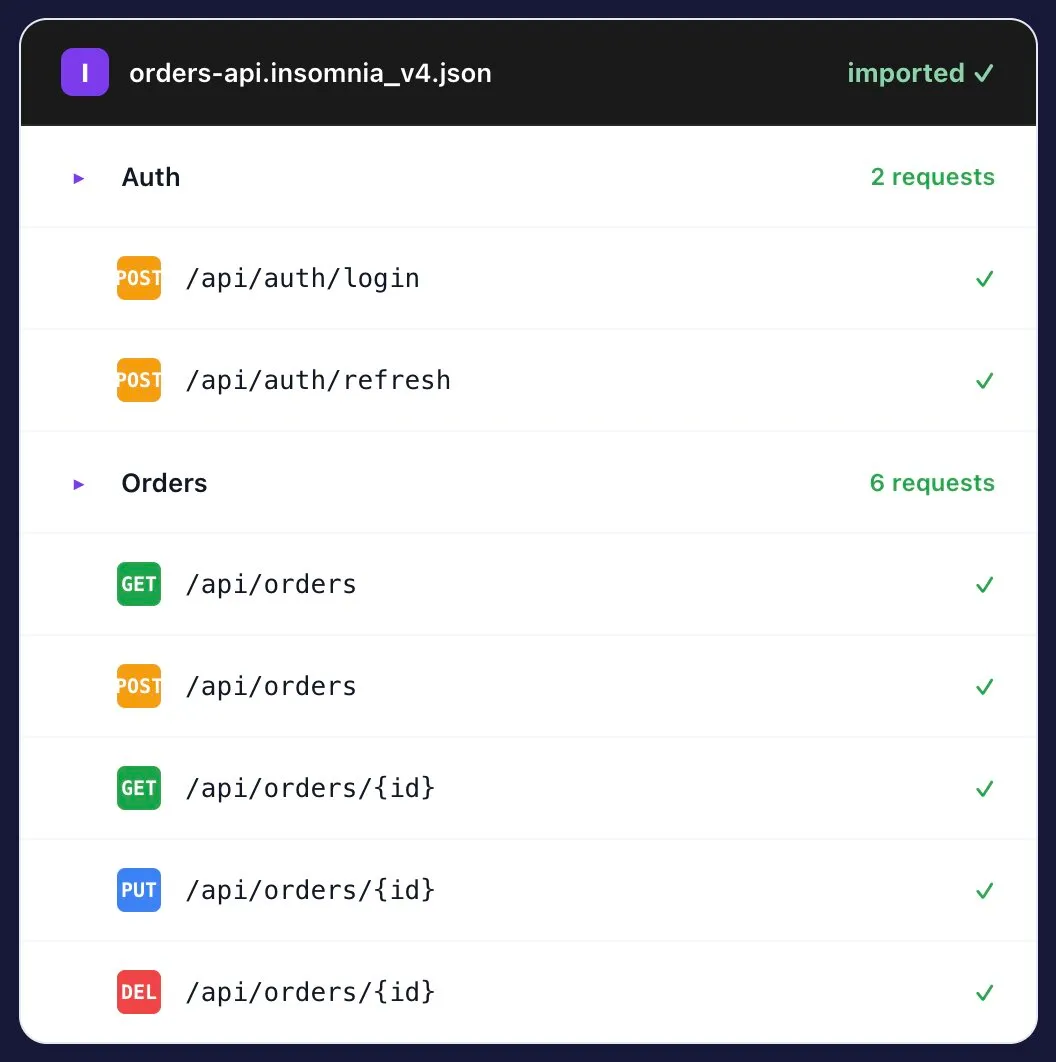
Export from Insomnia (Application → Preferences → Data → Export Data), drop the v4 JSON or YAML into Dotcom-Monitor, and the same requests you built for development now run on a 1-minute cadence from 30+ global locations.
Capability | Insomnia | + Dotcom-Monitor |
|---|---|---|
Build & debug requests | (imported) | |
Run on-demand from your machine | ||
Continuous 24/7 synthetic checks | ||
Run from 30+ global locations | ||
Private Agents (behind firewall) | ||
PagerDuty / Slack / Teams alerts | ||
SLA on the platform | N/A | 99.99% |
Insomnia is a great place to design, test, and debug requests during development. It’s not a monitoring platform — no continuous synthetic checks, no global locations, no PagerDuty routing, no behind-firewall coverage. Dotcom-Monitor adds the production-monitoring layer that Insomnia doesn’t include.
The requests your team built for development become 24/7 production monitors. Same fidelity, no rebuild.
Trigger the imported collection from CI after each deploy. Block bad releases on contract changes, broken endpoints, or assertion failures.
Run the same Insomnia collection from 30+ locations in parallel. Surface geo-specific issues that local testing never catches.
Use the collection you built to test Stripe, Twilio, Okta, or any vendor as the source for continuous SLA monitoring.
Drop a Private Agent inside your VPC. Same Insomnia-exported collection, now monitoring internal endpoints behind the firewall.
Export from Insomnia again as your collection grows. Re-import keeps your monitors aligned with the latest request structure.
A performance engineer will walk you through your existing Insomnia v4 collection running as a 24/7 production monitor — no sales pitch, just a working monitor by the end of the call.
The collection your team uses locally now runs continuously from 30+ owned monitoring locations across six continents — plus inside your network if you deploy a Private Agent.
Global monitoring locations
Continents covered
Minimum check interval
For behind-firewall

4.5
83 reviews
4.6
4.6
All reviews sourced from Capterra verified reviews. Ratings as of August 2026.
Want to kick the tires without committing? Free Forever plan available — up to 25 targets, 2 monitoring locations, 7 days of data retention. Get started free → or Compare plans
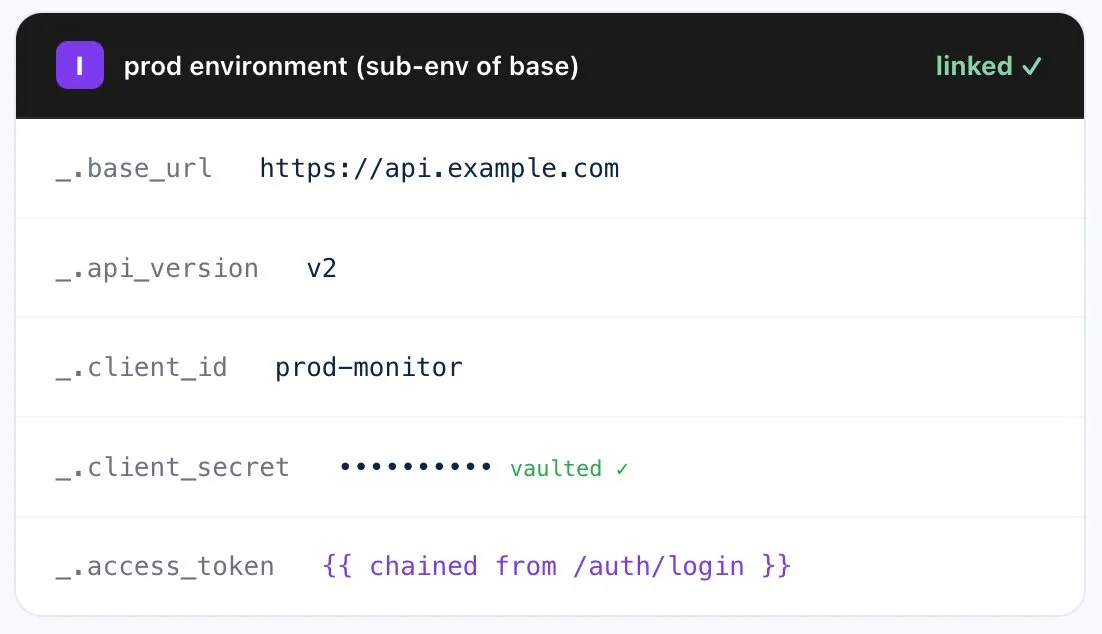
Yes. Import Insomnia v4 export files (JSON or YAML) directly. Request details, environments, sub-environments, authentication configs, and request group structure are all preserved.
Insomnia is an API client for development — built for designing, testing, and debugging requests on your machine. It’s not a monitoring platform. No continuous synthetic checks, no global locations, no incident routing, no SLA. Dotcom-Monitor adds the production-monitoring layer Insomnia doesn’t include.
Request method, URL, headers, body, query parameters, path parameters, environment variables (base + sub-environments), authentication configs (Basic, Bearer, OAuth 2.0, API Key, AWS, NTLM), and request group structure.
Yes. Base environments and sub-environments import together — pick which one each monitor uses (dev/staging/prod) and re-import as your workspace evolves.
Yes. Run the collection in parallel from 30+ owned global monitoring locations. Detect regional CDN, DNS, and routing issues local testing misses.
Yes. Deploy Private Agents inside your VPC or datacenter. The same exported collection runs against internal endpoints — no inbound firewall rules required.
Yes. Trigger monitor runs via the Dotcom-Monitor REST API from GitHub Actions, Jenkins, Azure DevOps, or any CI tool. Gate the deploy on assertion results, latency, or availability.
Same story — import Postman Collection v2.0 or v2.1 JSON directly. See Postman API monitoring →
Yes. Insomnia GraphQL requests import with their query, variables, and headers intact. The monitor sends the query as defined and validates the response per your assertions.
Yes. Export your collection from Insomnia (Cloud Sync content exports as v4 JSON or YAML), then import into Dotcom-Monitor. The same workspace structure is preserved.
Plugin-modified behavior (custom auth, response transforms) may not import cleanly because plugin code is Insomnia-specific. Configure equivalent behavior via Dotcom-Monitor’s native auth and assertion features instead.
For monitoring purposes, both Collections import similarly — request method, URL, headers, body, environments, auth. Insomnia’s sub-environment hierarchy maps to environment selection per monitor. Choose whichever tool your team already uses for development.
Monitoring more than Insomnia collections? See the full API Monitoring platform →
30-day free trial. No credit card. Import your collection in under five minutes.