





Organizations Worldwide
Platform Uptime SLA
Global Monitoring Locations
Website Monitoring Leader
Postman Collection monitoring is the continuous, automated execution of your Postman Collections from outside your infrastructure — running them at fixed intervals (every minute and up) from multiple geographic locations, validating responses, and alerting when any request fails. Unlike Postman Monitors itself, it adds 30+ owned global locations, Private Agents for behind-firewall coverage, and native PagerDuty/Slack/Teams alerting.
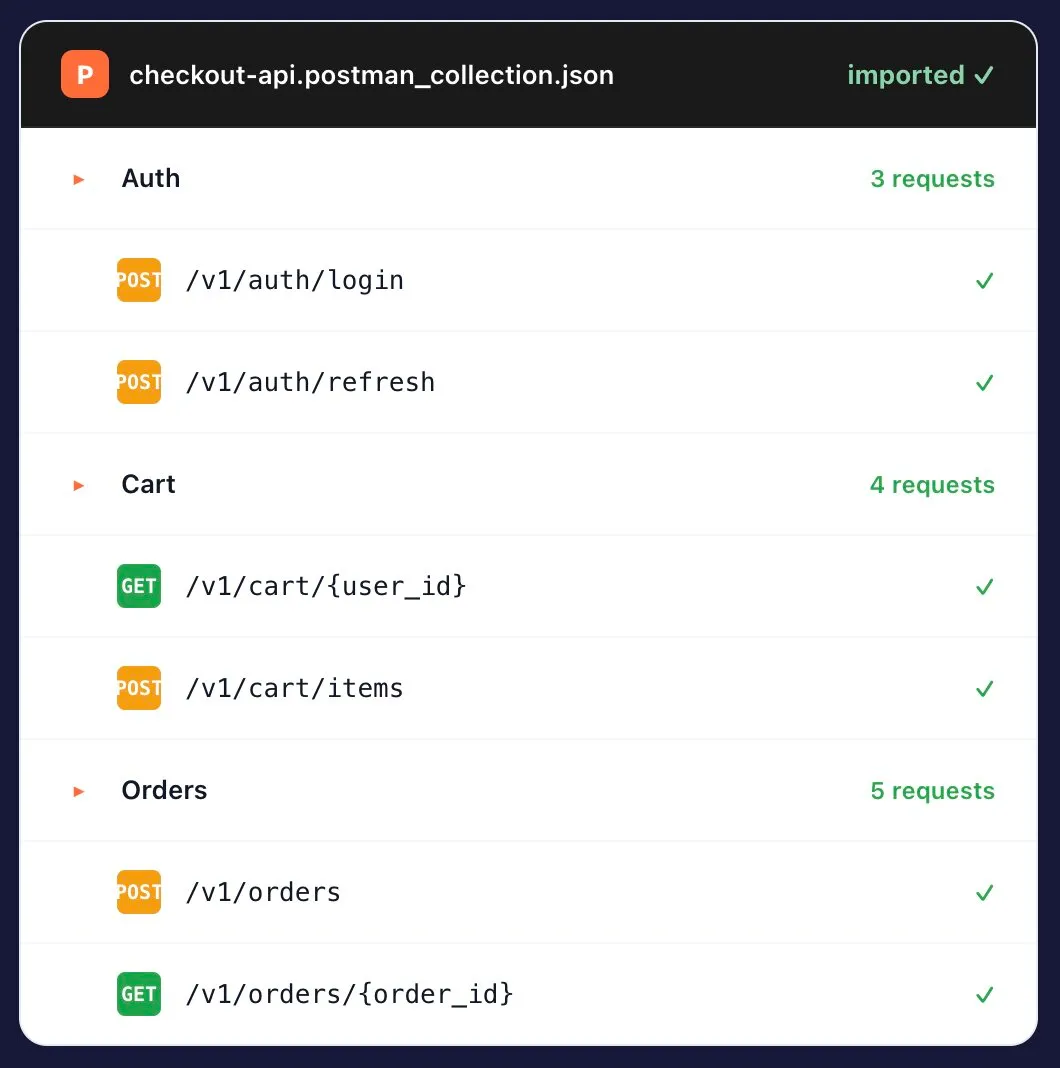
You spent months building these Collections. We import the JSON as-is — folders, requests, scripts, environment variables, test assertions — and turn each request into a synthetic monitor that runs from real global locations on a fixed cadence.
Capability | Dotcom-Monitor | Postman Monitors |
|---|---|---|
Import Postman v2.0/v2.1 Collections | (native) | |
Global monitoring locations | 30+ | Limited |
Private Agents (behind firewall) | ||
Native PagerDuty / Slack / Teams | Limited | |
1-min check frequency | Tier-gated | |
SLA on the monitoring platform | 99.99% | Best effort |
Free trial | 30 days, full features | Paid plans |
Postman Monitors is great for sequential test runs from Postman’s cloud. But production monitoring needs more: real geographic distribution, behind-firewall coverage, native incident routing, and an SLA on the monitoring tool itself.
The Collection your QA team built for release testing becomes a 24/7 production monitor without rewriting anything. Same coverage, no maintenance fork.
Trigger the Collection from CI after every deploy. Gate the release on assertion results — catch contract regressions before they reach production traffic.
Run the same Collection from 30+ locations in parallel. Detect the CDN issue affecting only APAC, or the DNS rollout that didn’t propagate to EU-West.
Import the Collection you use to probe Stripe, Twilio, Auth0, or any upstream. Track their latency and error rate against the SLA you’re paying for.
Drop a Private Agent inside your VPC. The same Postman Collection runs against internal endpoints with no inbound firewall rule.
Re-import as your Postman workspace evolves. Newly added requests show up in your monitor set; environment changes flow through.
A performance engineer will walk you through your existing Postman Collection running as a production monitor from 30+ locations — no sales pitch, just a working monitor by the end of the call.
Postman Monitors ships your Collection from a small set of cloud regions. Dotcom-Monitor runs it from 30+ owned monitoring locations across six continents — and can run it inside your network with a Private Agent.
Global monitoring locations
Continents covered
Minimum check interval
For behind-firewall

4.5
83 reviews
4.6
4.6
All reviews sourced from Capterra verified reviews. Ratings as of August 2026.
Want to kick the tires without committing? Free Forever plan available — up to 25 targets, 2 monitoring locations, 7 days of data retention. Get started free → or Compare plans
Yes. Import Postman Collection v2.0 and v2.1 JSON files directly. Folders, requests, environment variables, pre-request scripts, and test assertions are all preserved on import.
Postman Monitors runs your Collection from Postman’s cloud regions on a schedule. Dotcom-Monitor runs the same Collection from 30+ owned global locations, adds Private Agents for behind-firewall checks, native PagerDuty/Slack/Teams routing, and treats it as a full synthetic monitor with its own 99.99% SLA — not a sequential test run.
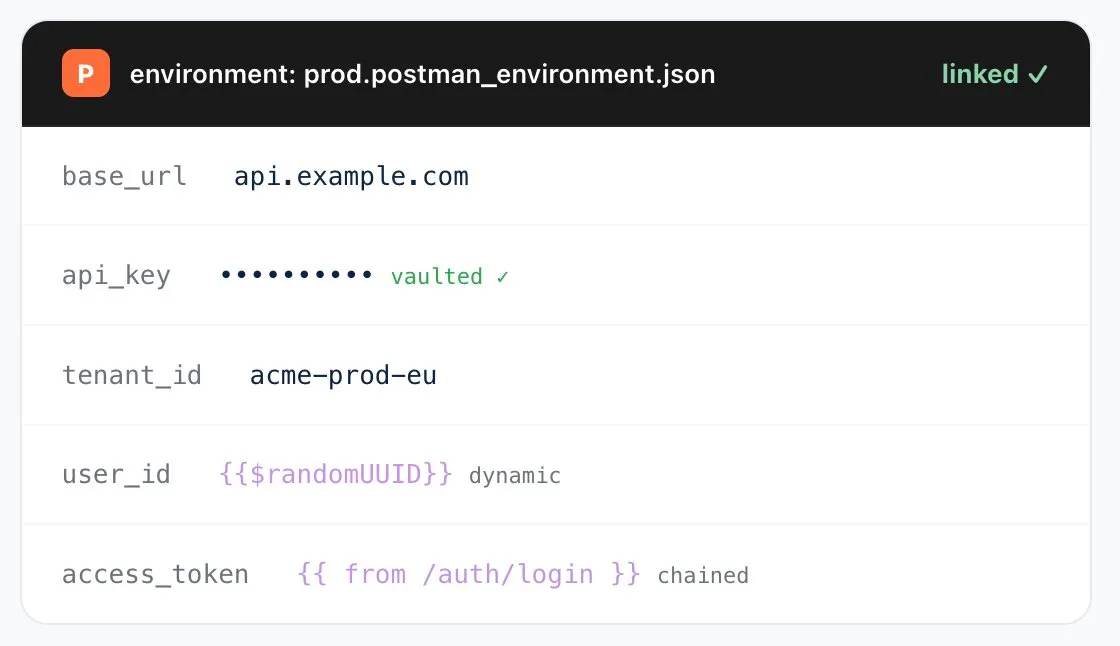
Yes. Static and dynamic environment variables (including Postman built-ins like {{$randomUUID}}) import directly, along with pre-request scripts and test assertions written in Postman’s JavaScript dialect.
Yes. Choose from 30+ global monitoring locations and run the Collection in parallel from each. Catch the regional CDN issue or DNS propagation gap that single-location monitoring misses.
Yes. As often as every minute per Collection. For critical paths (login, payment, checkout) we recommend 1-minute intervals; less critical Collections typically use 5- or 15-minute intervals.
Yes. Import environments alongside Collections — pick which environment to use per monitor (dev/staging/prod), and re-import as your Postman workspace evolves.
Yes. Trigger monitor runs from GitHub Actions, Jenkins, Azure DevOps, or any tool that can make HTTP calls. Gate the deploy on assertion results, latency, or availability thresholds.
Yes. Deploy Private Agents inside your VPC or datacenter — the same Collection runs against internal endpoints with no inbound firewall rule required.
Same story — import Insomnia v4 exports directly. See Insomnia API monitoring →
Postman JavaScript scripts using the pm.environment, pm.variables, and pm.collectionVariables APIs are supported. Dynamic variables ({{$randomInt}}, {{$randomUUID}}, etc.) execute at request time. Scripts that depend on Postman-specific APIs unavailable outside Postman are flagged on import.
Yes. Dynamic environment variables resolve at each monitor run, so values like timestamps, random UUIDs, and unique IDs are regenerated per check.
Yes. Imported Collections live at the account level and can be shared with team members via role-based access control. Updates to the imported Collection apply to all monitors that reference it.
You can run Newman locally in CI as part of pre-deploy testing AND register the same Collection with Dotcom-Monitor for continuous post-deploy monitoring. Both use the same Collection JSON.
Monitoring more than Postman Collections? See the full API Monitoring platform →
30-day free trial. No credit card. Import a Collection in under five minutes.