
The checkout service shows a clean p99 in your APM, the Kubernetes dashboards are green, and yet support tickets from Australia say the payment step hangs. That gap between what your telemetry reports and what a customer sees is the reason teams buy observability tools, and the reason so many of them end up with three overlapping platforms and a bill nobody can explain.
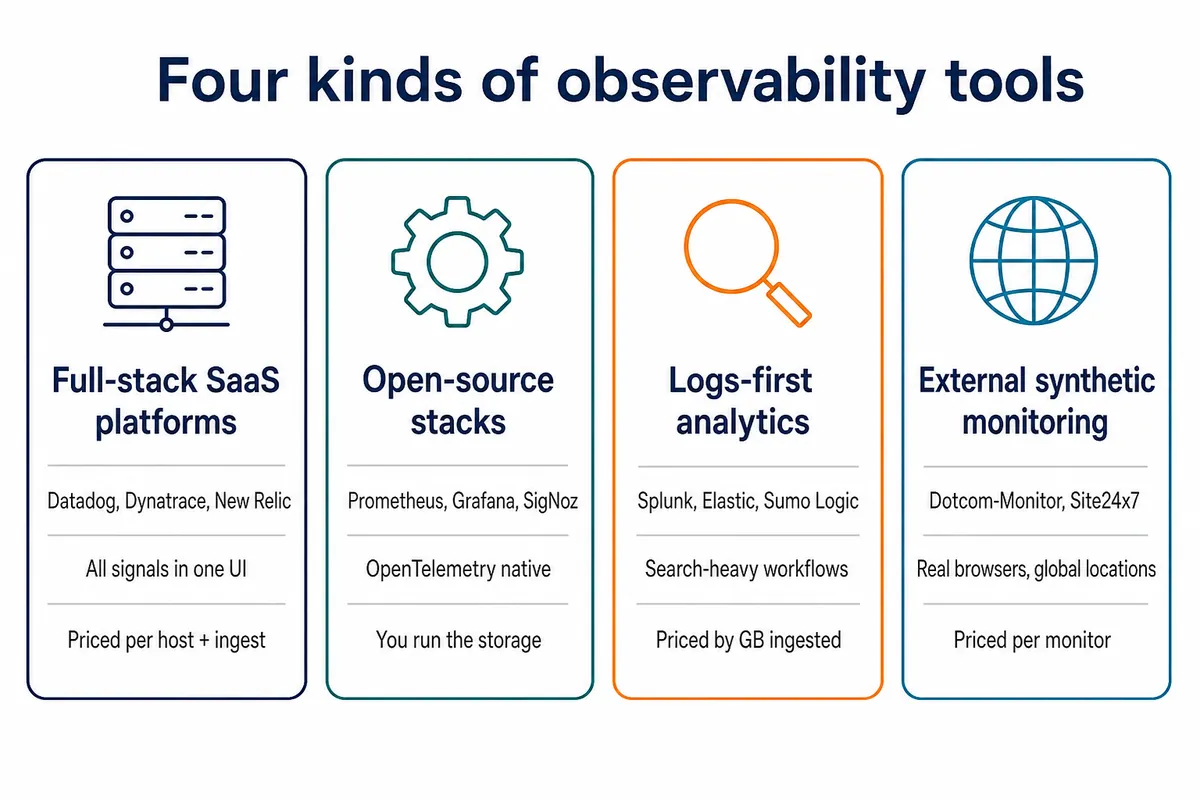
This guide compares 20 observability tools across full-stack SaaS platforms, open source stacks, logs-first analytics, and external synthetic monitoring. Every entry follows the same template: what it monitors, pros, cons. The two tables near the top and bottom give the short answer for anyone who does not want to read the whole thing.

What Are Observability Tools?
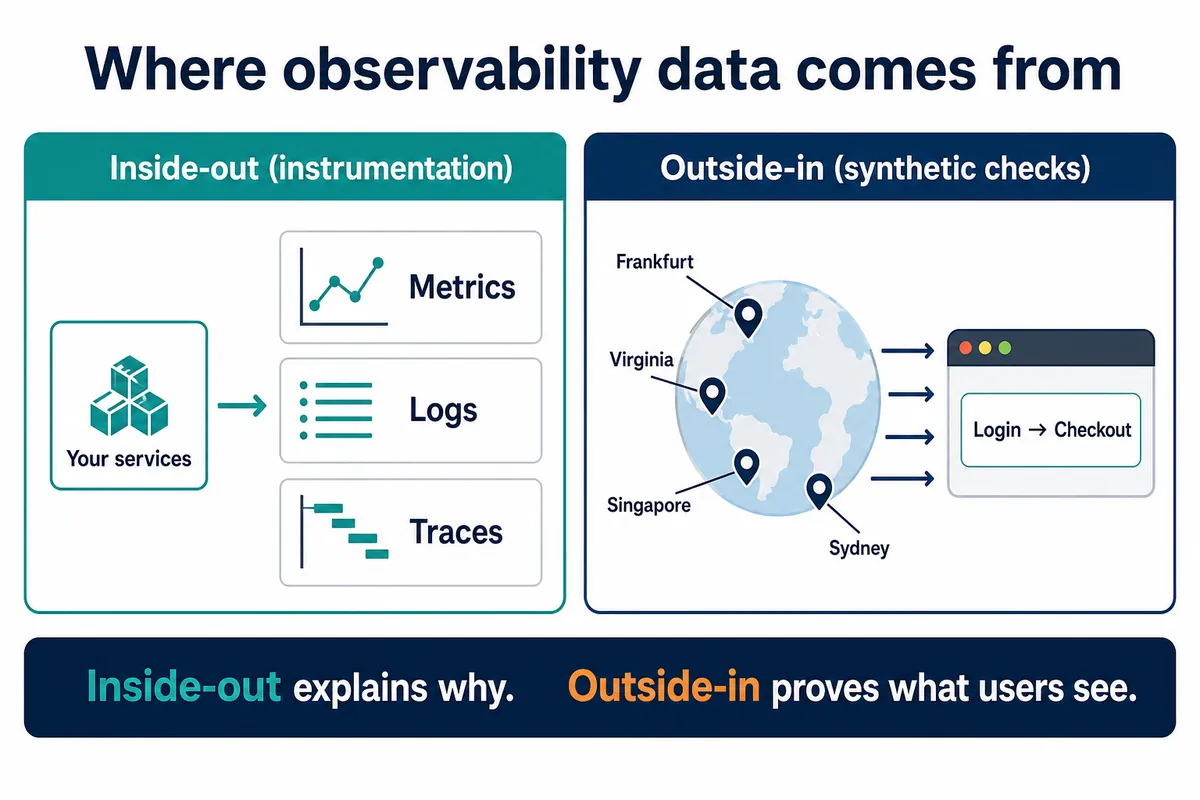
Observability tools collect metrics, logs and traces from your applications and infrastructure, store them in one place, and let you ask questions you did not plan for in advance. Monitoring tells you a known metric crossed a line. Observability lets you work out why a request that was fine yesterday is slow today, even if nobody wrote an alert for that failure.
Most platforms on this list are built around the same three signals.
- Metrics are numbers over time: CPU, request rate, error rate, p95 latency. Cheap to store, good for alerting, poor at explaining a single bad request.
- Logs are the text your services write. They carry the detail. But they are usually the most expensive signal to keep.
- Traces follow one request across services. A distributed trace shows which hop added the 800 ms.
Many platforms now add profiling, real user monitoring (RUM), and session replay on top. And nearly all of them accept data through OpenTelemetry, which has become the default way to instrument code without locking yourself into one vendor’s agent.
All of those signals come from inside your systems. On their own they tell you nothing about a DNS change, an expired certificate, or a CDN edge in Sydney serving a stale asset, because no instrumented service ever sees that request. Several platforms bundle basic synthetic checks for this reason. The fuller outside view comes from synthetic monitoring software that runs scripted checks from locations your customers use.
How We Evaluated These Observability Tools
We looked at each tool through the questions an SRE lead and an IT manager argue about before signing.
- Signal coverage. Does it handle metrics, logs and traces natively, or bolt one of them on through a partner?
- OpenTelemetry support. Can you send OTLP data without a proprietary agent, and does the UI treat that data as a first-class citizen?
- Pricing model. Per host, per GB ingested, per user, per event, or per monitor. The model matters more than the list price, because it decides which engineering decisions get expensive.
- Time to first useful dashboard. Auto-instrumentation and prebuilt integrations, or a week of YAML.
- Query power. Can you group by a high-cardinality field such as customer ID without the tool falling over or the bill doubling?
- Deployment options. SaaS only, self-hosted, or both.
Feature claims below were checked against each vendor’s product pages and documentation in October 2026. Where a vendor does not publish prices, we describe the model rather than guess at numbers.
We left out the cloud providers’ native tools (Amazon CloudWatch, Azure Monitor, Google Cloud Observability) because they stop at the edge of one cloud, and single-signal components such as Jaeger, VictoriaMetrics and OpenSearch, which most teams run inside one of the stacks below.
Comparing the 20 Best Observability Tools
| Tool | Best For | Pricing Model | Primary Drawback |
|---|---|---|---|
| Dotcom-Monitor | External synthetic monitoring in real browsers from 30+ locations | Per target, from $19.99/month | No metrics, logs or traces from inside your stack |
| Datadog | Broadest all-in-one SaaS platform | Per host, plus per GB of logs, per indexed span and per user | Bill complexity across 20+ SKUs |
| Dynatrace | Large enterprises wanting automated root cause | Consumption (DPS) | Cost and learning curve |
| New Relic | Teams that want one price for all data | Per GB ingested plus per user | Full-platform user seats add up |
| Grafana Cloud | Teams standardized on Prometheus and OpenTelemetry | Usage based, generous free tier | You assemble the experience yourself |
| Splunk Observability Cloud | Existing Splunk log customers | Per host and per session, tiered | Separate products and contracts |
| Elastic Observability | Search-heavy log workloads | Resource based (cloud) or self-managed | Cluster tuning is on you |
| Honeycomb | High-cardinality debugging | Per event | Weak classic infrastructure dashboards |
| Cortex XCOR (Chronosphere) | Controlling telemetry volume in large Kubernetes estates | Enterprise contract | Packaging is still settling after the move to Palo Alto Networks |
| Sumo Logic | Log analytics with security use cases | Credit based (Flex) | APM depth behind the leaders |
| LogicMonitor | Hybrid infrastructure and network teams | Per resource | Application tracing is newer than its infra roots |
| SolarWinds Observability | Mid-market IT teams with SolarWinds estates | Per entity, SaaS subscription | Less developer-facing than APM-first tools |
| IBM Instana | Automatic discovery with one-second metrics | Per host, SaaS or self-hosted | Smaller ecosystem than Datadog or Dynatrace |
| Splunk AppDynamics | Business transaction monitoring in large Java and .NET estates | Per CPU core or per agent | Heavier agents, enterprise-only buying motion |
| SigNoz | Open source alternative to Datadog | Free self-hosted; usage based cloud | Smaller integration catalog |
| Prometheus + OpenTelemetry | Metrics and instrumentation foundation | Free, open source | Long-term storage, logs and traces need other tools |
| Better Stack | Small teams wanting logs, uptime and on-call in one bill | Per GB and per seat, low entry price | Not built for very large enterprises |
| Coralogix | Cost control through data tiering | Per GB by use case tier | Tiering decisions require upfront planning |
| Site24x7 | Budget all-in-one for SMBs | Per monitor, low monthly plans | Tracing depth limited next to APM-first tools |
| Sematext | Elasticsearch-compatible logs plus monitoring | Pay as you go per GB and per host | Smaller vendor, fewer enterprise features |
The 20 Best Observability Tools in 2026
Most observability stacks need internal telemetry and external validation, so this list opens with one dedicated synthetic monitoring layer and follows it with the full-stack platforms, open source stacks and log analytics tools that supply the rest.
1. Dotcom-Monitor
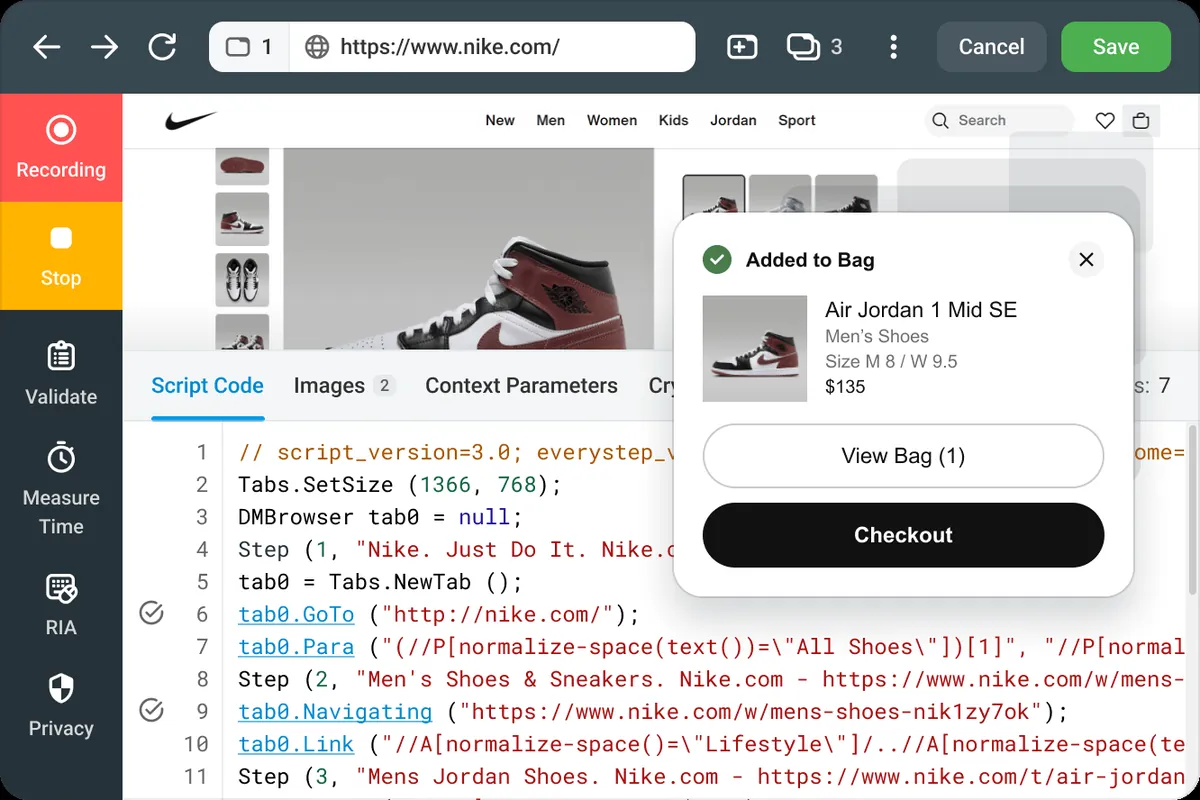
Dotcom-Monitor covers the part of observability that instrumentation cannot. It runs scripted checks against your site, APIs and infrastructure from more than 30 global locations in real Chrome, Firefox, Edge and Safari browsers, then alerts you when a step fails or slows down. It is not an APM: there is no agent, no log ingestion and no distributed tracing. Teams run it next to one of the platforms below, so an alert about a failed checkout in Sydney arrives with a waterfall and a video from Sydney.
Key features / what it can monitor:
- Multi-step web application monitoring recorded with the EveryStep scripting tool or imported from Playwright tests, plus single-page checks with waterfall charts and scheduled Lighthouse audits.
- API monitoring for REST, SOAP and GraphQL, including Postman and Insomnia collections.
- Internet infrastructure checks (DNS, SSL certificates, TCP ports, ICMP, SMTP, FTP, SIP and more) as often as once per minute.
- Video playback of failed sessions, reports by location, alerts by email, SMS, phone, Slack, PagerDuty and webhook, and private agents for applications behind a firewall.
Pros:
- Catches failures that never reach an instrumented service: DNS, certificates, CDN edges, third-party scripts, regional routing.
- Predictable per-target pricing from $19.99 per month, a free plan with up to 25 targets from two locations, and a 30-day trial of the paid plans.
- Real browsers rather than headless HTTP checks, which means JavaScript errors and rendering problems show up.
Cons:
- No metrics, logs or traces from inside your stack, and no real user monitoring. You still need one of the tools below for root cause.
2. Datadog
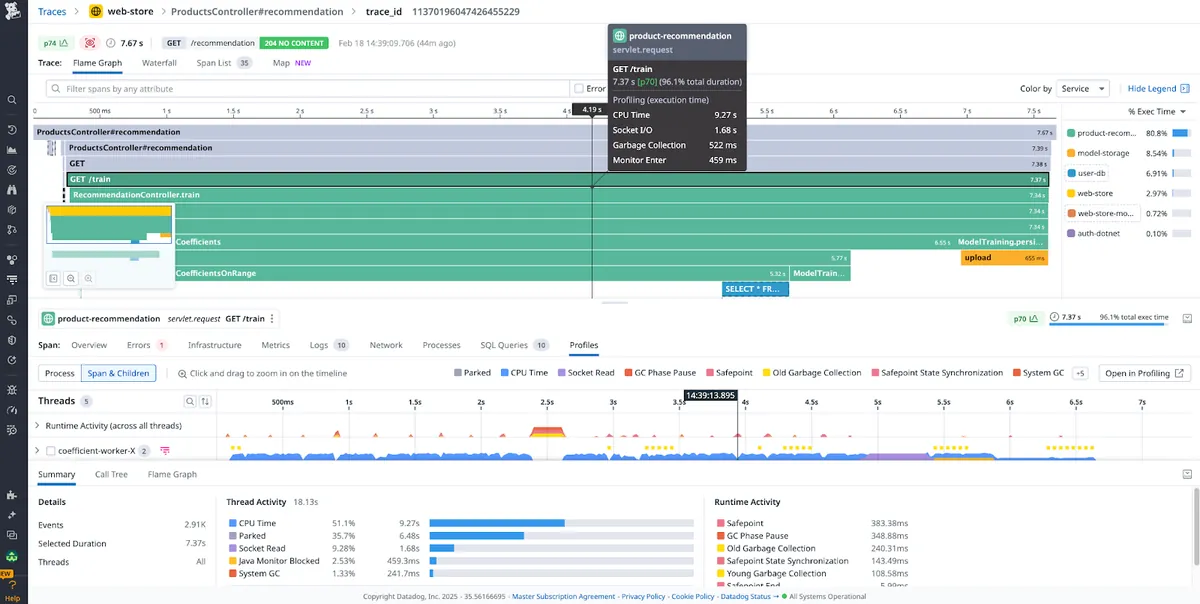
Datadog is the platform most teams compare everything else against. One agent feeds infrastructure metrics, APM traces, logs, RUM, synthetics, security and cost data into a single UI with more than 900 integrations. It is the fastest route from zero to useful dashboards. But it is also why many teams discover a year later that they are paying for eleven products they never planned to buy. Our Datadog vs Dotcom-Monitor comparison goes deeper on the synthetic side.
Key features / what it can monitor:
- Infrastructure, containers and Kubernetes with autodiscovery.
- APM with distributed tracing, continuous profiler and database monitoring.
- Log management with pattern detection and rehydration from archives.
- RUM, session replay, synthetic API and browser tests.
Pros:
- Broadest coverage of any tool on this list, with consistent tagging across products.
- Large community, mature Terraform provider and prebuilt dashboards for almost everything.
Cons:
- Pricing combines per host, per GB of logs, per million spans and per user; forecasting a bill takes a spreadsheet.
- Custom metrics and high-cardinality tags are a common source of surprise invoices.
3. Dynatrace
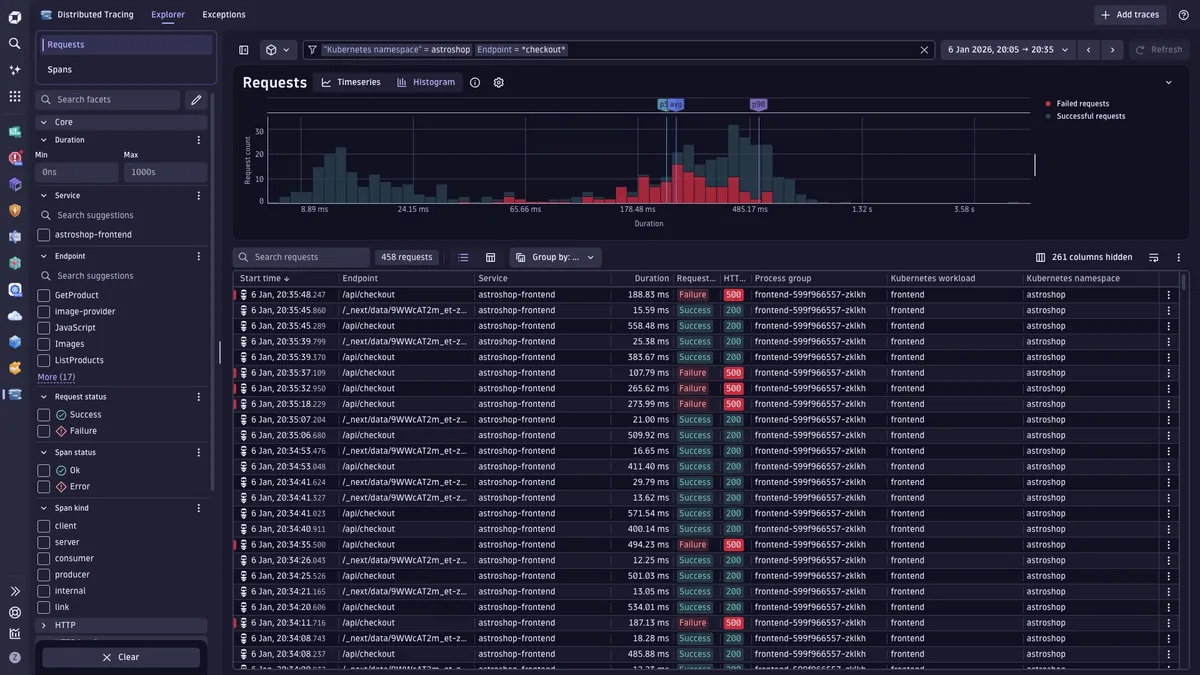
Dynatrace installs a single OneAgent per host, discovers every process and dependency automatically, and uses its Davis AI engine to tie an alert to a probable root cause instead of a page of correlated symptoms. Its Grail data store keeps logs, metrics, traces and events together, and the DQL query language lets you join them in one query. It is built for large enterprises with thousands of hosts, and it is priced that way.
Key features / what it can monitor:
- Full-stack discovery with Smartscape topology mapping.
- Davis AI causal analysis and automatic baselining.
- Application security, business analytics and digital experience monitoring on the same data.
- OpenTelemetry ingestion alongside OneAgent.
Pros:
- Root cause analysis that reduces alert noise in complex environments.
- Very little manual instrumentation for supported languages.
Cons:
- Consumption pricing (DPS) is flexible but hard to forecast without a pilot.
- Overkill for small teams; the platform assumes an enterprise rollout.
4. New Relic
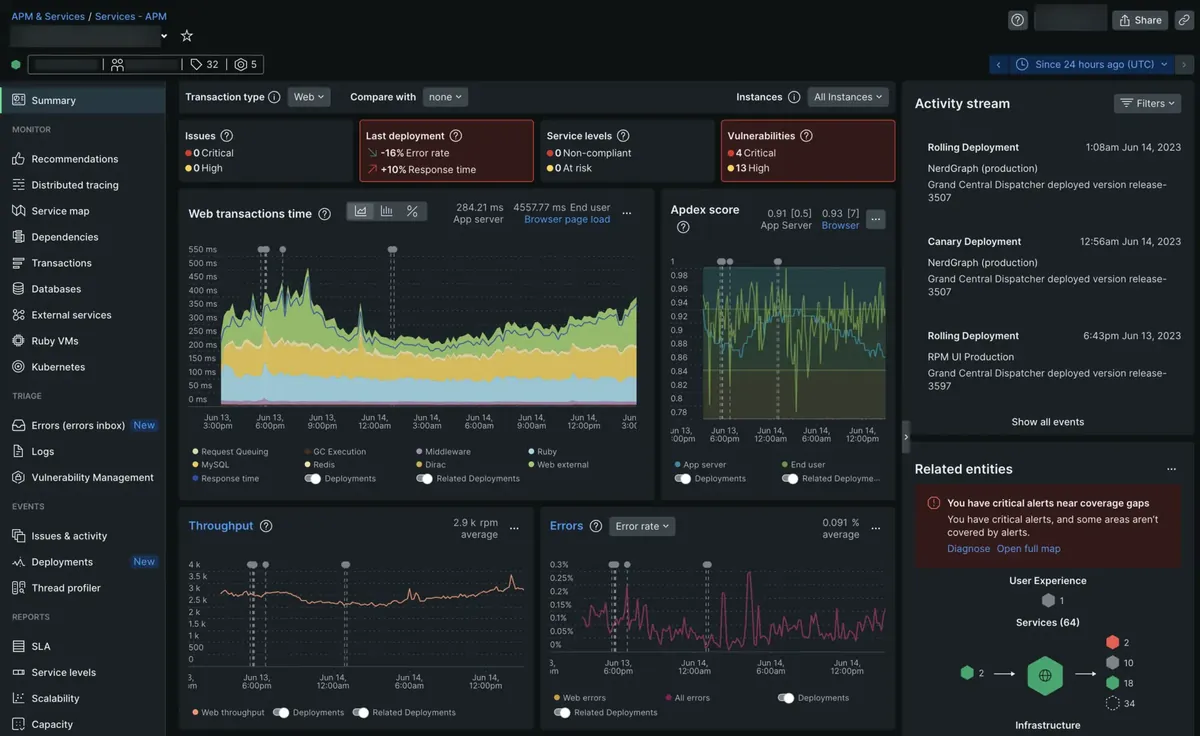
New Relic puts every signal into one database (NRDB) and charges by data ingested plus per user, which makes it one of the easier platforms to budget. The free tier includes 100 GB of ingest per month and one full user, enough for a small production service. New Relic also ships its own OpenTelemetry distributions and treats OTLP data as native.
Key features / what it can monitor:
- APM, infrastructure, logs, browser and mobile RUM, synthetics and network monitoring.
- NRQL query language across all data types.
- Change tracking, service levels and errors inbox.
Pros:
- Simple pricing model compared with Datadog.
- Strong free tier for evaluation and small workloads.
Cons:
- Full-platform user seats are expensive, so teams end up rationing who can query data.
- Data retention beyond the default costs extra.
5. Grafana Cloud
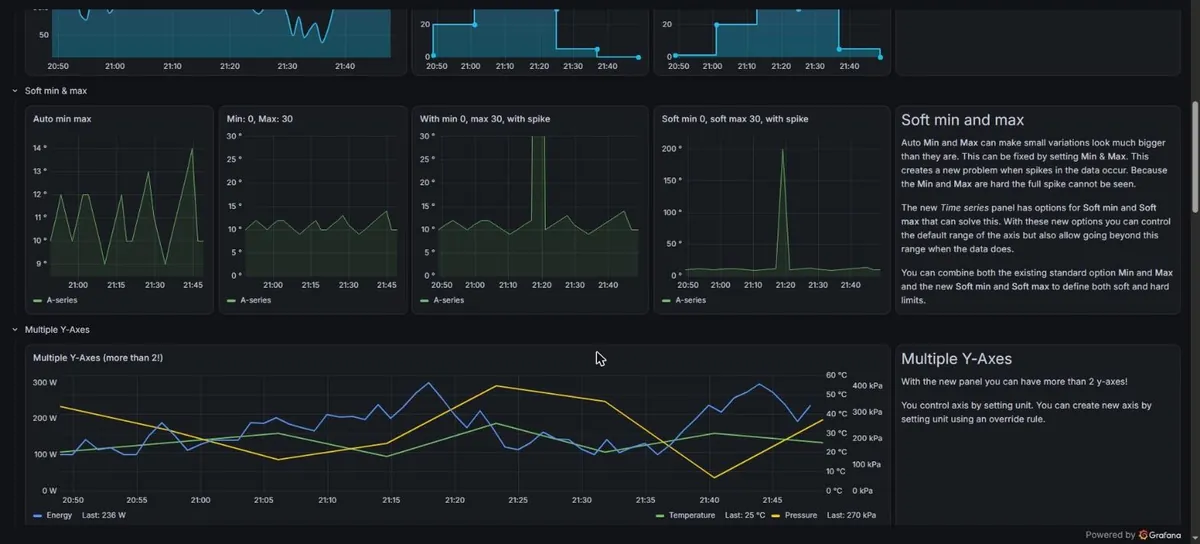
Grafana Cloud is the hosted version of the LGTM stack: Loki for logs, Grafana for dashboards, Tempo for traces and Mimir for Prometheus metrics, with Pyroscope profiling and Faro frontend observability on top. It is the natural choice for teams that already run Prometheus and want to stop managing storage. The free tier (10k metric series, 50 GB each of logs and traces) is enough for a small production service. And everything is open source if you want to self-host later.
Key features / what it can monitor:
- Prometheus-compatible metrics through Mimir, with multi-tenant long-term storage.
- Logs (Loki), traces (Tempo), profiles (Pyroscope) with correlated navigation.
- Kubernetes Monitoring, Application Observability and Synthetic Monitoring apps.
Pros:
- No vendor lock-in; every component has an open source equivalent.
- Best dashboarding on this list, and the one most engineers already know.
Cons:
- You assemble correlation and workflows yourself; it is less turnkey than Datadog or Dynatrace.
- Active series limits on metrics need watching as labels grow.
6. Splunk Observability Cloud
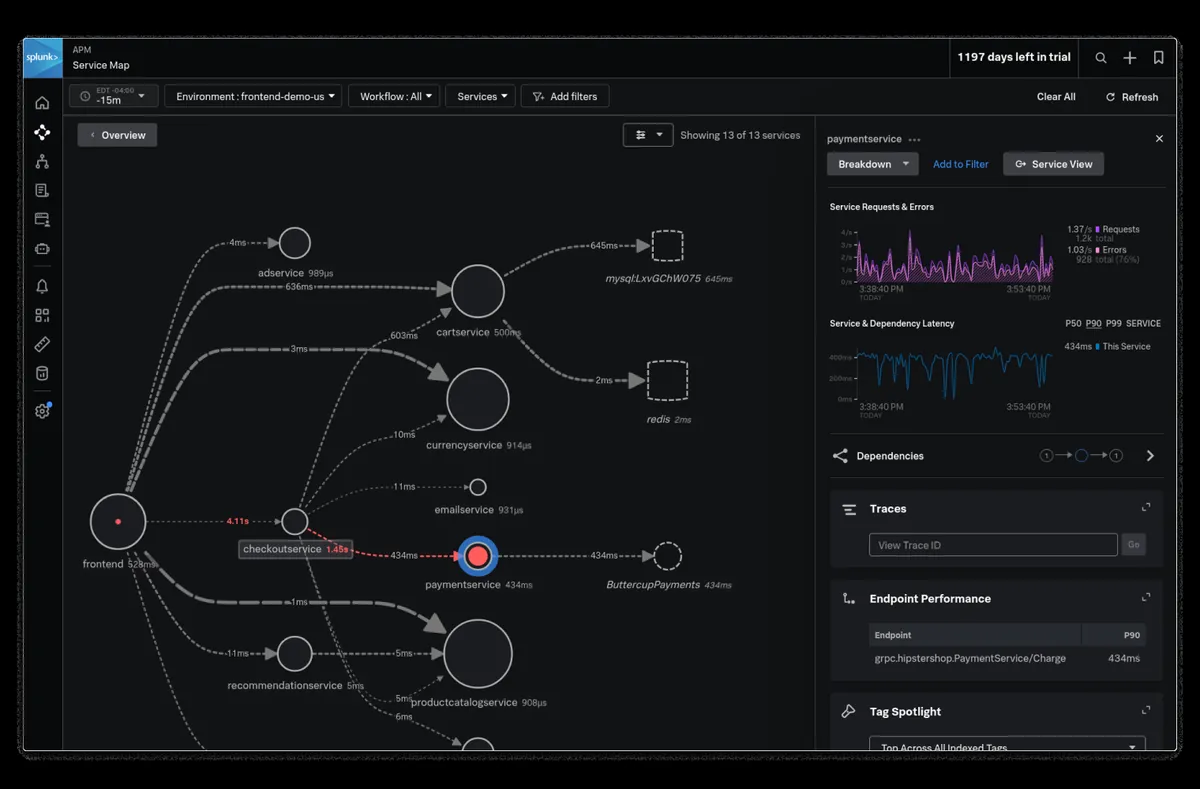
Splunk Observability Cloud bundles Infrastructure Monitoring, APM, RUM, Synthetic Monitoring and Log Observer, with Splunk Platform handling long-term log search. Its APM keeps every trace rather than sampling a share of them (Splunk calls this NoSample), which matters when the one failing request is the one you need. Since Cisco’s acquisition of Splunk, the product is also being tied more closely to Cisco’s network and security portfolio.
Key features / what it can monitor:
- Streaming metrics with per-second resolution.
- Full trace retention, with Tag Spotlight to find which tag values the failing requests share.
- OpenTelemetry Collector as the default agent.
Pros:
- Strong fit if your logs already live in Splunk Enterprise or Splunk Cloud.
- One of the earliest vendors to standardize on OpenTelemetry.
Cons:
- Observability Cloud and Splunk Platform are separate products with separate pricing.
- Enterprise sales cycle; little appeal for teams under about 50 hosts.
7. Elastic Observability
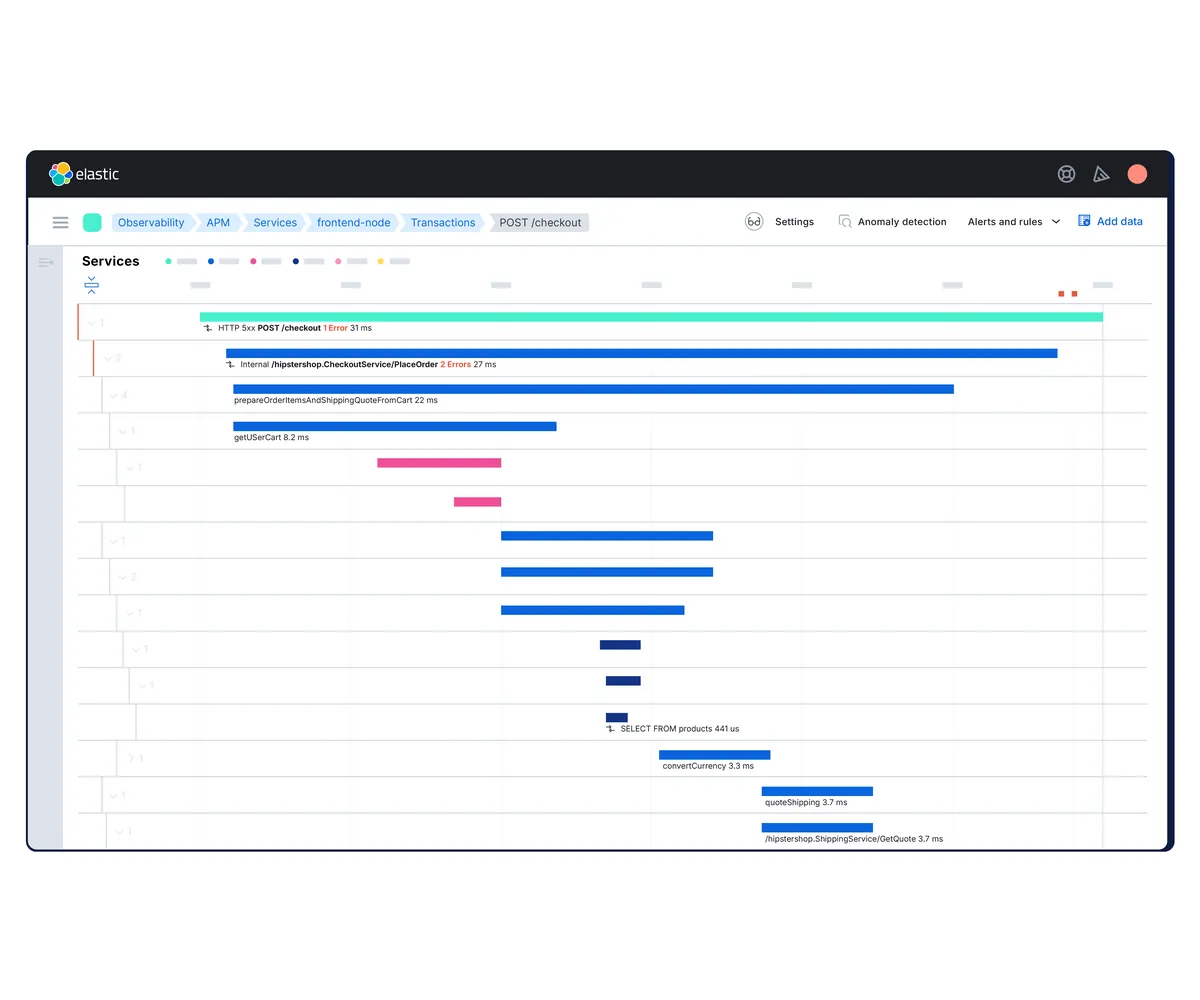
Elastic Observability runs on Elasticsearch, so search across terabytes of logs is the headline. APM, metrics, uptime and RUM live in the same Elastic deployment, and the Elastic Distribution of OpenTelemetry (EDOT) is now Elastic’s recommended agent for most languages, with the older proprietary agents in maintenance. You can run it on Elastic Cloud, in serverless mode, or self-managed on your own hardware, which still makes it the go-to for teams with data residency rules.
Key features / what it can monitor:
- Log analytics with ES|QL and machine learning anomaly detection.
- APM with distributed tracing and service maps.
- Infrastructure and Kubernetes metrics, uptime and synthetic monitors.
Pros:
- Self-managed option with full control over retention and storage cost.
- Search performance on large log volumes.
Cons:
- Cluster sizing, shard management and upgrades take engineering time when self-hosted.
- Licensing tiers (Basic, Gold, Platinum, Enterprise) gate features such as machine learning.
8. Honeycomb
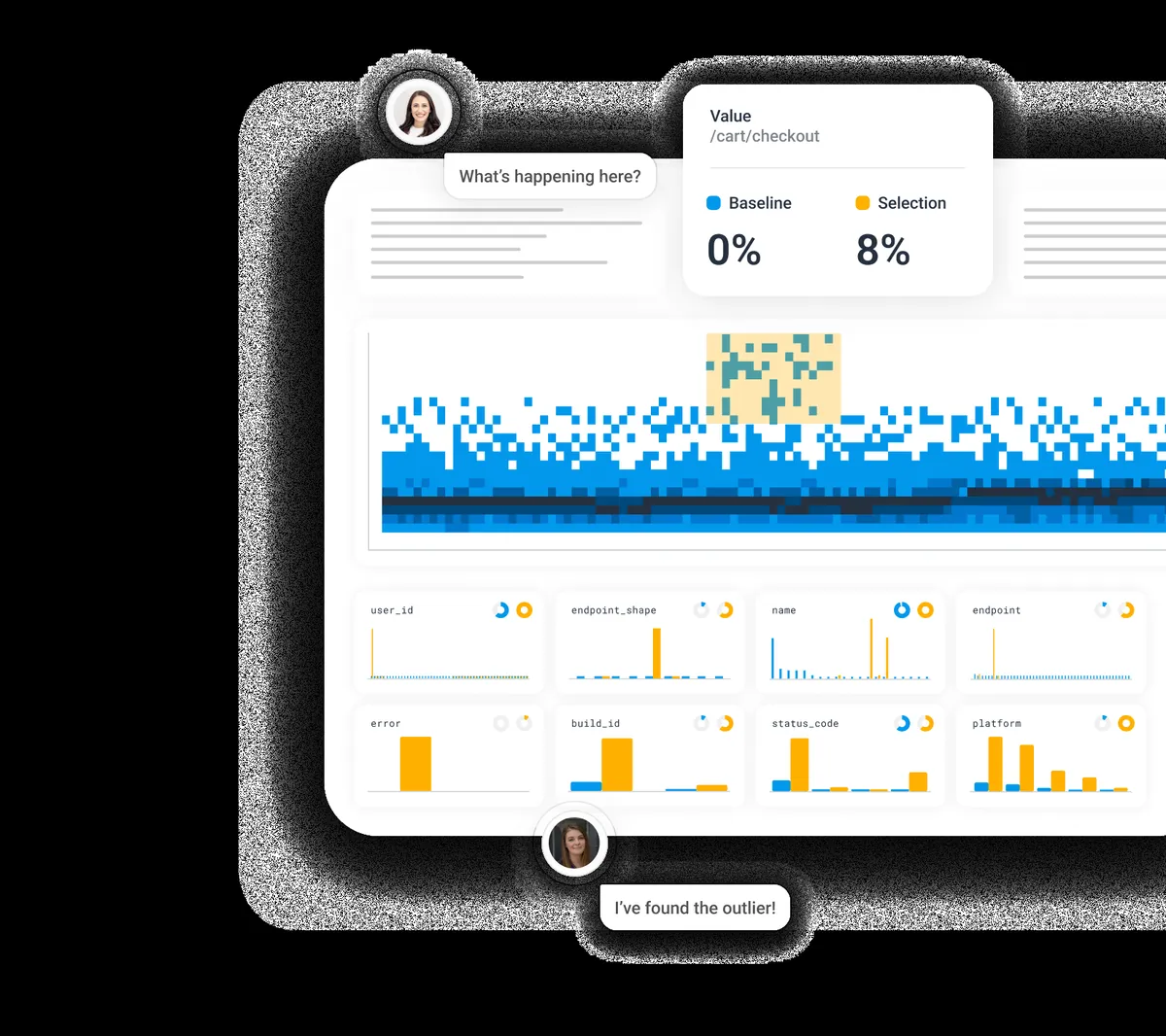
Honeycomb stores wide events rather than pre-aggregated metrics. You can group by any field (customer ID, build hash, feature flag) without paying a cardinality penalty. BubbleUp takes a region of slow requests on a heatmap and tells you which attributes differ from the baseline. Engineers who debug production for a living tend to love it. IT managers find it the hardest tool here to map onto classic infrastructure dashboards.
Key features / what it can monitor:
- High-cardinality event storage with heatmaps and BubbleUp.
- Distributed tracing with OpenTelemetry as the primary ingestion path.
- SLOs with burn alerts and a free tier of 20 million events per month.
Pros:
- Fastest path from “latency spiked” to “it was tenant 4471 on build 93a”.
- Event pricing scales with traffic, not host count.
Cons:
- Thin on infrastructure metrics and per-host dashboards.
- Requires good instrumentation to shine; raw log shipping gets less value.
9. Cortex XCOR (Formerly Chronosphere)
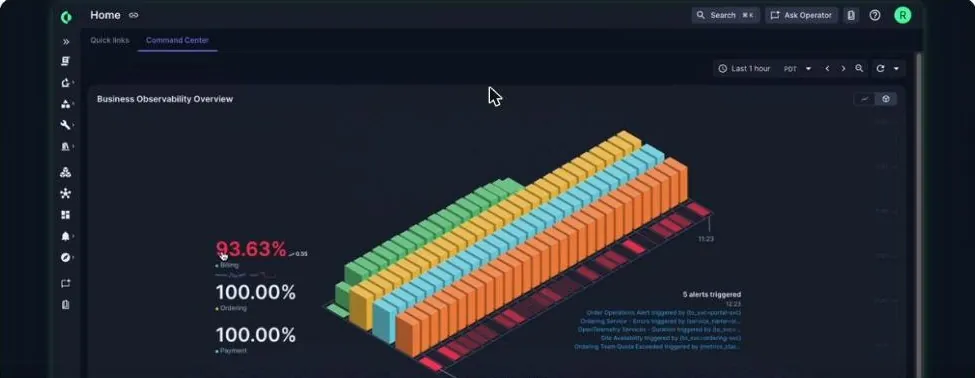
Chronosphere built its reputation on telemetry control, a pipeline that aggregates, drops and reshapes metrics and traces before storage so Kubernetes-heavy companies can cut volume without losing the queries they need. Palo Alto Networks acquired the company and now sells the platform as Cortex XCOR; chronosphere.io redirects there, and the vendor’s FAQ tells existing Chronosphere customers they keep the same platform under a new name, with XCOR Operator, Synthetics and Consumption Budgets added. Prometheus and OpenTelemetry compatibility is unchanged.
Key features / what it can monitor:
- Control plane for shaping metric and trace volume with usage analysis.
- Prometheus-compatible metrics, distributed tracing and logs.
- Investigation by chat through the Operator agent.
Pros:
- Best-in-class cost governance for very large metric estates.
- Drop-in for PromQL and Grafana dashboards.
Cons:
- Branding, roadmap and packaging are still settling after the change of ownership.
- Enterprise-only; no self-serve tier.
10. Sumo Logic
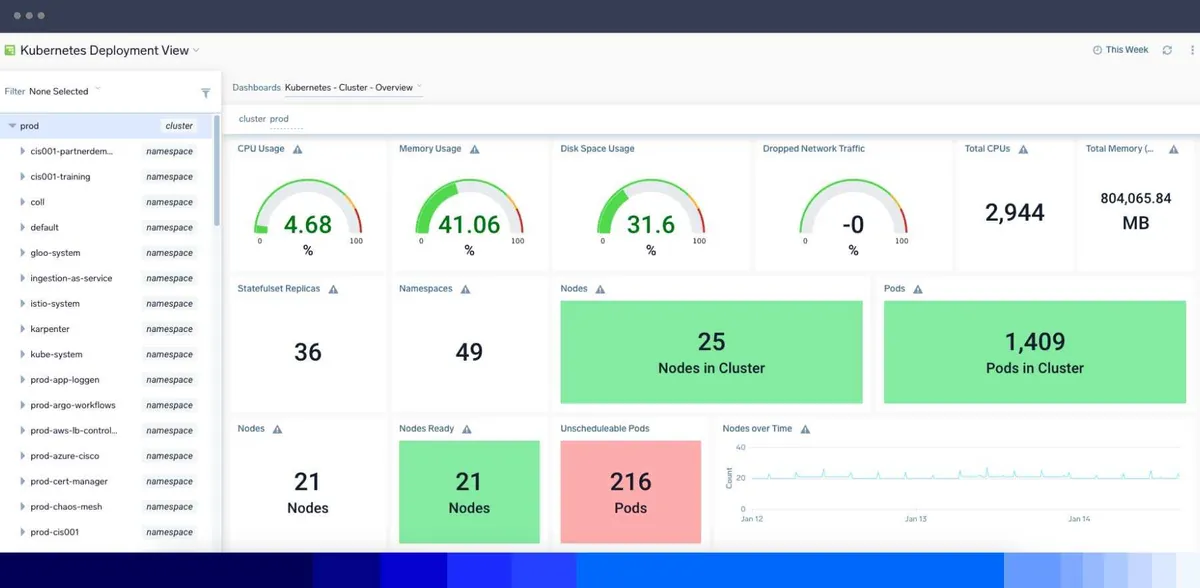
Sumo Logic started as cloud log analytics and grew into observability and security on the same data. Logs remain its strongest signal, with metrics, traces and RUM added through OpenTelemetry collectors. The Flex pricing model charges credits across ingest, storage and scanning rather than a single per GB fee, which can reward teams that store a lot and query a little.
Key features / what it can monitor:
- Log search and analytics with LogReduce pattern grouping.
- Metrics, tracing and RUM via OpenTelemetry.
- Cloud SIEM and SOAR on the same platform.
Pros:
- One platform for observability and security log use cases.
- Flex pricing can be cheaper for workloads with high volume and few queries.
Cons:
- APM depth and UI polish trail Datadog, Dynatrace and New Relic.
- Credit math takes time to understand.
11. LogicMonitor
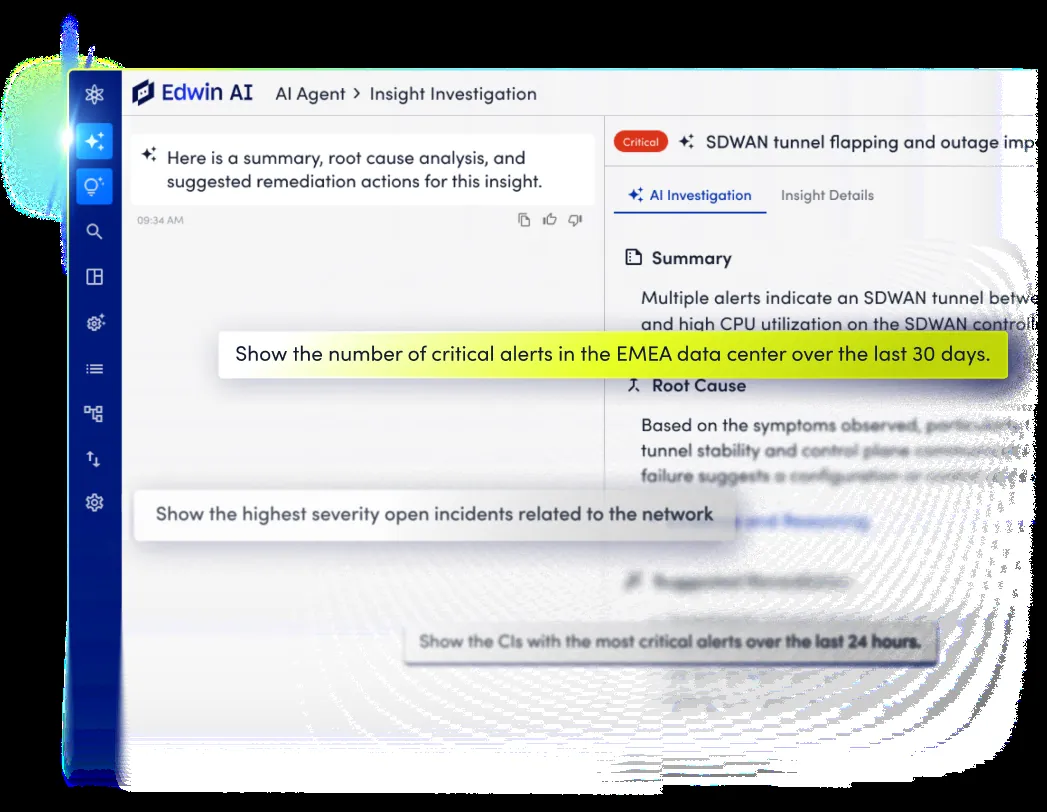
LogicMonitor Envision grew up monitoring hybrid infrastructure: data centers, network gear, VMware, cloud accounts and SaaS, mostly without agents thanks to collectors that poll SNMP, WMI and vendor APIs. Edwin AI correlates alerts across those layers into incidents. Application tracing and logs are more recent additions, so the platform suits IT operations teams more than developers chasing a slow endpoint.
Key features / what it can monitor:
- Agentless infrastructure and network monitoring with 3,000+ integrations.
- Edwin AI for alert correlation and incident summaries.
- Logs, OpenTelemetry traces and cloud cost views.
Pros:
- Strong for mixed on-premises and cloud estates, including network devices.
- Low agent footprint.
Cons:
- APM is less mature than infrastructure monitoring.
- Per-resource pricing climbs quickly in container-dense environments.
12. SolarWinds Observability
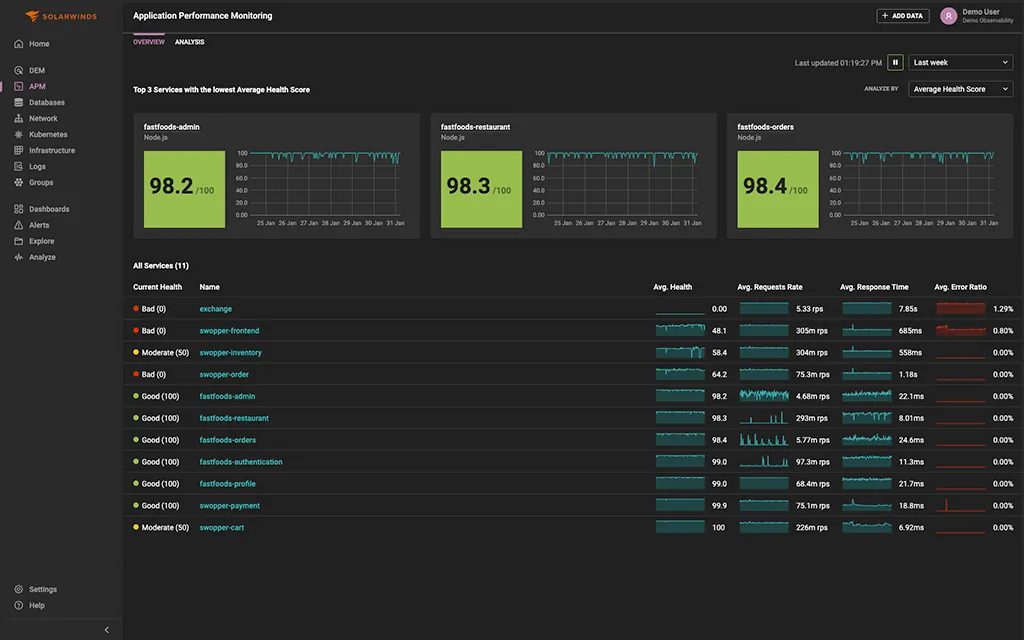
SolarWinds Observability is the SaaS successor to the Orion suite, combining network, infrastructure, database, application and digital experience monitoring with the option to keep self-hosted modules for air-gapped sites. If your network team already runs SolarWinds NPM, this is the path of least resistance to application telemetry. Teams starting from scratch tend to look at SolarWinds alternatives as well.
Key features / what it can monitor:
- Network, server, database and cloud monitoring in one SaaS console.
- APM with distributed tracing, logs and synthetic and real user monitoring.
- Hybrid deployment with self-hosted and SaaS modules side by side.
Pros:
- Deep network and database monitoring heritage.
- Familiar for mid-market IT teams already on SolarWinds.
Cons:
- Developer workflows (traces, deploy markers, SLOs) are weaker than in APM-first tools.
- Pricing per entity gets complicated across many modules.
13. IBM Instana
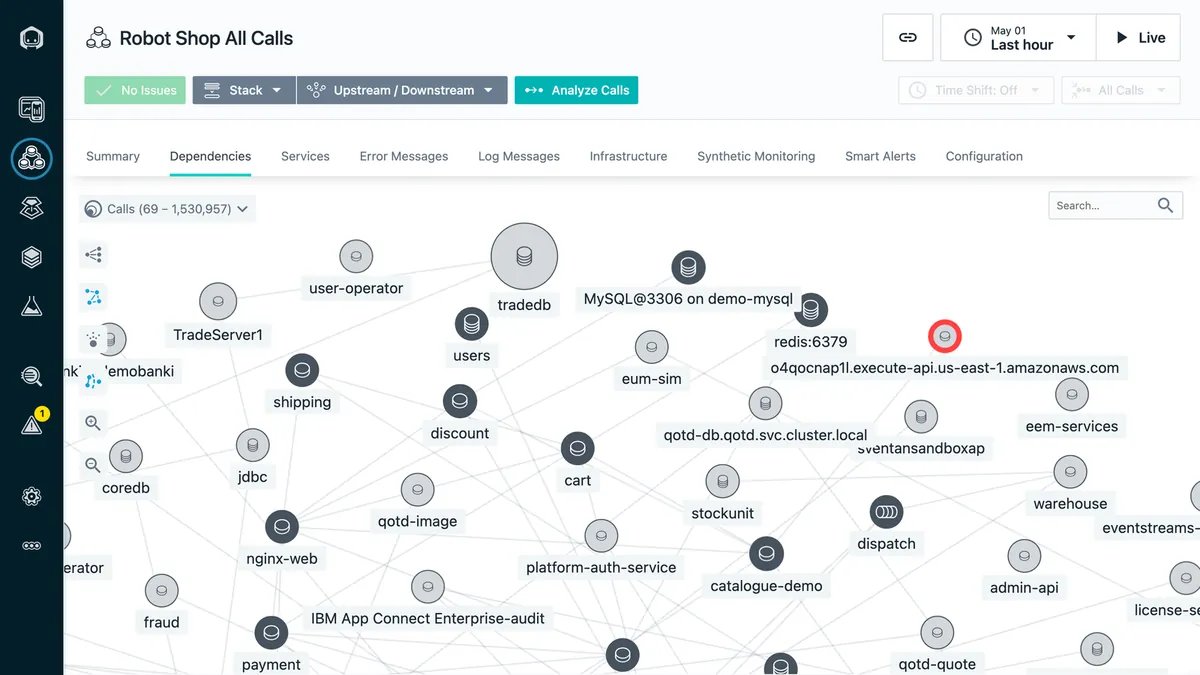
Instana discovers services automatically, collects metrics at one-second granularity and traces every request by default, so there is little to configure before the dependency map fills in. Its Smart Alerts and incident grouping are aimed at reducing pager noise. It is available as SaaS or self-hosted, and it integrates with IBM Turbonomic for automated resource actions.
Key features / what it can monitor:
- Automatic discovery and dependency mapping for 300+ technologies.
- One-second metrics and unsampled distributed tracing.
- OpenTelemetry ingestion and Kubernetes, OpenShift and mainframe support.
Pros:
- Very fast setup for supported stacks.
- Good fit for IBM-heavy environments including z/OS.
Cons:
- Smaller community and integration marketplace than the top three SaaS vendors.
- Per-host pricing penalizes many small hosts.
14. Splunk AppDynamics
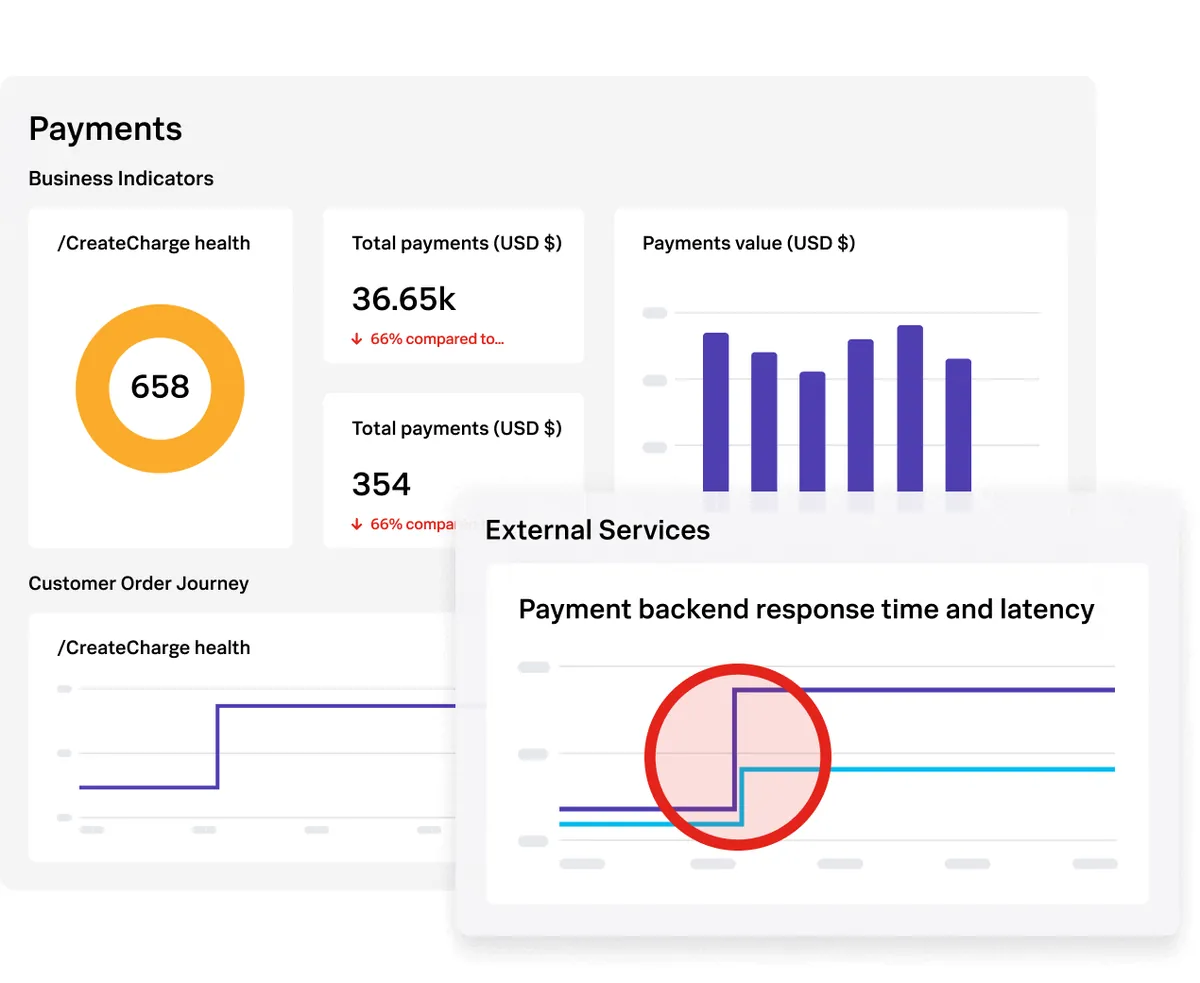
AppDynamics, now sold as Splunk AppDynamics after Cisco’s acquisition, models an application as business transactions (search, add to cart, checkout) and reports performance and revenue impact per transaction. It remains common in banks and retailers with large Java and .NET estates and on-premises deployment requirements. Splunk positions it next to Observability Cloud rather than merging the two.
Key features / what it can monitor:
- Business transaction tracing with baselines and health rules.
- Business iQ for correlating performance with revenue and conversions.
- Infrastructure, database, network and end user monitoring modules.
Pros:
- Business transaction model is easy for non-engineers to read.
- Mature support for legacy enterprise stacks.
Cons:
- Agents are heavier and configuration takes longer than newer tools.
- Enterprise licensing only; no self-serve plan.
15. SigNoz
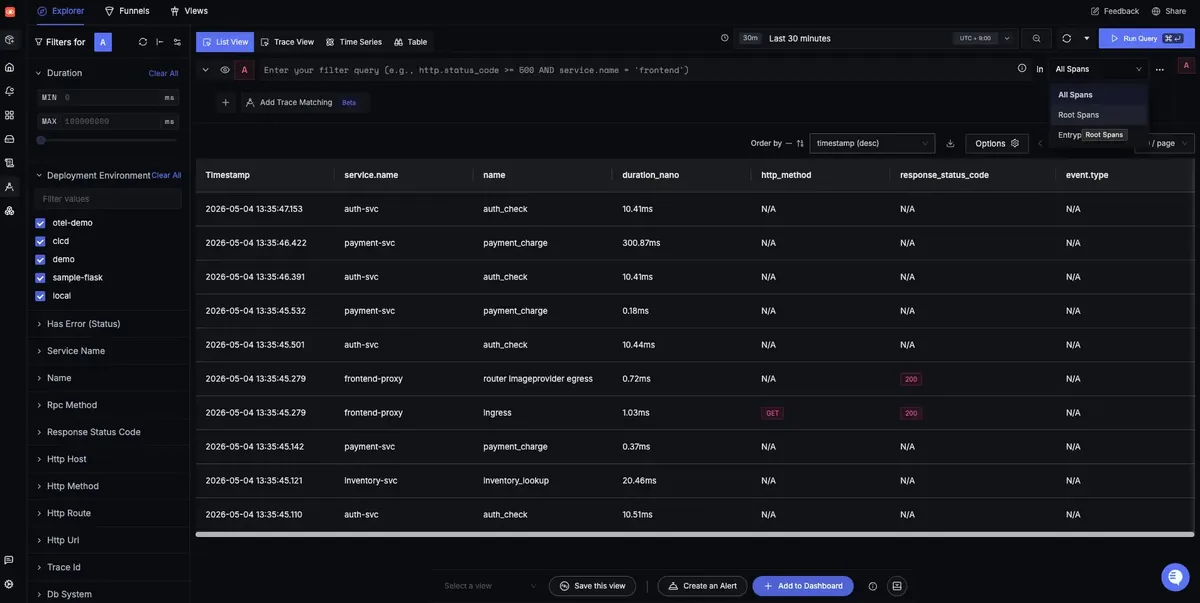
SigNoz is an open source observability platform built on OpenTelemetry and ClickHouse, offering metrics, logs, traces and dashboards in a single UI. You can self-host it under the open source license or use SigNoz Cloud with usage based pricing. It is the closest open source equivalent to Datadog’s APM and logs experience, and its query builder works across all three signals.
Key features / what it can monitor:
- Traces, metrics and logs stored in ClickHouse with correlated views.
- Exceptions, service maps and alerting with Slack, PagerDuty and webhook channels.
- Native OpenTelemetry ingestion; no proprietary agent.
Pros:
- No per-host or per-user fees when self-hosted.
- Data stays in your infrastructure.
Cons:
- Smaller integration catalog and community than Grafana.
- Operating ClickHouse at high ingest rates needs attention.
16. Prometheus and OpenTelemetry
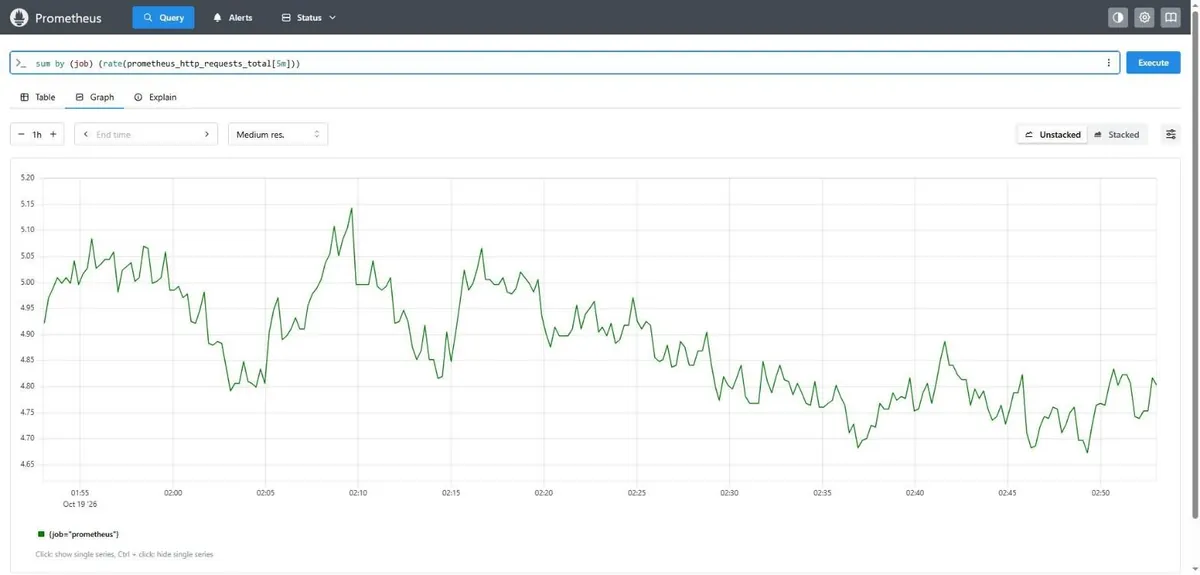
Prometheus is the metrics backbone of most Kubernetes clusters, and OpenTelemetry is the standard for generating and shipping traces, metrics and logs. Together they are not a product so much as the foundation every vendor on this list now supports. Prometheus scrapes targets on a pull model, stores time series locally and evaluates alert rules; the OpenTelemetry Collector receives, processes and exports telemetry to whichever backend you choose. Most teams deploy both with the Prometheus Operator or Helm on Kubernetes, or hand the storage to a managed service such as Amazon Managed Service for Prometheus or Grafana Cloud.
Key features / what it can monitor:
- PromQL for metric queries and alerting rules via Alertmanager.
- Exporters for hundreds of systems, from node metrics to PostgreSQL.
- OpenTelemetry SDKs for every major language and auto-instrumentation for Java, .NET, Python, Node.js and Go.
- Collector pipelines for filtering, sampling and routing.
Pros:
- Free, vendor neutral and understood by every SRE you will hire.
- Keeps your instrumentation portable when you change vendors.
Cons:
- Long-term metric storage, log search and trace storage all require additional components (Thanos, Mimir, Loki, Tempo, Jaeger).
- Someone has to run and upgrade it.
17. Better Stack
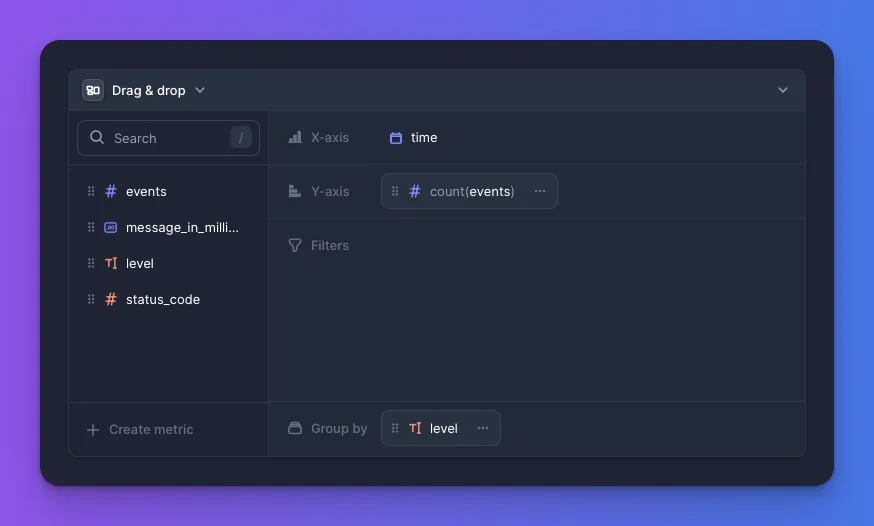
Better Stack bundles log management, metrics, tracing, uptime monitoring, status pages and on-call scheduling into one product with pricing that starts low enough for a two-person team. Telemetry runs on ClickHouse with SQL querying, and the uptime side includes screenshots and error context on failed checks. It competes with the combination of Datadog, PagerDuty and Statuspage for small and mid-sized teams.
Key features / what it can monitor:
- Logs, metrics and OpenTelemetry traces with SQL and visual query builder.
- Uptime checks, heartbeat monitoring and public status pages.
- Incident management with on-call rotations and phone alerts.
Pros:
- One bill for observability, uptime and on-call.
- Fast onboarding and modern UI.
Cons:
- Not designed for tens of thousands of hosts or strict enterprise governance.
- APM features are newer and lighter than dedicated tools.
18. Coralogix
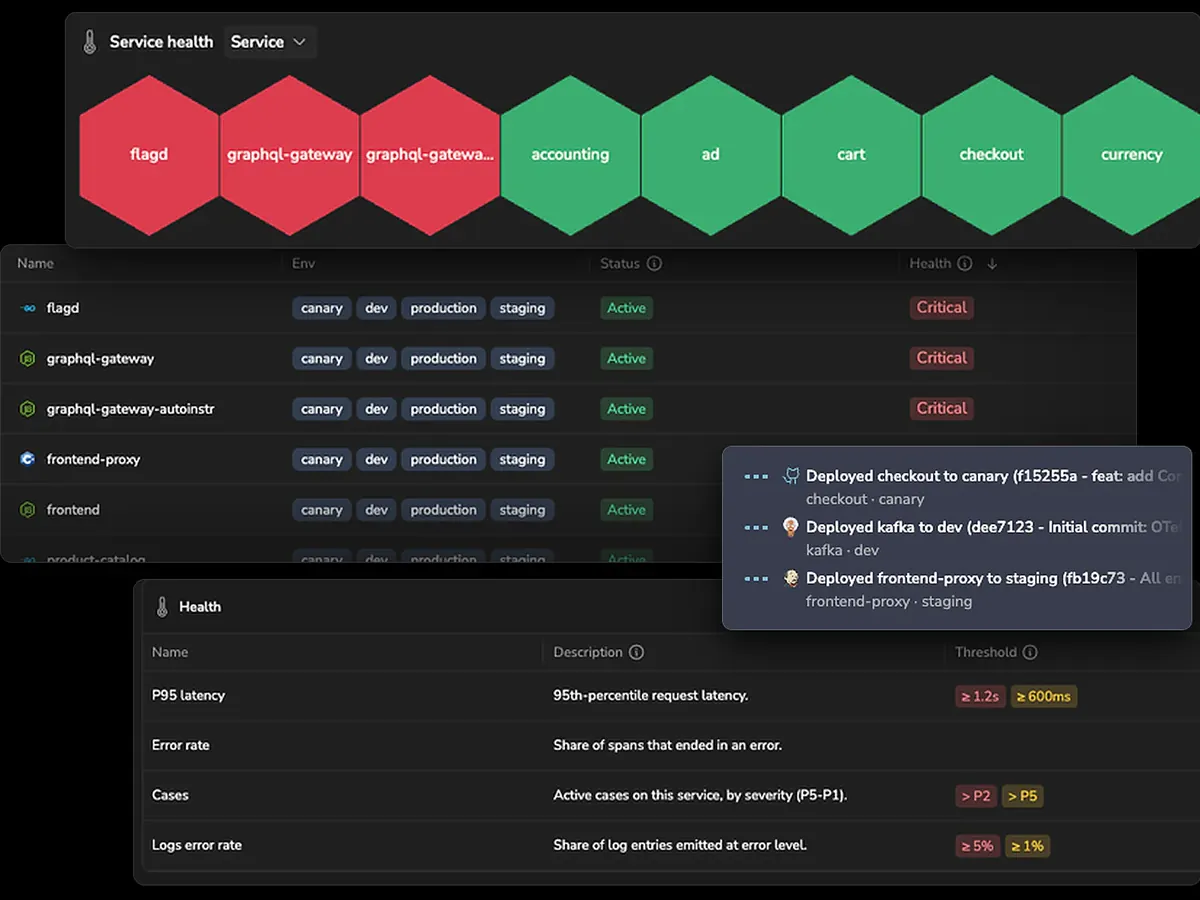
Coralogix analyzes data in stream before it is indexed, then routes each data set to one of three tiers: frequent search, monitoring, or compliance archive in your own object storage. Pricing follows the tier, so debug logs that only matter during an incident can sit in cheap archive and be queried directly when needed. Logs, metrics, traces, RUM and security sit on the same platform.
Key features / what it can monitor:
- TCO Optimizer for routing data to priority tiers.
- Logs, metrics, traces, RUM and SIEM.
- Remote query of archived data in S3 or GCS.
Pros:
- Meaningful cost reduction for teams that classify their data.
- Archive stays in your bucket, which helps with retention policies.
Cons:
- Tiering only pays off if someone owns the classification rules.
- APM and infrastructure views are less mature than the logs product.
19. Site24x7
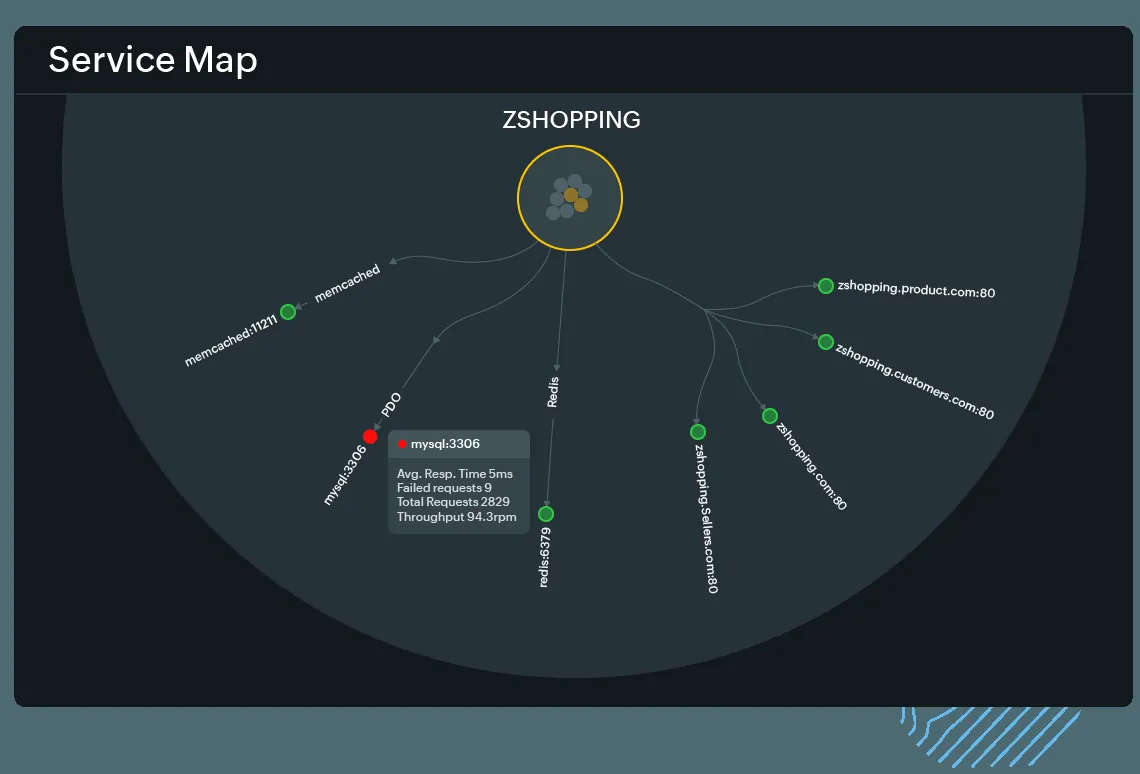
Site24x7, from Zoho Corporation (the company behind ManageEngine), covers website monitoring, server and cloud monitoring, APM Insight, logs, network monitoring and RUM at prices aimed at small and mid-sized businesses. The breadth is unusual at its price point. Depth is where it gives ground: tracing, query power and customization are a step behind the APM-first vendors, which is fine for many SMB workloads and limiting for microservice-heavy ones.
Key features / what it can monitor:
- Website, API and synthetic transaction monitoring from global locations.
- Server, VM, container and cloud (AWS, Azure, GCP) monitoring.
- APM Insight with transaction traces and service maps, plus log management.
Pros:
- Low entry price for a wide feature set.
- Good fit for IT teams supporting business applications without dedicated SREs.
Cons:
- Trace detail and high-cardinality querying are limited.
- Add-on pricing for logs and extra monitors can erode the headline price.
20. Sematext
Sematext Cloud combines log management (with an Elasticsearch-compatible API, so existing Logstash, Filebeat and Fluentd pipelines ship to it unchanged), infrastructure and container monitoring, tracing, synthetics and RUM. Pricing is pay as you go per GB and per host with short default retention, which keeps it cheap for teams that do not need long history. An on-premises enterprise edition exists for data residency.
Key features / what it can monitor:
- Logs with Elasticsearch API compatibility and alerting.
- Infrastructure, Docker and Kubernetes monitoring with 100+ integrations.
- Synthetics for uptime and API checks; Experience for RUM.
Pros:
- Easy migration path from ELK without running Elasticsearch yourself.
- Transparent per-GB and per-host pricing with plans per product.
Cons:
- Smaller vendor; fewer enterprise features such as advanced RBAC.
- Default retention is short, and longer retention raises the price.
Buyer’s Guide: Which Observability Tool Should You Choose?
Pick the tool that matches your team’s size, your stack and the question you most often fail to answer during an incident. The table is the starting point. The paragraphs after it explain the reasoning.
| Business Segment | Primary Need | Top Recommendations |
|---|---|---|
| Startups and small teams | Low cost, fast setup, one bill | Better Stack, Grafana Cloud (free tier), New Relic (free tier), Site24x7 |
| Mid-market SaaS | Full APM without a procurement project | Datadog, New Relic, SigNoz Cloud, Sematext |
| Large enterprises | Automated root cause across thousands of hosts | Dynatrace, Datadog, Splunk Observability Cloud, Splunk AppDynamics |
| Kubernetes and platform engineering teams | OpenTelemetry native, cost control on metrics | Grafana Cloud, Cortex XCOR, Honeycomb, Prometheus + OpenTelemetry |
| Log-heavy and security-adjacent teams | Search across terabytes, SIEM on the same data | Elastic Observability, Sumo Logic, Coralogix |
| Hybrid IT and network operations | Agentless infrastructure and network device coverage | LogicMonitor, SolarWinds Observability, IBM Instana |
| E-commerce, fintech and customer-facing apps | Proof of what users see in each region | Dotcom-Monitor alongside any platform above |
Match the pricing model to how you grow. Per-host pricing (Datadog infrastructure, Instana) punishes many small containers. Per-GB pricing (New Relic, Elastic Cloud, Coralogix) punishes chatty logs. Per-event pricing (Honeycomb) tracks traffic. Per-monitor pricing (Dotcom-Monitor, Site24x7) stays flat while traffic grows. Plus, that flat line is usually the cheapest one on the observability budget.
Standardize on OpenTelemetry before you standardize on a vendor. Every observability backend on this list accepts OTLP. Instrumenting with OpenTelemetry means a migration from Datadog to Grafana Cloud, or from New Relic to SigNoz, is a collector config change rather than a rewrite.
Decide who needs to query data. Per-user pricing (New Relic full platform users, some Splunk tiers) tends to limit access to a few engineers. If product managers and support staff should see the same data, prefer tools that price on volume.
Add the outside view early. A web application monitoring tools comparison is a separate exercise, but the short version is that agents and SDKs cannot see a failure in a DNS provider or a payment gateway’s JavaScript until a browser hits it. Many platforms bundle basic synthetics for that reason; dedicated tools add more locations, full browser checks and multi-step scripts. Budget for checks from the regions where your revenue comes from.
What Do Observability Tools Really Cost?
The list price is rarely the number that ends up on the invoice. These are the costs that catch teams a quarter after rollout.
- Custom metrics and cardinality. Adding a
customer_idtag to a request counter can multiply a metric by the number of customers. Datadog bills custom metrics separately, Grafana Cloud counts active series, and Prometheus simply runs out of memory. - Log volume after a deploy. One service switched to debug logging in production can double a monthly log bill. Coralogix’s tiers and Datadog’s exclusion filters exist for this reason.
- Retention. Default retention is often 15 to 30 days. Compliance teams ask for 13 months, and the extension is priced per GB per month.
- Seats. Per-user platforms become expensive when engineering headcount grows, and teams respond by sharing logins, which breaks audit trails.
- Egress and cross-region traffic. Shipping telemetry from every cloud region to a vendor’s US region adds cloud egress charges that appear on a different bill.
- Engineer time. Self-hosted stacks (Prometheus, Elastic, SigNoz) trade license fees for upgrades, storage management and on-call for the monitoring itself. Budget part of an engineer’s time every quarter.
- Overlap. Many companies pay for an APM, a separate log tool and a separate uptime product that duplicate each other. Consolidating usually saves more than negotiating a discount on any one of them.
For infrastructure specifically, our guide to cloud infrastructure monitoring covers what your cloud provider’s native tools do and do not show you, and our roundup of network monitoring software covers the device and flow monitoring side that most APM platforms leave to someone else.
Why Pair Observability Tools With Synthetic Monitoring?
Observability tools report what instrumented code experienced. They cannot report on requests that never arrived, and many customer-facing outages fall into that category.
Scenario. A retailer runs Datadog APM and sees a healthy checkout service: p99 under 400 ms, error rate flat. Then support starts receiving complaints from customers in Australia that the payment step spins forever. The cause is a Cloudflare edge configuration change that broke a redirect for one region. Those requests never reached the origin, so they never appeared in a trace. A Dotcom-Monitor web application monitor running the checkout script from Sydney every five minutes failed on the first check after the change, with a video of the hung page and a waterfall showing the redirect loop. Datadog was right that the service was healthy. It was answering a different question.
The pairing works in both directions. A failed check in one region narrows the search in your APM, and a slow query in your APM is confirmed or dismissed by the next browser check.
Dotcom-Monitor also covers the pieces most platforms treat as afterthoughts: SSL certificate expiry, DNS resolution from multiple resolvers, SMTP and FTP availability, and SIP for voice. Our comparison of infrastructure and synthetic monitoring tools covers that combination in detail. For APIs, pairing contract checks from outside with trace data from inside is the subject of our guide to API observability.
The Bottom Line
If you need one platform and have the budget, choose Datadog for breadth or Dynatrace for automated root cause in a large estate. Or, if you want portability and predictable cost, instrument with OpenTelemetry and run Grafana Cloud or SigNoz. If logs are the problem, start with Elastic, Sumo Logic or Coralogix. Small teams should look at Better Stack or Site24x7 before signing an enterprise contract.
