
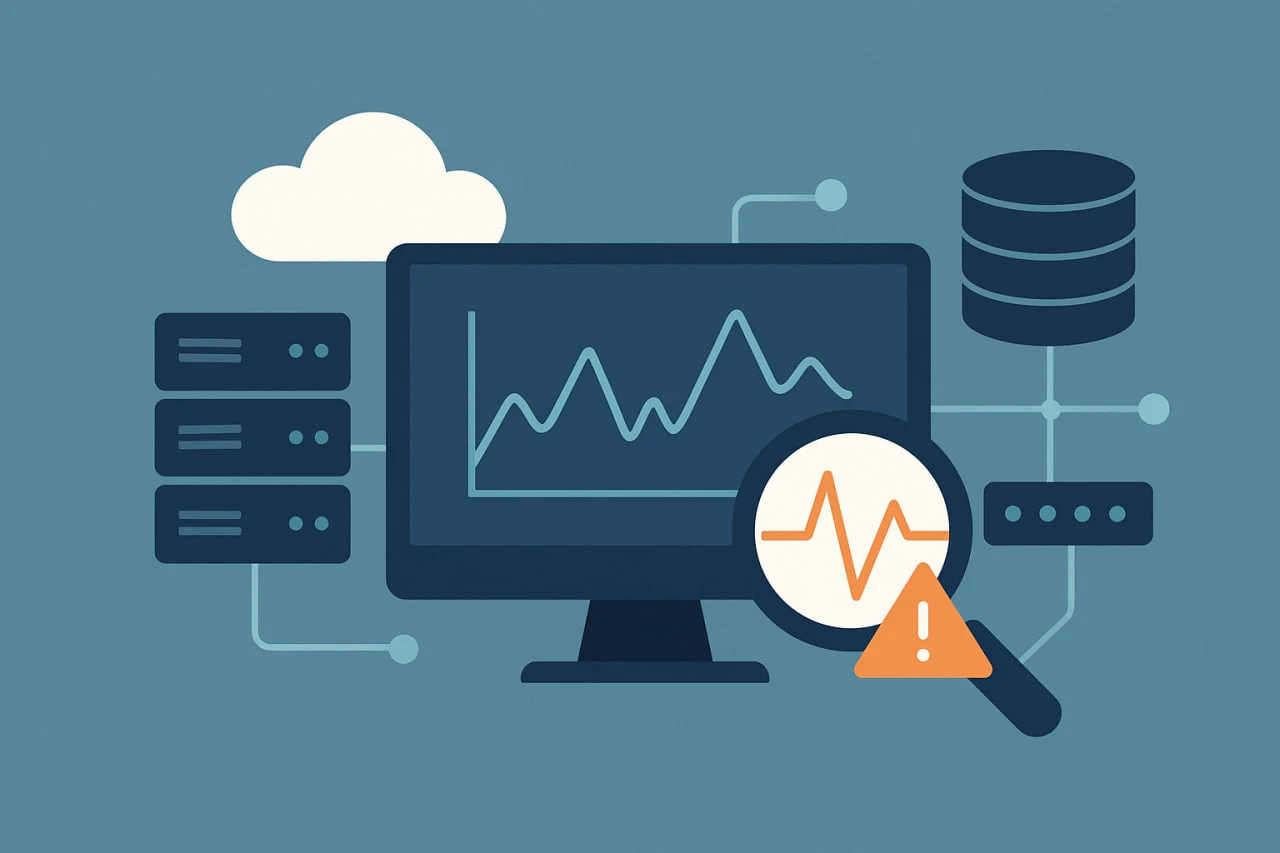
 In today’s always-on digital world, the health of your IT infrastructure directly impacts business performance and customer satisfaction. Even a few minutes of downtime can result in lost revenue, broken user trust, and costly disruptions. As organizations increasingly adopt hybrid and cloud-native architectures, keeping track of every server, database, container, and network component has become more complex and more critical than ever.
That’s where infrastructure monitoring comes in. It’s the continuous process of tracking the performance, availability, and health of backend systems that power your applications and services. By collecting real-time data from servers, virtual machines, networks, and storage systems, infrastructure monitoring helps teams quickly detect anomalies, prevent outages, and maintain consistent performance. Whether you’re managing a traditional on-premise setup or a fully distributed cloud environment, infrastructure monitoring ensures every component of your IT ecosystem works in harmony.
In this guide, we’ll break down what infrastructure monitoring is, why it’s essential for modern organizations, how it works, and what best practices and tools can help you build a resilient, high-performing infrastructure.
What Is Infrastructure Monitoring?
Infrastructure Monitoring is the process of collecting and analyzing data about an application to track the health, performance, and availability of the software and networks that power your application. It can be used to detect and identify issues before they impact users, as well as to identify and resolve issues after users are impacted. Engineers can use an infrastructure monitoring tool to visualize, analyze, and alert on metrics and understand whether a backend issue is impacting business.
Modern infrastructure monitoring tools give IT teams important information about CPU usage, memory use, disk space, network traffic, real-time updates, automatic alerts, and performance details, which help minimize downtime and make systems more reliable. Infrastructure Monitoring is crucial because your business relies on the seamless functioning of all the systems and devices that support your applications. If one part of the infrastructure fails, it can affect everything from website load times to database queries, ultimately impacting the user experience.
Infrastructure monitoring is the oxygen to your infrastructure. You can catch potential issues early, like a server approaching full capacity or a network bottleneck slowing down traffic, and fix them before they become bigger problems. It also offers useful information about how your infrastructure is performing under different conditions to help you plan for growth and optimize resource usage. In short, Infrastructure Monitoring keeps your entire system healthy, ensuring your business runs smoothly without any surprises.
How Infrastructure Monitoring Works
Infrastructure monitoring involves tracking and analyzing the performance and health of an IT infrastructure, including servers, networks, applications, hosts, databases, and other backend components. The goal is to identify and resolve issues before they become critical and impact business operations.
Infrastructure monitoring typically involves the following steps:
Data Collection
Infrastructure monitoring tools collect data from various sources, including
- Operating systems
- Hypervisors
- Containers
- Databases
- Network devices
- Applications
- log files
- system Metrics
Data analysis
The collected data is analyzed to identify trends and patterns. This can be done using various tools and techniques, such as filtering, querying, statistical analysis, machine learning, and anomaly detection, and enables teams to understand the company’s network activities.
Alerting
The data analysis identifies a potential problem; the monitoring system generates an alert and sends it to the appropriate team members. In addition to being presented in a dashboard, alerts can also be sent to IT staff via email, SMS, or other messaging channels, like Slack or Microsoft Teams.
Issue Resolution
Upon receiving an alert, IT teams can promptly investigate and resolve the issue, often preventing user impact, even trigger updating software, changing the infrastructure configuration, and automated responses, such as allocating more resources when a server approaches capacity.
Reporting
Infrastructure monitoring reports involve collecting, analyzing, and communicating data to track performance, ensure reliability, and meet compliance needs. These reports offer explanations for key performance indicators (KPIs) like uptime and response times, help manage costs by showing usage, and support ongoing optimization and capacity planning.
Ready to Strengthen Your Application Monitoring?
Don’t wait for downtime to disrupt your business. Discover how our monitoring solutions deliver real-time visibility, proactive alerts, and intelligent automation to keep your systems healthy and resilient.
Challenges of infrastructure monitoring
Challenges in infrastructure monitoring include managing the complexity of modern IT environments, integrating diverse technologies, handling massive data volumes, and maintaining proactive, real-time issue detection. It can be challenging to find a suitable infrastructure monitoring tool, especially when an organization migrates to or relies on cloud infrastructure. Here are some of the challenges of infrastructure monitoring.
Complexity
Modern IT environments are complex; Infrastructure monitoring collects large amounts of data from various sources, and analyzing this complex process requires specialized tools, knowledge, and expertise.
Integration
It’s difficult to make monitoring tools work smoothly with all the different systems, frameworks, and technologies that a company might use.
For example, your application might use:
- AWS for hosting,
- Kubernetes for deployment,
- APIs from third parties, and
- multiple programming languages or databases.
Getting one monitoring tool to connect, collect data, and track performance across all of these without errors or gaps is often complex.
High Cost of Maintenance
Comprehensive infrastructure monitoring is powerful but costly—it demands tools, resources, and expertise that not every business can easily afford.
Security
Infrastructure monitoring tools collect and store sensitive data about systems—like network configurations, performance metrics, server access credentials, and sometimes even API keys. Because they have profound visibility into infrastructure, they can become attractive targets for hackers.
False Positives
Infrastructure monitoring systems continuously track thousands of metrics like CPU usage, disk space, network latency, and application performance. When thresholds are misconfigured or too sensitive, the system might trigger alerts for minor or temporary issues that don’t actually need attention (false positives). Over time, this flood of unnecessary notifications can cause alert fatigue, where engineers start ignoring or overlooking alerts because there are simply too many of them. This increases the risk of missing real, critical incidents when they happen.
Types of Infrastructure Monitoring
Infrastructure monitoring can be classified into two main types: Agentless and Agent-based monitoring. Each has its benefits and challenges. The right choice depends on your environment, goals, and security needs. Picking the right monitoring type ensures accurate insights and efficient management of IT infrastructure. Following are two main types of Infrastructure Monitoring.
Agentless Monitoring
Agentless Monitoring is a popular choice that transmits system data and statistics to the monitoring program via several protocols, including Simple Network Management Protocol (SNMP), Windows Management Instrumentation (WMI), and NetFlow. These built-in functions monitor and manage infrastructure data without the help of outside agents. The agentless monitoring approach is highly effective and low overhead, making it suitable for environments with numerous monitoring systems.
The great thing about agentless monitoring is that it requires no extra software installed on your devices. It can also work with many devices, like networking equipment, servers, storage devices, and virtual machines. It is easy to use and doesn’t slow down your devices. Agentless monitoring is excellent for businesses because it lets them keep track of all their computer systems in one central location.
However, there are some challenges associated with agentless monitoring. For example, some devices may not support the protocols used by agentless monitoring, which could result in gaps in the monitoring data. Also, agentless monitoring may not provide as detailed information about a system’s performance. Despite its challenges, agentless monitoring is an excellent approach to monitoring systems and network devices for organizations with complex IT environments.
Agent-Based Monitoring
Agent-based monitoring involves installing software agents on computer systems and network devices to monitor their performance and status. It provides flexibility and customization and can monitor systems behind firewalls or those not exposed to the network. Additionally, agent-based monitoring can collect data when the network connection is lost. Unlike agentless monitoring, it provides more detailed and specific information about system performance. One major challenge of agent-based monitoring is the high cost and complexity of installing agents in a system. Furthermore, some agents may disrupt the monitoring system if not properly managed. In general, agent-based monitoring is an excellent infrastructure monitoring approach and, with proper management, can provide valuable insights and help ensure that systems are performing at their best.
Agent-Based vs. Agentless Infrastructure Monitoring
Modern monitoring tools often mix both agent-based and agentless approaches to get the best of both worlds. Combining both methods allows organizations to achieve comprehensive coverage, balancing ease of deployment with in-depth monitoring and security.
| Feature | Agentless Monitoring | Agent-Based Monitoring |
| Installation | No software agents required | Requires installation of agents on each monitored system |
| Performance Overhead | Minimal system resource usage | Moderate resource usage due to agent processes |
| Visibility & Data Depth | Provides basic metrics (CPU, memory, disk, network) | Offers deep-level insights—applications, logs, processes, and transactions |
| Security Compatibility | May face challenges with firewalls or secure networks | Operates effectively behind firewalls and within restricted environments |
| Offline Monitoring | Not possible; requires continuous network connectivity | Agents can buffer data and sync automatically when connectivity is restored. |
| Scalability | Ideal for large-scale environments with limited access | Best for detailed monitoring across critical systems or hosts |
| Customization | Limited configuration and extensibility options | Highly customizable using scripts, plugins, and third-party integrations |
| Maintenance | Low maintenance—no agents to update | Requires ongoing agent updates and version management |
Features of Infrastructure Monitoring
Key features of infrastructure monitoring include real-time performance data, alerts for performance thresholds, detailed analytics, proactive issue resolution, and dashboards for visualization.
- Real-time monitoring: Provides live data on server health and performance.
- Alerting: Notifies teams when performance metrics exceed set thresholds.
- Data and analytics: Collects and presents detailed data on performance patterns and resource usage.
- Root cause analysis: Helps identify the underlying issues behind system failures by analyzing metrics and logs.
- Proactive issue resolution: Detects potential problems before they cause downtime.
- Visualization: Uses dashboards and other tools to display data and provide a unified view of the infrastructure.
Benefits of Infrastructure Monitoring
The primary benefit of infrastructure monitoring is you can detect potential issues in your system before they become more significant. Infrastructure monitoring is always at the core of every operation and saves Dev’s time and Ops’ money. Here are the benefits you can expect from infrastructure monitoring:
Early Issue Detection
Most infrastructure monitoring tools continuously scan your environment for potential issues. When something unusual is detected, they automatically send notifications including remediation steps, so the dev team can act before performance or security is affected.
Boost Your System’s Reliability
To the uncontrolled growth of IT systems and applications, which can introduce security vulnerabilities into your infrastructure and reduce productivity,Infrastructure monitoring can help you quickly identify and solve problems, preventing them from becoming more significant, and take advantage of a unified observability platform and keep IT sprawl under control.
Prevent Network Outages
Infrastructure monitoring provides instant access to important data, so you can quickly identify potential network intrusions or attacks. This allows network administrators to take action quickly and prevent any damage from occurring.
Cost Management
Infrastructure monitoring helps you keep a closer eye on your spending across different systems so it doesn’t balloon out of control. This allows you to plan your spending for updates and prepare for any technical requirements and deadlines that may be involved.
Security
Most leading infrastructure monitoring tools today offer automated, continuous system scans that detect anomalies and take proactive measures to prevent both known and emerging security threats.
In addition to detection, these tools often include built-in remediation and mitigation capabilities, helping teams not only resolve issues faster but also understand their root causes to prevent future occresolve issues faster and understand infrastructure, many monitoring solutions can even offload key security functions, allowing IT teams to focus on strategic growth and innovation. Features like automatic data encryption in transit further enhance security, offering extra peace of mind, especially when managing self-hosted environments.
Compliance
For organizations operating in highly regulated industries such as finance, healthcare, or education, the right IT infrastructure monitoring tools can make compliance management almost effortless. These platforms automatically scan your infrastructure and generate detailed reports to help you demonstrate compliance with frameworks like HIPAA, ISO, GDPR, and other industry-specific standards.
When it comes to audits, modern monitoring tools can simplify the process even further. They can run automated checks, generate comprehensive logs and compliance reports, and even grant temporary, secure access to auditors, ensuring transparency and efficiency during assessments.
Increase Return on Investment (ROI)
Infrastructure monitoring can increase ROI by minimizing downtime, improving productivity, reducing lost revenue, and identifying underused resources. Businesses can also reallocate underused resources to improve efficiency, resulting in cost savings.
Infrastructure monitoring metrics
Infrastructure monitoring metrics track the performance, availability, and health of IT systems like servers, networks, and applications. Key metrics include CPU usage, memory utilization, disk I/O, and network throughput/latency. Other important metrics are application response time, error rates, storage capacity, and uptime. Monitoring these metrics helps identify issues, optimize resource use, and ensure business-critical services remain operational.
CPU Usage
Measures the percentage of processing power being used. High usage can signal a server is overloaded or underutilized, while low usage might indicate inefficiency.
Memory Utilization
Tracks the amount of RAM being used. High usage can lead to slowdowns or crashes, and monitoring it helps prevent memory leaks or resource starvation.
Disk I/O
Monitors the speed and volume of read/write operations on storage devices. It helps identify storage bottlenecks and ensure efficient data access.
Network Throughput
Measures the amount of data passing through a network interface, indicating capacity and potential congestion issues.
Network Latency
The delay in data transmission between two points. High latency points to connectivity issues or an overloaded network.
Response Time
The time it takes for a system to respond to a request. This is crucial for user-facing applications to ensure a good experience.
Infrastructure monitoring best practices
Following are a few best practices to keep in mind when you develop an infrastructure monitoring strategy.
Automation
Using automation tools to monitor systems and applications continuously, you can free yourself from menial and recurring tasks to focus on more critical growth areas. Automation also allows you to reduce the need for manual intervention, where human error could bring things crashing all around you.
Setting up alerts
When managing complex infrastructure environments, it’s common for hundreds of alerts to be triggered daily. For Site Reliability Engineers (SREs), the challenge lies in identifying which ones truly matter. By focusing on critical alerts and setting clear thresholds, teams can shift from a reactive to a proactive monitoring approach. Well-configured alerts enable early detection of issues without overwhelming your team, thereby reducing the risk of alert fatigue. The goal isn’t to monitor everything everything but to monitor what truly impacts performance and uptime, ensuring you can respond swiftly and effectively when it counts most.
Standardize across environments
If you’re using the monitor for different systems, it’s good to use the same processes and configurations where possible so you don’t need to keep track of how each one works.
Tools testing
When adding a new application to your existing infrastructure monitoring environment or integrating a new tool from scratch, it’s best practice to perform a test run to ensure everything is functioning as expected. This helps verify that alerts, metrics, and dashboards are correctly configured before the system goes live.
Infrastructure Monitoring Use Cases
Infrastructure monitoring is a cornerstone of modern IT operations. It enables organizations to proactively detect and resolve potential issues before they lead to downtime or performance degradation—ensuring that systems, networks, and applications consistently operate at peak efficiency.
The most common infrastructure monitoring use cases include the following:
Proactive problem detection
Effective infrastructure monitoring involves interpreting alerts and warnings accurately to prevent situations that could jeopardize system stability. By continuously monitoring network traffic, latency, and throughput metrics, infrastructure monitoring tools can detect bottlenecks and anomalies that impact performance. These insights enable IT and network teams to identify root causes early and take corrective actions before users experience disruptions—ensuring smooth, reliable operations.
Application Performance optimization
Infrastructure monitoring goes beyond tracking standard performance indicators like response time, transaction volume, and error rates. It also helps identify performance bottlenecks, inefficient resource usage, and optimization opportunities that can significantly improve overall application performance and user experience.
Capacity planning, scalability, and optimization
Historical data helps organizations predict when their infrastructure might reach its limits. By analyzing trends over time, teams can identify where additional resources are needed and make informed decisions on resource allocation to ensure maximum efficiency, a key aspect of effective capacity planning and optimization.
Tracking server health and utilization
Infrastructure monitoring tools provide real-time visibility into server health and resource utilization, including CPU load, memory consumption, and disk usage. These insights enable organizations to detect capacity issues early and ensure that application performance remains stable and uninterrupted.
Dotcom-Monitor for Your System Infrastructure monitoring
Dotcom-Monitor is a cloud-based website monitoring solution designed to assist users in monitoring the performance and uptime of their web services, web pages, web applications, and IT infrastructure. It uses advanced technologies to continuously check websites, servers, and applications from multiple global locations, providing real-time data on each element’s status and response time.
There are several reasons to use Dotcom-Monitor for monitoring your system infrastructure, including:
- Early detection of potential issues before they escalate into major problems.
- Access to actionable insights and analytics that can help you optimize your web services and applications
- Ability to monitor your systems from multiple global locations.
- It is user-friendly and has several customizable features.
- Many international brands, including Volvo, Dell, Xerox, and Comcast, use Dotcom-Monitor to monitor their system infrastructure.
With Dotcom-Monitor, you can rest assured that your system is running smoothly 24/7. Its user-friendly interface and powerful tools allow you to monitor your systems from multiple locations. Whether you’re a business owner or an IT professional, Dotcom-Monitor provides affordable pricing options to fit your budget. You can take advantage of their free trial and free version to experience the benefits of their services. No more guessing if your website is down or if your web applications are underperforming. Dotcom-Monitor provides the tools to optimize your web services and applications, ensuring customers have a seamless online experience.
Experience Dotcom-Monitor in Action
Get hands-on with Dotcom-Monitor and see how real-time performance insights can transform your system reliability. Start your free trial today and keep your infrastructure running at peak performance with no credit card required.
Frequently Asked Questions
Infrastructure monitoring focuses on the backend components that power applications—servers, networks, databases, containers, virtual machines, and storage systems. It tracks metrics like CPU usage, disk I/O, network throughput, and server health.
APM, on the other hand, focuses on the performance of the application itself—response times, errors, transactions, frontend performance, and user experience.
Both are essential parts of a complete observability strategy:
- Infrastructure monitoring ensures the environment is healthy.
- APM ensures the application behaves correctly for users.
Your choice depends on your environment, visibility requirements, and security needs.
- Choose agentless monitoring if you want easy deployment, minimal overhead, and broad system coverage using built-in protocols like SNMP or WMI. It’s ideal for diverse, large-scale environments.
- Choose agent-based monitoring if you need deeper insights, offline data collection, and monitoring behind firewalls. Agents provide granular data like logs, processes, and transactions.
Most modern monitoring platforms—including advanced enterprise tools—use both methods together to balance ease of use with in-depth visibility.
While every environment is unique, the most important metrics to monitor include:
- CPU usage – Prevents server overloads or inefficiencies.
- Memory utilization – Helps identify leaks or resource exhaustion.
- Disk I/O performance – Reveals storage bottlenecks.
- Network throughput & latency – Ensures smooth connectivity and load balancing.
- Response time & uptime – Indicates overall system performance and reliability.
Focusing on these metrics helps organizations detect early signs of degradation, optimize resource allocation, and maintain a resilient, high-performing IT ecosystem.
