
 Manual checks, scheduled test runs, or basic uptime pings aren’t designed to keep APIs running reliably in production, where real traffic patterns, network conditions, and third-party dependencies can introduce failures that pre-release testing can’t predict.
APIs sit at the core of modern applications. They power mobile apps, connect microservices, and enable third-party integrations, making them critical to performance, reliability, and revenue, which is why organizations must prioritize strategies that keep APIs available at all times. That’s why most teams invest heavily in API testing tools like Postman, automated test suites, and online API testers.
And yet, production outages still happen.
This disconnect (“our APIs were tested, so why did they fail?”) is where confusion between API testing and Web API monitoring begins. While the two are related, they serve different purposes at different stages of the API lifecycle.
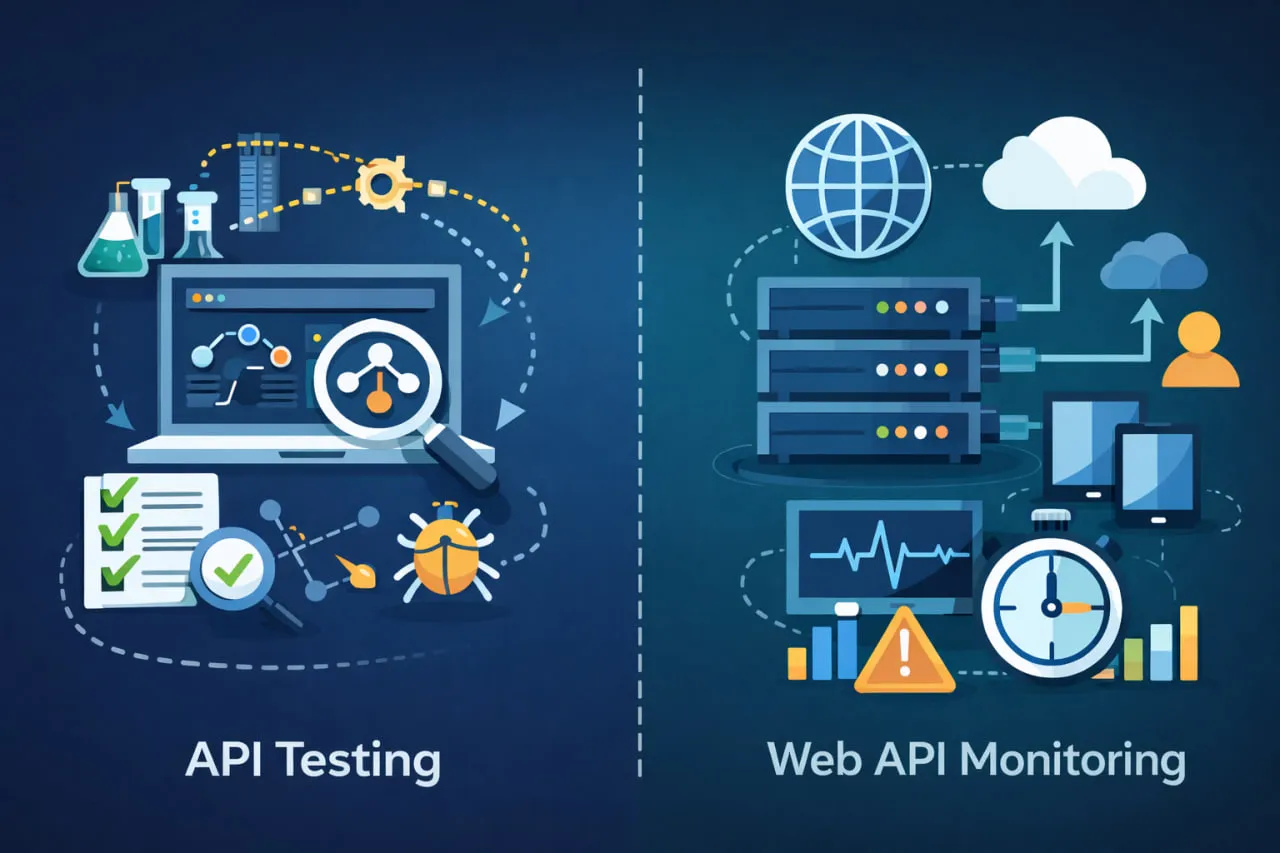
API testing focuses on validating endpoints before release. It helps teams confirm correctness, enforce contracts, and catch issues early in controlled environments. Web API monitoring, by contrast, continuously validates APIs after deployment, from the outside, under real-world conditions.
Treating these approaches as interchangeable leaves blind spots once APIs are live. Manual checks, scheduled test runs, or basic uptime pings aren’t designed to provide always-on, production-grade visibility.
In this article, we’ll compare API testing vs Web API monitoring, explain where tools like Postman and online API testers fit, and show why production APIs require continuous external validation. We’ll also explore how teams complement testing with Web API monitoring to maintain reliability once users depend on their APIs.
What Is API Testing?
API testing is the practice of validating application programming interfaces (APIs) at the message layer, without relying on a graphical user interface. Instead of clicking through screens, teams send requests directly to API endpoints and evaluate responses (status codes, headers, payloads, and performance characteristics) to confirm that the API behaves as expected.
At its core, API testing answers a straightforward question: “Does this endpoint work correctly under known conditions?”
For development and QA teams, this makes API testing an essential part of building reliable software. APIs often sit beneath user interfaces and integrations, so catching issues early, and implementing processes to ensure healthy APIs in production, is both faster and cheaper than debugging failures later.
Where API Testing Fits in the Lifecycle
API testing is most effective before deployment, during development and pre-production stages. Typical use cases include:
- Verifying that endpoints return correct responses for valid requests
- Ensuring error handling works for invalid or unexpected inputs
- Confirming that API contracts (schemas, required fields, formats) are enforced
- Checking baseline performance under controlled conditions
Because APIs rarely change in isolation, testing them early helps teams identify issues before they affect downstream services, front-end applications, or customers.
This is also why API testing is so tightly integrated into modern CI/CD pipelines. Automated API tests can run on every commit or build, providing fast feedback to developers and preventing regressions from reaching production.
Common Types of API Testing
Although the term “API testing” is often used broadly, it actually includes several distinct testing approaches, each serving a specific purpose:
- Unit testing
Focuses on individual endpoints or functions, validating that a single request produces the correct response. - Integration testing
Verifies that APIs work correctly when combined with other services, databases, or external systems. - Contract testing
Ensures that APIs adhere to agreed-upon request and response structures so changes don’t break consumers. - Functional testing
Confirms that APIs meet business requirements and perform expected actions. - Performance and load testing
Evaluates response times and behavior under simulated traffic levels. - Security testing
Checks for vulnerabilities such as improper authentication handling, missing authorization, or data exposure.
All of these approaches are valuable—but they share an important limitation: they are typically executed in controlled environments, using known credentials, stable networks, and predictable inputs.
Why API Testing Alone Has Limits
API testing is designed to validate correctness, not to provide continuous assurance once APIs are live. Tests usually run:
- In development or staging environments
- On demand or on a schedule
- From inside the organization’s infrastructure
As a result, API testing does not account for many real-world variables, such as network latency across regions, intermittent third-party failures, or changes that occur after deployment. This is where confusion often arises. Teams assume that because APIs were tested, they are inherently reliable in production.
They aren’t—and that’s not a failure of testing. It’s simply not what API testing was built to do.
To understand where testing ends and production responsibility begins, it helps to clarify what kind of APIs you’re dealing with in the first place—whether that’s an HTTP API, REST API, or Web API—and how they’re exposed to consumers
API Testing Tools: Postman, Online Testers, and Where They Excel
Once teams understand what API testing is meant to accomplish, the next question is usually practical: which tools should we use? For most developers and QA engineers, the answer starts with Postman and expands to include a range of online API testing tools and lightweight HTTP clients. These tools dominate search results—and for good reason. They are accessible, flexible, and extremely effective within their intended scope.
What’s important, however, is understanding where these tools excel and where they stop. API testing tools are designed to help you validate APIs during development and pre-production, not to provide continuous protection once APIs are live.
Postman: The Default Starting Point for API Testing
Postman has become synonymous with API testing. It allows teams to quickly send requests, inspect responses, manage environments, and automate test collections. For developers, it’s often the fastest way to answer questions like:
- Is this endpoint returning the correct data?
- Are headers and status codes set properly?
- Does this request fail gracefully with invalid input?
Postman’s strength lies in manual and automated validation. Developers can chain requests, use variables, and integrate collections into CI pipelines to catch regressions early. This makes Postman an excellent tool for collaboration between developers and QA teams during active development.
That said, Postman is fundamentally a testing client. Tests are executed when someone runs them—manually or on a schedule—and typically from controlled environments. Once APIs are deployed, Postman does not continuously validate availability or performance from the outside. Teams that rely on Postman alone often fill the gap with ad-hoc checks or scripts, assuming tests are enough to guarantee reliability.
This assumption is where production blind spots begin. Teams already using Postman for API testing can extend their existing collections into production monitoring with Dotcom-Monitor’s Postman monitoring solution.
Online API Testing Tools and HTTP Clients
Beyond Postman, many teams experiment with browser-based or online API testing tools. These tools make it easy to:
- Send quick HTTP requests without installing software
- Validate endpoints during debugging
- Perform one-off checks against public APIs
Online HTTP clients are especially useful for troubleshooting or learning how an API behaves. They lower the barrier to entry and are often the first tools junior engineers or product teams reach for.
However, like Postman, these tools are transactional and reactive. They answer “does this request work right now?” but provide no historical context, no alerting, and no continuous visibility. They are not designed to monitor APIs over time or detect degradations before users notice them.
This distinction becomes clearer when comparing online HTTP clients vs Web API monitoring approaches, where the latter focuses on repeatable, automated validation rather than one-off testing.
Why Testing Tools Don’t Cover Production Reality
The common thread across Postman and online API testing tools is intent. They are built to help humans test APIs, not to act as always-on observers of production systems. As a result:
- Tests run from predictable locations
- Authentication is usually static and controlled
- Failures are discovered only when someone checks
In production, APIs behave differently. Network paths change, credentials expire, dependencies slow down, and traffic patterns fluctuate. Testing tools don’t account for these variables because they’re not meant to.
This is where teams begin to look beyond testing tools and toward continuous Web API monitoring, which validates APIs automatically, from external locations, and without manual intervention. Instead of replacing Postman or online testers, monitoring complements them by taking over once APIs are live.
Platforms such as Dotcom-Monitor are often introduced at this stage—not as testing tools, but as monitoring systems that continuously check API availability and response behavior in production environments.
What Is Web API Monitoring?
Web API monitoring is the practice of continuously validating APIs after they are deployed to production. Instead of running tests on demand, monitoring executes API checks automatically, on a schedule, to confirm that endpoints remain available, responsive, and functional under real-world conditions.
Where API testing asks “does this endpoint work in a controlled environment?”, Web API monitoring asks “is this API working right now for real users?” That shift, from validation before release to continuous verification in production, is the core distinction.
Web API monitoring focuses on operational questions, such as:
- Is the API reachable from outside the application environment?
- Are response times degrading over time?
- Are errors occurring intermittently or consistently?
Because these checks run continuously, they generate historical data that teams can use to spot trends, correlate incidents, and understand how APIs behave over time; something one-off tests and manual checks cannot provide.
Monitoring APIs Where Users Experience Them
A defining characteristic of Web API monitoring is that it runs externally, from locations outside your infrastructure. This outside-in perspective reflects how APIs are actually consumed by users, partners, and integrated systems, rather than how they behave in internal test environments.
Modern Web API monitoring is commonly implemented using synthetic monitoring, where repeatable API requests are executed at regular intervals and validated against expected responses. This approach allows teams to detect availability and performance issues early, often before customers are affected.
Once APIs are live, many teams introduce dedicated monitoring platforms, such as Dotcom-Monitor, to complement their existing API testing tools. These platforms are not meant to replace Postman or CI-based tests, but to take over responsibility for ongoing reliability in production.
For a deeper explanation of how this works in practice, you can explore our full guide on how Web API monitoring works, which covers setup, execution, and common use cases in more detail.
API Testing vs Web API Monitoring: The Practical Difference
API testing and Web API monitoring both interact with API endpoints, but they exist for different moments in the API lifecycle. Confusion happens when teams expect testing tools to provide production guarantees they were never designed to offer.
API testing is about validation before release. Teams use tools like Postman or automated test suites to confirm that endpoints return correct responses, enforce contracts, and handle known edge cases in controlled environments.
Web API monitoring is about continuous assurance after deployment. Once APIs are live, the priority shifts from correctness to reliability, confirming that endpoints remain reachable, performant, and functional under real-world conditions.
In short:
- Testing asks: “Does this API work as designed?”
- Monitoring asks: “Is this API working right now?”
This distinction becomes critical in production, where APIs are affected by external networks, expiring authentication, and third-party dependencies. That’s why many teams treat monitoring as the operational follow-up to testing, not a replacement for it.
A common pattern is to continue using Postman and CI tests during development, then introduce synthetic monitoring in production to validate APIs continuously from outside the application environment. This approach helps teams detect issues earlier and build confidence that APIs are performing as expected once users depend on them.
If you want a deeper breakdown of the monitoring side, you can learn more about how Web API monitoring works and how it fits alongside existing testing workflows.
Why API Tests Pass but APIs Still Fail in Production
For many teams, the most confusing API incidents happen when everything looked fine beforehand. Tests passed. Builds succeeded. Nothing obvious changed. And yet, users still experienced failures.
This isn’t a contradiction, it’s a visibility gap.
Controlled Tests vs Real-World Conditions
API testing tools validate behavior in predictable environments. Requests are sent from known locations, using stable credentials, against systems that aren’t yet under real traffic pressure. That’s exactly what testing is meant to do.
Production, however, introduces variables that tests don’t model well:
- Network routing differences across regions
- Expired or rotated authentication tokens
- CDN, firewall, or proxy behavior
- Latency or failures from third-party dependencies
An API can pass every test and still fail once exposed to real users over the public internet.
The “Green Tests, Red Users” Problem
Another common issue is timing. API tests typically run:
- During development
- As part of CI/CD
- On demand or on a schedule
Between those runs, a lot can change. A dependency slows down. A certificate expires. A configuration drifts. Without continuous validation, these issues remain invisible until customers are affected.
That’s why teams often realize (too late) that testing alone doesn’t provide operational coverage.
Where Continuous Monitoring Closes the Gap
This is where Web API monitoring becomes essential. By running API checks continuously and externally, teams can validate availability and response behavior under the same conditions users experience. Many organizations add this layer after early production incidents, using platforms like Dotcom-Monitor to complement their existing testing stack rather than replace it.
Monitoring doesn’t prevent bugs from being written, but it does prevent silent failures from going unnoticed.
If your APIs are customer-facing or revenue-critical, this outside-in visibility is often the difference between reacting to complaints and catching issues early.
To understand how this production validation is implemented in practice, it helps to look at how online HTTP clients vs Web API monitoring differ once APIs are live.
How Web API Monitoring Complements Postman and API Testing Tools
Postman and similar API testing tools are indispensable during development. They help teams design requests, validate responses, and automate checks in CI pipelines. But once APIs are deployed, the role of these tools naturally tapers off.
This is where Web API monitoring steps in, not as a replacement for Postman, but as its production counterpart.
From Development Validation to Production Assurance
A common workflow looks like this:
- Teams use Postman to test endpoints during development
- Automated API tests run in CI to catch regressions
- APIs are deployed and begin serving real users
At this point, Postman tests still exist, but they no longer answer the most urgent question: is this API working for users right now?
By transitioning from Postman to Web API monitoring, teams extend their coverage into production. Instead of manually running collections or relying on sporadic checks, monitoring continuously validates live endpoints from outside the application environment.
What Monitoring Adds That Testing Tools Don’t
When used together, testing and monitoring create a clear division of responsibility:
- Postman validates correctness before release
- Web API monitoring validates availability and performance after release
Monitoring platforms execute repeatable checks on a schedule, track response behavior over time, and surface issues automatically. This is especially valuable for APIs that support customer-facing features, integrations, or revenue-critical workflows.
Many teams adopt dedicated monitoring tools, such as Dotcom-Monitor, at this stage, to gain continuous, external visibility into production APIs without changing how they test during development.
If your APIs are already well-tested, adding monitoring is often the fastest way to reduce blind spots and move from reactive troubleshooting to proactive detection.
For teams ready to explore this next step, it’s worth taking a closer look at how production-grade monitoring tools are designed and what they provide beyond development testing.
Synthetic Monitoring for Production APIs
Once APIs are deployed, teams need a way to validate them continuously, without relying on manual checks or scheduled test runs. This is where synthetic monitoring becomes a practical complement to API testing.
Synthetic monitoring uses predefined API requests that run on a schedule to confirm availability and response behavior over time. Because the same requests execute consistently, teams can quickly detect changes, failures, or performance degradation in production environments.
Unlike development testing, synthetic monitoring typically runs from outside the application environment, providing visibility into how APIs behave across real networks and conditions. This external perspective helps surface issues that internal tests often miss.
Many teams implement this approach using production-focused monitoring platforms such as Dotcom-Monitor. Rather than replacing tools like Postman, synthetic monitoring takes over once APIs are live, ensuring they remain reliable as users and integrations depend on them.
Over time, continuous checks feed into dashboards and reports that show availability trends and historical performance, turning isolated test results into actionable operational insight.
From Monitoring to Visibility: Dashboards, Reports, and Operational Adoption
Detecting an API issue is only the first step. What determines whether teams can act quickly and explain what happened afterwards, is visibility. This is where Web API monitoring moves beyond checks and alerts and becomes an operational tool for engineering and leadership.
Continuous monitoring produces data over time, not just point-in-time results. When that data is organized into dashboards and reports, teams can understand how APIs behave day to day, not just when something breaks. Availability trends, response time patterns, and incident history make it easier to answer questions like “Is this a one-off issue or a recurring problem?” and “Did performance change after a deployment?”
This visibility is especially important once APIs are business-critical. Engineering managers and leaders often need evidence—not assumptions—when reviewing incidents or discussing reliability with stakeholders. Monitoring platforms such as Dotcom-Monitor are commonly used at this stage to centralize results and present them in a way that’s accessible beyond the immediate engineering team.
Operationalizing Web API Monitoring
Adopting Web API monitoring doesn’t require rethinking how teams test APIs. Instead, most organizations extend what they already have:
- API tests remain part of development and CI
- Monitoring takes over after deployment
- Results feed into shared dashboards and alerts
To make this transition smoother, teams typically start with a small number of critical endpoints and expand coverage over time. Clear setup guides and configuration workflows help ensure checks are consistent and repeatable as monitoring scales.
For teams ready to move from ad-hoc validation to operational visibility, this step is often where monitoring proves its value, turning raw checks into insight and confidence.
Check our knowledge base for
Conclusion: When API Testing Ends, Monitoring Begins
API testing and Web API monitoring are often discussed together—but as this article has shown, they solve different problems at different stages of the API lifecycle. Testing tools like Postman are essential for validating correctness during development. They help teams move fast, catch regressions early, and ship with confidence.
But once APIs are live, the definition of “working” changes.
In production, reliability is shaped by real networks, real users, and real dependencies. This is where testing naturally stops and Web API monitoring takes over—providing continuous, external validation that APIs remain available and responsive after deployment. Teams that recognize this handoff earlier tend to catch issues sooner, reduce blind spots, and spend less time reacting to customer-reported failures.
The most effective approach isn’t choosing between testing or monitoring. It’s using both intentionally: testing to validate APIs before release, and monitoring to protect them once they matter to users and the business.
If your APIs are already well-tested and customer-facing, the next step is understanding how they behave in production—consistently, and without manual effort. To explore how this works in practice, you can see our Web API monitoring software and how teams use it to complement their existing API testing workflows.
