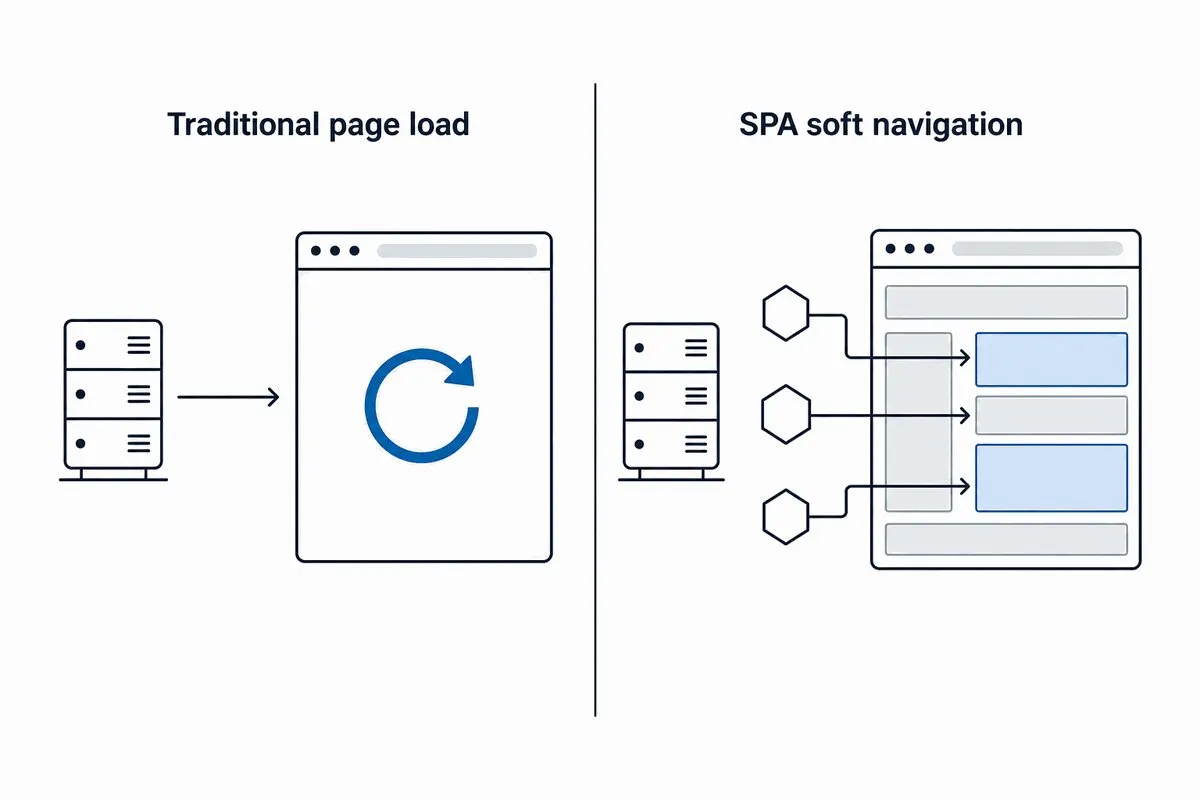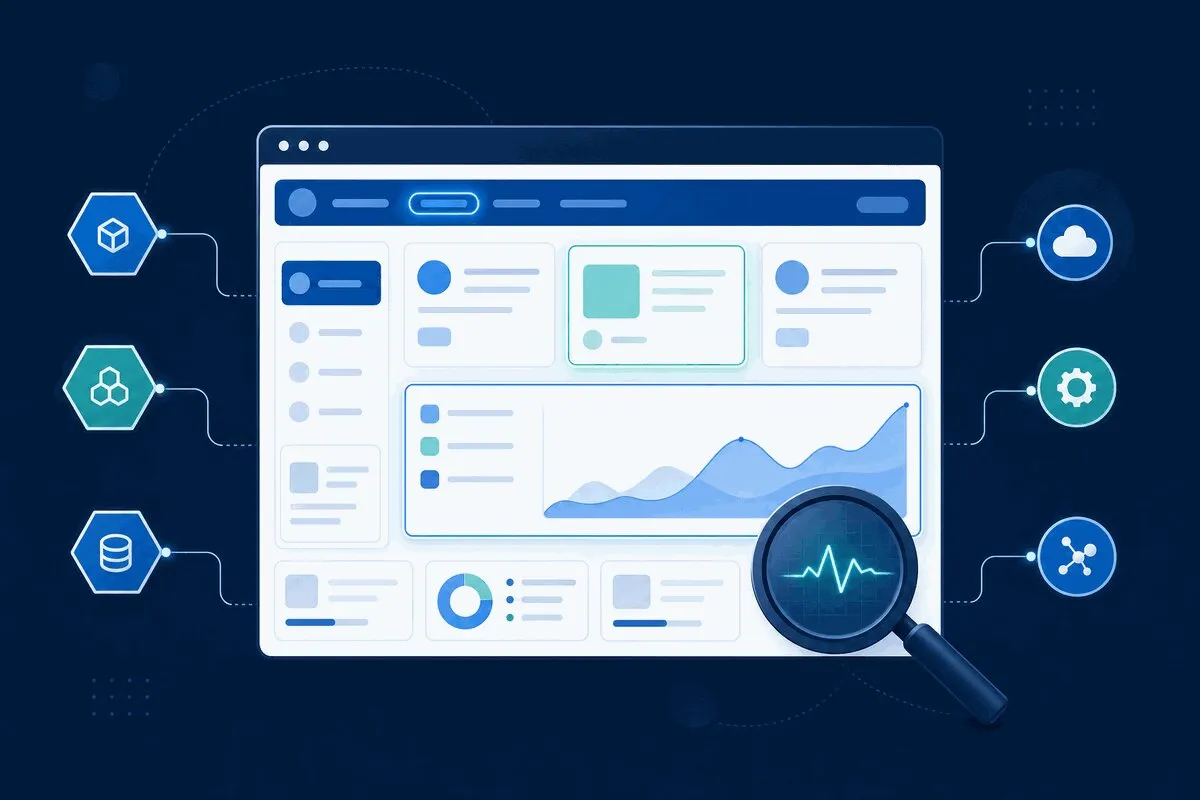
Modern websites and applications are no longer simple HTML pages. As applications evolve into sophisticated single-page applications (SPAs) built with frameworks like React and Vue and rely heavily on API-driven architectures, the need for advanced browser monitoring has never been more critical.
The shift from server-rendered pages to client-side applications has fundamentally changed how we measure performance and user experience. Where we once tracked simple page loads, we now need to monitor dynamic content updates, client-side routing, and API interactions that happen after the initial page render. This evolution demands a new approach to monitoring—one that understands modern JavaScript frameworks and can trace user experiences across distributed systems.
In this comprehensive guide, we’ll explore how advanced browser monitoring solutions are specifically designed to handle the complexities of modern web architectures. From tracking client-side routing performance to monitoring API dependencies and capturing framework-specific metrics, you’ll learn how to gain complete visibility into your application’s performance and user experience.
The New Frontier of Web Performance
The digital landscape has undergone a seismic shift. We’ve moved beyond static websites serving simple HTML pages to complex, dynamic web applications that behave more like desktop software than traditional web pages. This evolution has brought incredible user experiences but has simultaneously created new performance monitoring challenges that traditional tools simply can’t solve.
The Shift from Traditional Websites to Complex Web Applications
Remember when web performance meant measuring how long it took for a complete HTML page to load? Those days are gone. Modern web applications have transformed into sophisticated ecosystems:
Single Page Applications (SPAs) have redefined user interactions. Instead of full-page reloads, applications like React, Vue, and Angular-powered sites dynamically update content, manage complex state locally, and handle routing on the client side. What looks like a simple page transition to users is actually a complex dance of API calls, DOM manipulations, and state management happening behind the scenes.
Micro services architectures have decentralized backend operations. Where we once had monolithic applications serving complete pages, we now have dozens of specialized services handling everything from user authentication to payment processing. A single user action might trigger calls to multiple micro services across different data centers and cloud providers.
Real-time features are now considered standards. Chat applications, collaborative tools, and live data dashboards maintain persistent connections and push updates instantly.
Web Sockets, server-sent events, and other real-time protocols have supplemented the old request-response model.
This architectural revolution has fundamentally transformed our monitoring needs and methods.
Why Traditional Monitoring Fails for SPAs and Microservices
Traditional monitoring tools were built for a different era, and their limitations become painfully apparent when applied to modern web architectures:
The “Page Load” Fallacy
Traditional tools excel at measuring initial page loads but become virtually blind once your application finishes loading. They can’t see:
- Client-side route transitions
- Dynamic content updates
- User interactions that don’t trigger full-page reloads
- Background API calls and data synchronization
Distributed Tracing Blind Spots
When your application relies on multiple micro services, traditional monitoring sees isolated incidents rather than connected experiences. A user complaint about “the app being slow” might actually be:
- A slow authentication service delaying all subsequent requests
- A geographic latency issue affecting specific users
- A cascading failure where one service’s slowness impacts others
- Third-party API degradation outside your direct control
JavaScript Framework Ignorance
Basic error monitoring captures stack traces but lacks context about:
- React component lifecycles
- Vue reactivity system issues
- Angular change detection problems
- State management errors in Redux or Vuex
Real User Experience Gaps
Synthetic tests can verify that your systems are running but can’t capture:
- How real users experience your application across different devices and networks
- Performance characteristics under actual load conditions
- The impact of slow APIs on user behavior and conversion rates
The Critical Intersection of API Performance and User Experience
Perhaps the most significant shift in modern web performance is the understanding that API performance IS user experience. In traditional web applications, slow backend processing might delay page loads, but in modern SPAs, slow APIs can:
Freeze Interactive Elements
A sluggish search API means autocomplete suggestions appear too late. A slow validation API makes forms feel unresponsive. Users don’t see these as “API problems”—they experience them as a broken user interface.
Create Cascading Performance Issues
Modern applications often make multiple API calls to render a single view. If one critical endpoint slows down, it can block the entire user interface from becoming functional. What users perceive as “the app being slow” might actually be one poorly performing endpoint holding up everything else.
Impact Business Metrics Directly
Every millisecond of API latency has measurable business consequences:
- Checkout APIs: Direct impact on conversion rates and revenue
- Search APIs: Affects product discovery and engagement
- Recommendation APIs: Influences average order value and cross-selling success
- Authentication APIs: Affects user onboarding and retention
The new frontier of web performance requires monitoring solutions that understand this interconnected nature of modern applications. It’s not enough to know that your servers are running or that your initial page loads quickly. You need visibility into how all the pieces work together to create (or hinder) exceptional user experiences.
Ready to tackle the challenges of modern web performance? Explore our powerful Synthetic Monitoring solutions to proactively test and monitor your SPAs, APIs, and critical user journeys from a global network of locations.
Understanding Modern Web Architecture Challenges
Modern web development has embraced architectures that deliver richer user experiences but introduce complex monitoring challenges. Understanding these challenges is the first step toward implementing effective browser monitoring strategies.
The Rise of Single-Page Applications (SPAs)
SPAs have revolutionized how users interact with web applications, but they’ve fundamentally changed what needs to be monitored:
Client-Side Rendering Complexities
Unlike traditional server-rendered applications where the browser receives complete HTML, SPAs ship minimal HTML and rely on JavaScript to render content. This creates unique monitoring challenges:
- The Initial Load Paradox: The browser may report “DOM Content Loaded” quickly, but users can’t actually use the application until React/Vue components mount, data fetches complete, and the interface becomes interactive.
- Progressive Rendering Issues: Components may render in unpredictable orders, creating layout shifts and confusing user experiences.
- Bundle Loading Optimization: Code-splitting and lazy loading mean different application parts load at different times, requiring granular monitoring of each chunk’s performance.
Routing and Navigation Challenges
SPAs handle navigation entirely on the client side, which breaks traditional monitoring approaches:
- Virtual Page Views: Traditional analytics tools miss client-side route changes unless specifically instrumented.
- Route-Based Performance Variance: Different routes may have dramatically different performance characteristics based on their component complexity and data requirements.
- Scroll Position and State Management: Users expect applications to maintain state between navigation, but memory leaks or poor state management can degrade performance over time.
Component Lifecycle Monitoring
Modern frameworks manage their own lifecycle events that don’t map to traditional browser events:
- React: Component mounting, rendering, and effect execution times
- Vue: Reactivity system performance and watcher execution
- Angular: Change detection cycles and zone. js overhead
API-Driven Architecture Complexities
The move toward micro services and API-first design has created distributed systems where performance issues can emerge from anywhere in the chain:
The Micro services Monitoring Gap
When user experience depends on multiple independent services, traditional monitoring sees isolated symptoms rather than connected problems:
- Dependency Chain Visibility: A slow user authentication service might delay subsequent API calls, but each service might appear healthy in isolation.
- Geographic Distribution Issues: Microservices running in different regions can introduce unexpected latency for specific user segments.
- Third-Party Service Dependencies: Payment processors, CDNs, and other external services become critical path dependencies that affect user experience.
API Performance Impact on User Experience
In traditional web applications, API slowness affected server response times. In modern architectures, slow APIs directly impact user interactions:
- Progressive Functionality Blocking: A slow search API prevents users from finding prod makes it hard for users to find products, and a slow inventory check makes it hard to add items to the cart. API endpoint can cause UI timeouts that trigger error states and confusing user experiences.
- Background Synchronization Issues: Applications that sync data in the background may consume excessive resources or fail silently.
Real User Monitoring in Dynamic Applications
Capturing meaningful performance data from dynamic applications requires specialized approaches:
The State full Application Problem
Modern applications maintain complex states that affect performance in ways synthetic testing can’t replicate:
- Memory Leak Detection: Applications that run for hours in browser tabs can accumulate memory leaks that degrade performance over time.
- Cache Effectiveness Monitoring: Client-side caching strategies can dramatically affect performance, but their effectiveness varies by user behavior.
- Connection Quality Impact: Real users experience network fluctuations, background tabs, and device resource constraints that synthetic tests miss.
Dynamic Content and Personalization
Personalized experiences create monitoring challenges because each user sees a different interface:
- A/B Testing Performance Impact: Different experience variants may have different performance characteristics.
- User-Specific Content Loading: Personalized recommendations, user preferences, and location-based content all affect loading behavior.
- Third-Party Widget Integration: Chat support, reviews, and social features load dynamically and affect core application performance.
The Mobile Experience Divide
Mobile users face unique challenges that desktop-centric monitoring often misses:
- Touch vs. Click Responsiveness: Mobile touch interfaces have different responsiveness requirements and user expectations.
- Network Instability: 4G/5G networks have variable latency and packet loss characteristics.
- Device Resource Constraints: Older mobile devices have limited CPU and memory for running complex JavaScript applications.
Understanding these modern architecture challenges is crucial for implementing effective browser monitoring. In the next section, we’ll explore the specific monitoring features and capabilities needed to address these complexities and gain meaningful insights into your application’s real-world performance.
The Rise of Single-Page Applications (SPAs)
The advent of Single Page Applications has fundamentally reshaped web development, bringing unprecedented user experience improvements while introducing complex performance considerations that demand new monitoring approaches.
How React, Vue, and Angular Change the Performance Landscape
Modern JavaScript frameworks have transformed how we build and measure web applications:
Framework-Specific Performance Characteristics
Each major framework introduces unique performance patterns that require specialized monitoring:
- React’s Virtual DOM Overhead: The reconciliation process, while optimizing DOM updates, adds computational overhead that varies with component complexity and state changes.
- Vue’s Reactivity System: The dependency tracking and watcher system can create performance bottlenecks in large-scale applications with deeply nested reactive objects.
- Angular’s Change Detection: Zone.js triggers change detection across entire component trees, potentially causing performance issues in complex applications with frequent updates.
- Bundle Size Implications: Each framework carries different baseline bundle sizes, with Angular typically larger out-of-the-box, while React and Vue offer more granular optimization opportunities.
Component-Driven Architecture Impact
The component model revolutionizes development but introduces new performance considerations:
- Component Mounting Performance: Tracking how long individual components take to initialize and render
- Prop Drilling and Context Overhead: Monitoring the performance impact of data passing through component hierarchies
- Lifecycle Method Execution: Measuring the cost of lifecycle events like useEffect, mounted, or nonfinite
- Dynamic Import Performance: Monitoring code-splitting effectiveness and lazy-loaded component rendering times
Client-Side Rendering vs. Server-Side Rendering Complexities
The rendering strategy choice creates fundamentally different performance characteristics:
Client-Side Rendering (CSR) Challenges
- Time to Interactive (TTI) Gap: The significant delay between First Contentful Paint and when the application becomes fully interactive
- JavaScript Execution Blocking: Main thread dominance during framework initialization and hydration
- Progressive Enhancement Failure: Complete functionality breakdown when JavaScript fails or loads slowly
- SEO Complications: Search engine crawling difficulties without proper prerendering solutions
Server-Side Rendering (SSR) Trade-offs
- Larger HTML Payloads: Increased initial page load sizes compared to minimal CSR HTML
- Server Load Considerations: Additional computational burden on servers for rendering
- Hydration Mismatches: Potential discrepancies between server-rendered and client-hydrated content
- Caching Complexity: More sophisticated caching strategies required for dynamic content
Hybrid Approaches and Their Monitoring Needs
Modern applications often combine rendering strategies:
- Static Site Generation (SSG): Pre-built pages with client-side dynamic enhancements
- Incremental Static Regeneration: Background updates to static content
- Edge-Side Rendering: Distributed rendering closer to users
- Islands Architecture: Selective hydration of interactive components
Each approach requires different monitoring focus points and performance budgets.
The “Empty Initial Load” Paradox in SPAs
One of the most counterintuitive aspects of SPAs creates significant user experience challenges:
The Deceptive First Paint
- Minimal HTML Response: Browsers receive skeleton HTML while the real content loads asynchronously.
- Perceived Performance vs. Actual Readiness: Pages may appear loaded while being completely non-functional.
- Loading State Management: The critical period between first paint and meaningful content display
Framework Hydration Overhead
- Double Data Fetching: Components may refetch data already available from server rendering.
- Memory and CPU Spikes: Intensive hydration processes that can freeze the main thread
- Event Listener Proliferation: Thousands of event listeners attaching simultaneously during hydration
Progressive Enhancement Failures
- JavaScript Dependency: Complete application failure if JavaScript bundles fail to load or execute
- Network Fragility: Every SPA is one slow network connection away from being unusable.
- Browser Compatibility Issues: Modern JavaScript features that may not work in older browsers
Monitoring Solutions for SPA-Specific Challenges
To effectively monitor SPAs, teams need to track:
- Framework-Specific Metrics: Component render times, state update performance, virtual DOM efficiency
- Route-Based Performance: Navigation timing between client-side routes
- Code Splitting Effectiveness: Chunk loading performance and cache hit rates
- Memory Usage Patterns: Long-term memory consumption in never-refreshed applications
Understanding these SPA-specific challenges is crucial for implementing effective monitoring strategies that capture the true user experience rather than just traditional page load metrics.
API-Driven Architecture Complexities
The shift toward API-driven architectures has enabled unprecedented scalability and development velocity, but it has also introduced a new layer of performance complexity that directly impacts user experience in ways traditional monitoring often misses.
Micro services and Distributed System Monitoring Challenges
The End-to-End Visibility Gap
In micro services environments, user requests often traverse multiple services, creating monitoring blind spots:
- Distributed Transaction Tracing: A single user action might span authentication, product catalog, and inventory, pricing, and recommendation services, each with its own performance characteristics.
- Context Propagation Loss: Critical user context (session ID, location, device type) can get lost between service boundaries, making it difficult to correlate backend performance with frontend experience.
- Partial Failure Scenarios: Individual services may degrade independently, creating inconsistent user experiences that are incredibly difficult to debug.
Data Aggregation and Correlation Problems
- Siloed Metrics: Each micro service generates its own performance data, but without correlation, you can’t see how service A’s slowness affects service B’s performance.
- Clock Synchronization Issues: Distributed tracing requires precise timing across services, but clock drift can distort performance measurements.
- Cardinality Explosion: The combination of services, endpoints, and user segments creates metric dimensions that overwhelm traditional monitoring systems.
Third-Party API Dependencies and Their Impact on UX
The External Dependency Blind Spot
Modern applications rely heavily on third-party services that operate outside your control:
- Payment Processor Latency: Stripe, PayPal, or Adyen slowdowns directly impact checkout completion rates.
- CDN Performance Variability: Cloudflare, Akamai, or Fastly issues can affect users in specific regions while others experience no problems.
- Authentication Service Reliability: Auth0, Okta, or Cognito outages can completely block user access to your application.
- Analytics and Tracking Overhead: Google Analytics, Segment, and marketing tags can consume significant main thread resources during critical user interactions.
Progressive Functionality Degradation
Third-party API issues don’t just cause complete failures—they create subtle UX problems:
- Timeout-Driven UI Blocking: A slow address validation API might prevent users from proceeding to payment selection.
- Graceful Degradation Failures: Applications often lack fallback mechanisms when third-party services respond slowly.
- Cumulative Performance Impact: Multiple third-party scripts and APIs compound to create significant performance overhead.
The Cascading Failure Effect in Modern Web Apps
The Dependency Chain Domino Effect
Modern web applications create intricate dependency chains where one slow component can impact seemingly unrelated features:
Real-World Cascading Failure Scenario:
Slow Authentication Service
- → Delays user session initialization
- → Blocks product recommendation API calls
- → Prevents personalized content rendering
- → Causes empty “recommended products” section
- → Increases bounce rate on product pages
Resource Contention and Thundering Herd Problems
- Connection Pool Exhaustion: One slow micro service can consume all available database connections, affecting other services.
- Retry Storm Amplification: Automatic retry logic can turn a minor slowdown into a complete outage.
- Cache Stampede: Simultaneous cache misses across distributed systems can overwhelm backend services.
User Experience Cascade
The technical cascades directly translate to user-facing issues:
- Progressive Feature Unavailability: As systems degrade, users lose functionality piece by piece rather than experiencing a complete outage.
- Inconsistent Error States: Different users may experience different failures based on their specific request path through the system.
- Performance Death Spiral: Slow responses lead to user retries, which increase load, making the system even slower.
Monitoring and Mitigation Strategies
To effectively manage these complexities, teams need:
- Dependency Mapping: Visual understanding of how services and APIs interconnect
- Circuit Breaker Patterns: Automated failure containment to prevent cascades
- Synthetic Transaction Monitoring: Proactive testing of critical user journeys across all dependencies
- Real-User Performance Correlation: Connecting backend API performance to actual user experience metrics
Real User Monitoring in Dynamic Applications
Traditional Real User Monitoring (RUM) solutions were built for a simpler web—one where page views corresponded to full browser navigations and content updates required complete page reloads. Modern dynamic applications demand a fundamentally different approach to capturing and analyzing user experiences.
Tracking Virtual Page Views and Dynamic Content
The Virtual Page View Challenge
In Single Page Applications, what users perceive as “page changes” are actually client-side route transitions that don’t trigger traditional browser navigation events:
- Traditional RUM Blind Spot: Standard page view tracking misses React Router, Vue Router, and Angular Router transitions entirely
- Context Loss between Views: Without proper instrumentation, analytics lose the connection between user journeys across client-side navigations.
- Progressive Web App Complications: PWAs that combine client-side routing with offline functionality create even more complex tracking scenarios.
Implementation Strategies for Virtual Page Tracking
// React Router v6 example
import { useEffect } from 'react';
import { useLocation } from 'react-router-dom';
const VirtualPageTracker = () => {
const location = useLocation();
useEffect(() => {
// Track virtual page view with RUM provider
rum.trackPageView({
path: location.pathname,
search: location.search,
hash: location. hash,
virtual: true
});
}, [location]);
return null;
};
Dynamic Content Loading Considerations
- Infinite Scroll Performance: Monitoring scroll-triggered content loading and its impact on responsiveness
- Lazy-Loaded Component Timing: Tracking when dynamically imported components become interactive
- Real-time Update Impact: Measuring performance of WebSocket driven content updates and their effect on the main thread
Measuring Client-Side Routing Performance
Route Transition Metrics
Client-side routing introduces performance characteristics that traditional navigation timing APIs can’t capture:
- Route Change Start to Completion: Time from navigation trigger until new content is fully rendered and interactive
- Component Tree Resolution: Measuring how long it takes to resolve and render the target route’s component hierarchy
- Data Fetching Blocking: Tracking API calls that block route transition completion
Critical Routing Performance Indicators
- Route-Based Time to Interactive (TTI): How long until users can actually interact with the new route’s content
- Prefetching Effectiveness: Monitoring whether anticipated route preloading actually improves perceived performance
- Memory Cleanup Between Routes: Detecting memory leaks caused by improper cleanup during route transitions
Framework-Specific Routing Monitoring
// Vue Router performance monitoring
router.beforeEach((to, from, next) => {
const routeStartTime = performance.now();
// Track route transition start
rum.startRouteTransition(to.path);
next();
});
router.afterEach((to, from) => {
const routeEndTime = performance.now();
// Track route completion with performance data
rum.completeRouteTransition({
from: from.path,
to: to.path,
duration: routeEndTime - routeStartTime,
successful: true
});
});
Capturing AJAX/Fetch API Request Waterfalls
The API Request Visibility Problem
In dynamic applications, user experience depends heavily on API calls that happen after initial page load:
- Traditional Gap: Standard RUM captures initial page load resources but misses subsequent XHR/Fetch requests
- User Action Correlation: Difficulty connecting specific user interactions to the API calls they trigger
- Cascading Request Dependencies: Inability to visualize how API calls depend on each other in complex user flows
Comprehensive API Monitoring Approach
// Intercepting and monitoring Fetch API calls
const originalFetch = window.fetch;
window.fetch = function(...args) {
const startTime = performance.now();
const requestId = generateUniqueId();
// Track request start
rum.startApiRequest(requestId, args[0]);
return originalFetch.apply(this, args)
.then(response => {
const endTime = performance. now();
// Track successful request
rum.completeApiRequest({
id: requestId,
url: args[0],
duration: endTime - startTime,
status: response.status,
size: response.headers.get ('content-length')
});
return response;
})
.catch(error => {
// Track a failed request.
rum.failApiRequest(requestId, error);
throw error;
});
};
API Waterfall Analysis Benefits
- Dependency Mapping: Visualizing how API calls relate to each other in complex user journeys
- Performance Bottleneck Identification: Pinpointing which specific endpoints are slowing down user interactions
- Error Impact Assessment: Understanding how API failures affect specific user segments and behaviors
- Caching Effectiveness: Monitoring whether client-side and CDN caching are working as expected
Advanced Waterfall Monitoring Features
- Request Grouping by User Action: Associating related API calls with specific user interactions
- Priority and Dependency Tracking: Understanding which requests block others and impact user experience
- Resource Timing Integration: Correlating API performance with browser resource timing data
- Business Transaction Tracing: Connecting frontend API calls to backend business processes
Effective real user monitoring in dynamic applications requires moving beyond traditional page-centric approaches to embrace the event-driven, component-based nature of modern web experiences. By properly instrumenting virtual page views, client-side routing, and API request waterfalls, teams can gain the comprehensive visibility needed to optimize the real user experience and drive meaningful business outcomes.
Critical Browser Monitoring Features for Modern Web Apps
Modern web applications demand specialized monitoring capabilities that go far beyond traditional page load metrics. Here are the essential features your browser monitoring solution must provide to effectively track and optimize today’s complex web experiences.
SPA-Specific Performance Metrics
Application Boot Time Monitoring
- Framework Initialization Tracking: Measure time from navigation start until React/Vue/Angular is fully loaded and ready.
- Bundle Loading Analysis: Track individual webpack chunk loading times and code-splitting effectiveness
- Third-Party Script Impact: Monitor how analytics, tag managers, and marketing scripts affect initial application startup.
Route Change Performance
- Client-Side Navigation Timing: Capture metrics for virtual page transitions between routes
- Component Loading per Route: Track which routes have the heaviest component trees and longest render times.
- Data Fetching During Navigation: Monitor API calls triggered by route changes and their impact on perceived performance
Dynamic Import and Code Splitting
- Lazy Loading Effectiveness: Measure performance of dynamically imported components and routes
- Chunk Cache Efficiency: Track browser caching effectiveness for split code bundles
- Loading State Duration: Monitor how long users see loading spinners during dynamic imports.
Advanced API Monitoring Capabilities
Distributed Tracing Integration
- End-to-End Request Tracing: Connect frontend user actions to backend micro service calls.
- Cross-Service Performance Correlation: Identify how slow backend services impact frontend user experience.
- User Journey Waterfall Analysis: Visualize complete request chains across multiple services
GraphQL-Specific Monitoring
- Query Complexity Analysis: Track which GraphQL queries are most resource-intensive.
- Resolver Performance: Monitor individual resolver execution times
- Caching Layer Effectiveness: Measure GraphQL CDN and client-side caching performance
Real-Time Connection Monitoring
- WebSocket Connection Quality: Track message latency, connection stability, and reconnection patterns
- Server-Sent Events Performance: Monitor event stream reliability and message delivery timing.
- Connection Health Scoring: Generate real-time scores for WebSocket and SSE connection quality
JavaScript Framework-Specific Insights
React Performance Monitoring
- Component Render Timing: Track how long individual components take to render
- Hook Performance Impact: Monitor useEffect, useState, and custom hook execution times
- Context Update Propagation: Measure performance of context changes through component trees
Vue.js-Specific Metrics
- Reactivity System Overhead: Track computed properties and watcher execution times.
- Component Lifecycle Timing: Monitor mounted(), updated(), and other lifecycle hooks.
- Virtual DOM Patch Performance: Measure efficiency of Vue’s virtual DOM updates.
Angular Performance Tracking
- Change Detection Cycles: Monitor zone. js change detection frequency and duration
- Dependency Injection Performance: Track service instantiation and injection times.
- AOT vs. JIT Compilation Impact: Measure differences between compilation strategies.
Real User Experience Correlation
Business Metric Integration
- Conversion Funnel Correlation: Connect performance metrics to conversion rate impacts
- Revenue Impact Analysis: Calculate how performance issues affect actual revenue.
- User Segment Performance: Compare experiences across different user cohorts
Cross-Device Performance Analysis
- Device Capability Correlation: Track how device type affects performance metrics
- Network Condition Impact: Monitor performance across different connection types
- Battery and Thermal Throttling: Detect when device limitations degrade user experience
Advanced Error Tracking and Diagnostics
Framework-Specific Error Boundaries
- React Error Boundary Capturing: Track errors caught by React error boundaries with component stack traces
- Vue Error Handler Monitoring: Capture errors through Vue.config.errorHandler
- Angular Error Handling: Monitor errors through Angular’s error handling mechanisms.
Source Map Integration
- Minified Code Debugging: Automatically unminify errors using source maps for readable stack traces
- Original Source Tracking: Pinpoint errors to specific lines in original source code
- Build Version Correlation: Connect errors to specific application versions and deployments
Performance Budget Enforcement
Custom Threshold Monitoring
- Framework-Specific Budgets: Set different performance budgets for React, Vue, and Angular applications.
- Route-Based Targets: Define unique performance targets for different application routes
- Component-Level Limits: Establish rendering time budgets for individual components
Progressive Performance Tracking
- Baseline Comparison: Compare current performance against historical baselines
- Regression Detection: Automatically detect when performance degrades beyond acceptable thresholds
- Trend Analysis: Identify long-term performance trends and predict future issues
Advanced Session Replay and User Journey Analysis
State-Aware Session Recording
- Application State Capture: Record Redux, Vuex, or NgRx state changes during user sessions
- Network Request Correlation: Connect user actions to specific API calls and responses
- Error Context Enrichment: Capture application state when errors occur for better debugging
Journey-Based Performance Analysis
- Multi-Step Flow Monitoring: Track performance across complex user workflows
- Abandonment Point Identification: Pinpoint where performance issues cause user drop-off
- Flow Optimization Opportunities: Identify performance bottlenecks in critical user journeys
These advanced browser monitoring features provide the comprehensive visibility needed to understand and optimize modern web application performance. By implementing solutions that offer these capabilities, development teams can move beyond basic metrics and gain the deep insights required to deliver exceptional user experiences in today’s complex web ecosystem.
SPA-Specific Performance Metrics
Single Page Applications introduce unique performance characteristics that require specialized monitoring beyond traditional web metrics. Understanding these SPA-specific measurements is crucial for optimizing user experience in modern JavaScript applications.
Application Boot Time: Initial Framework Initialization
Framework Hydration Monitoring
- Time to Framework Ready: Measures from navigation start until React/Vue/Angular completes initial rendering and event binding
- Hydration Duration: Tracks how long the framework takes to attach event listeners and make server-rendered content interactive
- Bundle Execution Time: Monitors JavaScript parsing and compilation overhead for initial application bundles
Critical Boot Time Thresholds
// Example boot time monitoring implementation
const bootStart = performance.now();
window.addEventListener('DOMContentLoaded', () => {
const domReady = performance.now();
// Framework-specific ready events
app.mount('#app'). then(() => {
const bootEnd = performance.now();
const metrics = {
domReady: domReady - bootStart,
frameworkReady: bootEnd - bootStart,
totalBootTime: bootEnd - bootStart
};
// Send to monitoring service
monitoring.track('app_boot', metrics);
});
});
Initial Render Performance
- First Component Render: Time until the root component mounts and begins rendering
- Critical Content Visibility: When above-the-fold content becomes visible to users
- Initial Data Fetching Impact: How API calls during boot affect time to interactive
Route Change Performance: Client-Side Navigation Timing
Virtual Page Transition Metrics
- Route Change Start to Completion: Time from navigation trigger until new route content is fully rendered
- Component Tree Resolution: Measures how long it takes to resolve and render the target route’s component hierarchy
- Viewport Stability: Tracks layout shifts during route transitions
Route-Specific Performance Tracking
// React Router performance monitoring
const RoutePerformanceWrapper = ({ children, routePath }) => {
const [startTime] = useState(performance.now());
useEffect(() => {
const loadTime = performance.now() - startTime;
monitoring.trackRouteChange({
route: routePath,
loadTime,
components Loaded: React.Children.count(children)
});
}, [startTime, routePath, children]);
return children;
};
Navigation Optimization Insights
- Prefetching Effectiveness: Whether anticipated route preloading actually improves performance
- Code Splitting Impact: How dynamic imports affect route change responsiveness
- Cached Route Performance: Differences between first visit and subsequent navigations
Dynamic Import Tracking: Code-splitting and Lazy Loading Efficiency
Chunk Loading Performance
- Dynamic Import Resolution Time: Measures from import() call until module is executed
- Network vs. Cache Analysis: Tracks whether chunks are served from cache or network
- Chunk Size Impact: Correlates bundle size with loading performance
Lazy Component Monitoring
// Lazy component loading tracker
const trackLazyComponent = (componentName) => {
const start = performance. now();
return import(`./components/${componentName}`)
.then(module => {
const loadTime = performance. now() - start;
monitoring.trackComponentLoad({
name: componentName,
loadTime,
size: performance.getEntriesByName(module.default.name)[0] ?.transferSize
});
return module;
});
};
Code Splitting Effectiveness Metrics
- Unused JavaScript Identification: Tracks which lazy-loaded components are rarely used
- Loading Priority Optimization: Identifies components that should be eager-loaded instead of lazy-loaded
- Bundle Cache Hit Rates: Monitors how often chunks are served from browser cache
State Management Performance: Redux/Vuex Operation Timing
Store Operation Monitoring
- Action Dispatch Timing: Measures how long Redux actions take from dispatch to reducer completion
- Selector Re-computation: Tracks performance of Redux/Vuex selectors and memorized computations
- State Update Propagation: Monitors how long state changes take to propagate through component trees
Performance Impact Assessment
// Redux performance middleware
const performanceMiddleware = store => next => action => {
const start = performance. now();
const result = next(action);
const duration = performance. now() - start;
if (duration > 10) { // Threshold for slow actions
monitoring.trackSlowAction({
type: action.type,
duration,
stateKeys: Object.keys(action.payload || {}),
timestamp: Date.now()
});
}
return result;
};
State Management Optimization Insights
- Expensive Action Identification: Pinpoints which actions cause performance bottlenecks
- Immutability Overhead: Measures the cost of creating new state objects in Redux
- Watcher Performance: Tracks Vuex watcher execution times and frequency
- Middleware Impact: Monitors how Redux middleware affects action processing times
Memory and Garbage Collection Impact
- State Memory Usage: Tracks how much memory the application state consumes
- Garbage Collection Frequency: Monitors GC pauses triggered by state updates
- Memory Leak Detection: Identifies components that don’t thoroughly clean up state subscriptions
These SPA-specific performance metrics provide the granular insights needed to optimize modern JavaScript applications. By monitoring framework initialization, route changes, dynamic imports, and state management performance, teams can identify and address the unique performance challenges of single-page applications, ensuring fast, responsive user experiences that drive engagement and conversion.
Advanced API Monitoring Capabilities
Modern web applications rely on a complex network of APIs, real-time data channels, and third-party services. To ensure seamless user experiences, browser monitoring tools must go beyond simple request tracking and offer deep visibility into how APIs behave under real-world conditions. Here are the advanced capabilities that matter most:
Distributed Tracing Integration: Connecting Frontend and Backend Performance
Distributed tracing connects the dots between what happens in the user’s browser and what happens deep inside your backend systems. By linking frontend API calls with backend micro services, you gain:
- End-to-end visibility of request paths
- Identification of slow micro services affecting UI interactions
- Faster debugging of performance issues
- Clear insight into where latency is introduced
This integration ensures teams understand the full journey of a user request, from the click in the browser to the final data returned by the server.
GraphQL Query Performance: Monitoring Query Complexity and Response Times
GraphQL introduces flexibility but also performance risks. A single complex query can overload a server or fetch unnecessary data. Browser monitoring helps teams track:
- Query response times
- Query complexity and depth
- Over-fetching or under-fetching issues
- Resolver-level performance bottlenecks
This level of monitoring ensures GraphQL APIs remain efficient, scalable, and optimized for frontend performance.
WebSocket Connection Quality: Real-Time Connection Stability Metrics
Real-time features—such as live dashboards, chats, notifications, and streaming—depend on WebSockets. Monitoring WebSocket performance in the browser provides key insights:
- Connection stability and drop rates
- Message delivery times
- Latency spikes
- Reconnection failures
These metrics are essential for maintaining smooth, reliable real-time experiences that users expect in modern applications.
API Dependency Mapping: Visualizing Third-Party Service Impact
Many web applications rely on external APIs for payments, authentication, analytics, maps, and more. Browser monitoring tools create visual dependency maps showing:
- Which third-party APIs are used
- How each service affects load time and performance
- Outages or slowdowns coming from external vendors
- The cascading impact of failures on the user experience
This visibility helps teams proactively manage third-party risks and optimize dependencies to ensure maximum reliability.
JavaScript Framework-Specific Insights
Modern frontend applications are built on powerful JavaScript frameworks like React, Vue.js, and Angular. Each introduces unique performance behaviors and architectural patterns that traditional monitoring tools often miss. Browser monitoring solutions that offer framework-specific insights help developers pinpoint issues within the UI layer and optimize application performance at a granular level.
React Component Lifecycle Monitoring
React applications rely heavily on component lifecycles and state changes. Browser monitoring tailored for React provides visibility into:
- Component mount, update, and unmounts times
- Slow or inefficient renders
- Expensive re-renders caused by state or prop changes
- React hooks performance bottlenecks
These insights help teams identify which components impact overall performance and how rendering patterns affect user experience.
Vue.js Reactivity Performance Tracking
Vue’s reactivity system automatically updates the UI when data changes—but excessive reactivity or poorly optimized watchers can slow down the entire app. Monitoring Vue.js performance enables teams to track:
- Reactive state update frequency
- Watcher and computed property execution time
- DOM update delays
- Performance issues caused by deeply nested reactive data
With these insights, developers can fine-tune Vue apps to maintain smooth, responsive interactions.
Angular Change Detection Efficiency
Angular’s change detection mechanism checks for updates across components after every event. When not optimized, it can drastically affect performance. Browser-level monitoring for Angular focuses on:
- Change detection cycle times
- Zones and event-triggered updates
- Inefficient bindings or template expressions
- Heavy components slowing down the detection loop
By analyzing these metrics, teams can minimize unnecessary checks and improve overall application responsiveness.
Framework-Specific Error Boundaries and Error Tracking
Each framework handles errors differently, and browser monitoring must adapt accordingly. Framework-aware tools provide:
- Detailed error traces tied to specific components
- Differentiation between runtime errors, rendering failures, and logic issues
- Integration with framework-level error boundaries
- User session snapshots for reproducing complex UI errors
This level of monitoring ensures that critical UI failures are detected early and resolved before they impact real users.
Equipped with your checklist of essential features?
Discover how the right tools can bring these capabilities together. Our guide to the Best Tools for Synthetic Infrastructure Monitoring can help you make an informed decision.
Read the Guide: Best Synthetic Monitoring Tools
Implementing Effective Browser Monitoring Solutions
Deploying an effective browser monitoring strategy requires more than simply tracking page loads or API calls. Modern applications—powered by JavaScript frameworks, microservices, and real-time data—demand a comprehensive approach that captures performance from the user’s perspective. An effective solution must combine real-user insights, synthetic monitoring, and profound visibility into frontend and backend interactions.
To implement a robust browser monitoring solution, organizations should focus on real-time performance tracking, detailed API visibility, Core Web Vitals optimization, and proactive alerting. With the right tools in place, teams can quickly identify performance bottlenecks, reduce user friction, and ensure the application consistently delivers a fast, reliable experience across all browsers and devices.
Choosing the Right Browser Monitoring Software
Selecting the right browser monitoring solution is essential for ensuring high performance in modern, API-driven web applications. Since today’s applications rely on SPAs, microservices, and JavaScript-heavy frontends, your monitoring tool must be capable of capturing real-world behavior—not just server-side metrics. The right solution should provide visibility across the entire user journey, detect frontend bottlenecks, and offer actionable insights that improve both performance and user experience.
Evaluation Criteria for SPA-Capable Solutions
Single Page Applications (SPAs) load once and update dynamically, which means traditional page-load monitoring is insufficient. When evaluating browser monitoring tools for SPAs, prioritize features such as
- Ability to track route changes instead of page loads
- Monitoring of component-level performance
- Support for frameworks like React, Vue.js, Angular, and Next.js
- Visibility into client-side rendering, hydration, and script execution
- Accurate measurement of Core Web Vitals for SPA transitions
A SPA-capable solution ensures smooth navigation, fast state updates, and optimal performance during dynamic interactions.
API Monitoring Integration Requirements
Modern web apps rely heavily on APIs for data fetching, authentication, and user interactions. Your browser monitoring tool must integrate tightly with API monitoring to give you a complete view of performance. Key capabilities include:
- Real-time tracking of API response times and failures
- Correlating API performance with frontend events and user actions
- Distributed tracing across frontend and backend services
- GraphQL, REST, and WebSocket support
- Detection of slow third-party APIs or microservices
Integrated API monitoring ensures you understand how backend issues translate into frontend slowdowns.
Real-User vs. Synthetic Monitoring Balance for Web Apps
A complete monitoring strategy includes both Real User Monitoring (RUM) and Synthetic Monitoring, each offering unique benefits:
Real User Monitoring (RUM):
- Captures actual performance from real devices, browsers, and networks
- Helps identify regional issues, device-based bottlenecks, and real user behavior
- Essential for tracking Core Web Vitals in real conditions
Synthetic Monitoring:
- Runs controlled tests from predefined locations
- Helps detect performance regressions before users experience them
- Useful for testing login flows, checkout processes, and critical paths
Choosing a solution that balances both ensures continuous performance assurance—day and night, under real and simulated conditions.
API Performance Monitoring Setup
Setting up effective API performance monitoring is essential for ensuring that modern, browser-based applications remain fast, reliable, and responsive. Since APIs power everything from page data to interactive components, even small delays or inconsistencies can directly impact the user experience. A strong monitoring setup helps teams proactively detect issues, optimize response times, and maintain smooth frontend interactions.
Endpoint-Specific Performance Thresholds
Not all API endpoints perform the same function or require the same speed. Critical endpoints—such as authentication, checkout, dashboards, or search—must adhere to strict performance requirements. Monitoring should include:
- Individual response time thresholds for each endpoint
- Alerts when specific endpoints exceed latency limits
- Prioritization of high-impact API routes
- Trend analysis for recurring delays
This ensures teams can quickly identify which API routes are causing UX bottlenecks and address them before they escalate.
Error Rate Monitoring for Critical APIs
Even a small error spike in essential APIs can break key user flows. Monitoring error rates helps detect:
- 4xx and 5xx error trends
- Frequent timeouts or connection issues
- Authentication or permission-related failures
- Third-party API failures impacting core functionality
By tracking error rates in real time, teams can isolate problem endpoints and restore functionality quickly—before users encounter widespread issues.
Payload Size and Compression Monitoring
Large or uncompressed payloads slow browsers down, increase data usage, and lead to longer load times. Effective API monitoring should track:
- Response payload sizes
- Request payload sizes
- Compression usage such as GZIP or Brotli
- Excessive data fetching in REST or GraphQL queries
Monitoring payload efficiency helps reduce network overhead and ensures faster page rendering, especially for mobile and low-bandwidth users.
Caching Effectiveness Tracking
Caching is one of the most powerful ways to improve performance, but only if it’s implemented correctly. A solid monitoring setup evaluates:
- Cache hit vs. miss ratios
- Cache expiration patterns
- CDN performance and edge delivery times
- Revalidation and stale content behavior
Tracking caching behavior helps teams maximize speed gains, reduce server load, and ensure users receive fresh yet efficiently delivered content.
Browser Performance Monitoring Tool Evaluation
When adopting a monitoring solution for a modern web application, it’s essential to carefully evaluate and compare available tools—not all solutions are built equal. A thorough evaluation will ensure that the chosen tool aligns with your application’s architecture, performance goals, and monitoring needs. In this section, we’ll discuss the key criteria and best practices for evaluating browser performance monitoring tools, ensuring they deliver both technical insight and actionable metrics for developers and stakeholders.
Best Practices for Browser Monitoring Implementation
Implementing browser monitoring effectively requires a strategic approach that aligns with your application architecture, performance goals, and user experience requirements.Modern web applications—powered by APIs, microservices, and JavaScript frameworks—demand more than basic page-load tracking. To get accurate insights and drive meaningful improvements, teams should follow a set of best practices that ensure visibility across the frontend, backend, and user journey.
A well-structured browser monitoring setup helps you detect performance issues early, reduce downtime, and deliver consistently fast and reliable experiences across all devices and environments. By following these best practices, organizations can maximize monitoring value, avoid blind spots, and create a performance-first culture across development and operations teams.
Future Trends in Browser Monitoring
As web applications become more dynamic, distributed, and user-centric, browser monitoring is evolving to meet new performance challenges. The future of monitoring goes far beyond tracking load times—it will incorporate AI-driven insights, predictive analytics, deeper backend integration, and enhanced visibility into user behavior. These trends aim to help businesses proactively optimize performance, prevent downtime, and deliver seamless digital experiences across increasingly complex architectures.
From intelligent anomaly detection to monitoring for Web Assembly, edge computing, and real-time user interactions, the next generation of browser monitoring tools will provide more automation, more context, and more accurate user experience modeling. Organizations that stay ahead of these trends will be better equipped to build faster, more resilient, and more competitive web applications.
Conclusion: Building a Performance-First Culture
Modern web performance is no longer just a technical concern—it’s a strategic advantage. As applications grow more complex, with SPAs, microservices, APIs, and real-time user interactions, organizations must adopt a mindset where performance, reliability, and user experience are top priorities. Browser monitoring plays a central role in this shift by offering visibility into how real users experience your application, enabling teams to identify issues before they escalate and optimize continuously.
Building a performance-first culture means equipping teams with the right tools, processes, and insights to make data-driven decisions. It requires collaboration between frontend developers, backend engineers, DevOps teams, and product leaders. By integrating comprehensive browser monitoring practices into your workflows, you create an environment where performance is measured, understood, and improved iteratively.
Start Building Your Performance-First Culture Today
See for yourself how Dotcom-Monitor provides the comprehensive visibility you need to optimize modern web applications. Sign up for a free trial and experience the difference.