
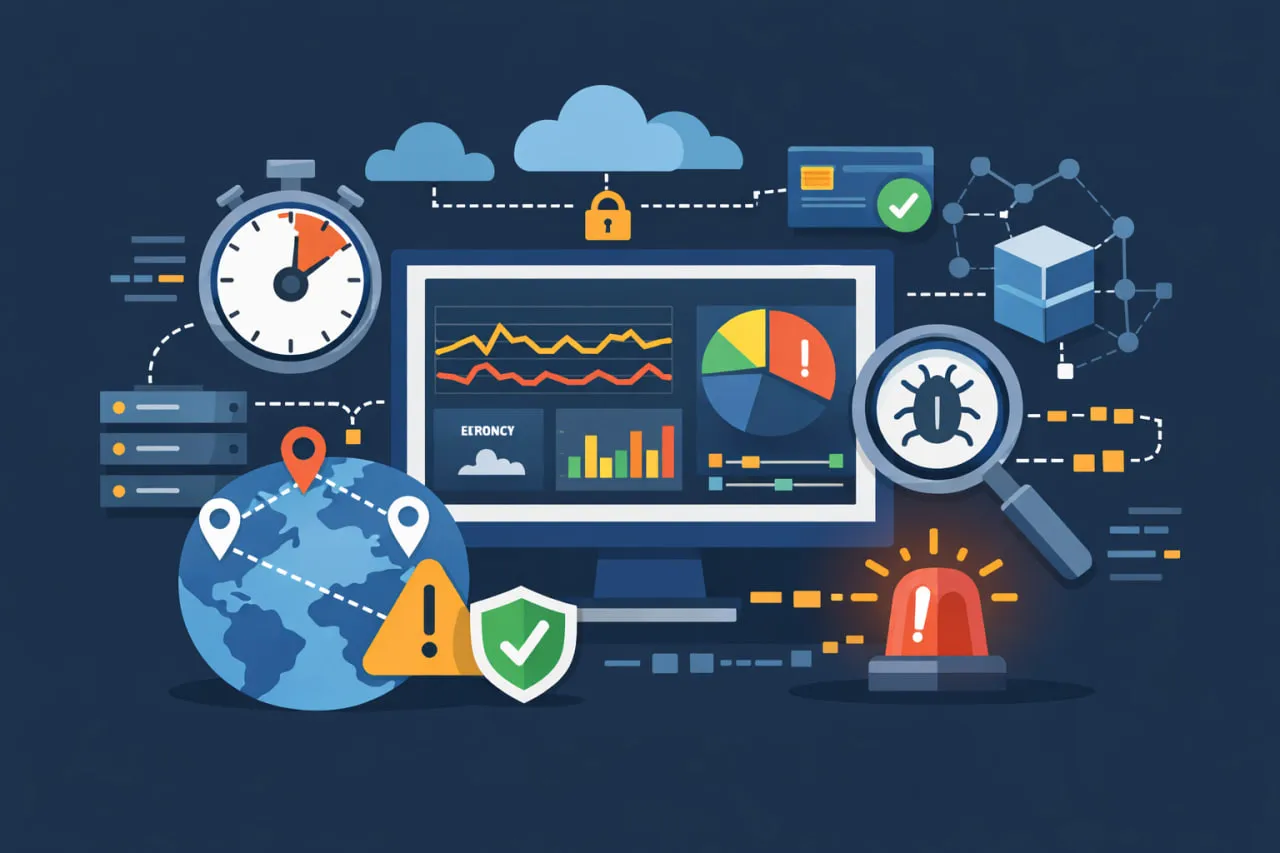
 API performance monitoring has become a critical discipline for modern engineering teams, but most conversations around it stop at metrics, dashboards, and testing tools. Teams measure response time, track error rates, and run performance tests before release, yet APIs still slow down, silently fail, or violate SLAs in production.
The problem isn’t a lack of monitoring. It’s a mismatch between how APIs are tested and how they actually behave in the real world.
In live environments, API performance monitoring means continuously validating latency, errors, and response correctness under real authentication, real dependencies, and real user geography, so slowdowns are caught before customers feel them.
Today’s APIs don’t operate in isolation. They sit behind authentication layers, depend on third-party services, and power multi-step user journeys like login, checkout, and payments. A single performance degradation, whether it’s increased latency in one endpoint or a dependency timing out, can cascade across systems and affect users long before a full outage occurs.
In this guide, we’ll go beyond generic definitions to explain how API performance monitoring should work in the field. You’ll learn which metrics truly matter, why alerts often fail, how silent API issues slip through unnoticed, and what to look for when building or improving a production-grade monitoring strategy.
What API Performance Monitoring Really Means in Production
API performance monitoring is often described as tracking response times, error rates, and uptime. While that definition isn’t wrong, it’s incomplete, especially in production environments where APIs are exposed to real users, real traffic patterns, and unpredictable dependencies.
In production, API performance monitoring is less about watching individual metrics and more about understanding how APIs behave under real-world conditions.
Performance in production is about behavior over time
Production monitoring answers questions that testing and basic health checks usually miss. APIs don’t always fail loudly. More often, they degrade gradually; slower responses in certain regions, increased latency during authentication, or subtle delays caused by downstream services.
These issues rarely show up as full outages. Instead, they quietly affect user experience long before error rates spike or availability drops.
Why “working” APIs still cause problems
One of the biggest misconceptions is that an API is healthy as long as it returns successful responses. In reality, an API can remain technically “up” while still being functionally unreliable.
For example, an endpoint may consistently return 200 OK while delivering incomplete or outdated data. Average response times may look acceptable, even though a small percentage of requests experience severe latency. These outliers are easy to miss, yet they’re often what users notice first.
This is where basic uptime monitoring falls short. It confirms reachability, but it doesn’t reflect performance impact.
Production-grade monitoring focuses on impact
Effective API performance monitoring prioritizes what users experience, not just whether an endpoint responds. That means:
- Monitoring continuously at a consistent cadence
- Observing performance from multiple locations
- Validating responses, not just status codes
- Watching performance trends over time, not snapshots
It also means expanding scope. APIs in production rarely operate alone. They depend on authentication layers, chained API calls, and third-party services. A small slowdown in one component can ripple across the entire system.
This broader perspective is what separates basic API monitoring from performance monitoring that actually protects reliability in production systems.
To understand how this fits into a wider reliability strategy, it helps to look at how API observability connects performance metrics with distributed system context and root-cause analysis.
API Performance Monitoring vs API Performance Testing
API performance monitoring and API performance testing are often used interchangeably, but they solve different problems at different stages of the API lifecycle. Treating them as the same is one of the most common reasons performance issues still reach production.
What API performance testing is designed to do
API performance testing typically happens before deployment. Teams simulate traffic, apply load, and measure how APIs behave under controlled conditions. These tests help validate assumptions and uncover obvious bottlenecks early.
Performance testing is especially useful for:
- Understanding capacity limits
- Identifying inefficient queries or code paths
- Establishing baseline response-time expectations
In short, testing answers the question: “Can this API handle expected load?”
Where performance testing falls short
Despite its value, testing environments can’t fully replicate production. Traffic patterns are predictable, dependencies are stable, and authentication flows are often simplified or mocked.
As a result, APIs that perform well in tests may still struggle once they’re exposed to:
- Real users across different regions
- Live authentication and security layers
- Third-party APIs with variable latency
This is why passing performance tests doesn’t guarantee reliable performance in the real world.
What API performance monitoring adds in production
API performance monitoring is most valuable post-deploy, where real traffic and dependencies apply, and continues throughout the API’s lifecycle. Instead of simulating traffic, it observes how APIs behave under actual usage conditions.
Monitoring focuses on questions testing can’t answer, such as:
- Is performance degrading over time?
- Are certain locations or workflows affected more than others?
- Are dependencies introducing intermittent delays?
Rather than validating capacity, monitoring validates ongoing reliability.
Why mature teams use both
Performance testing and monitoring aren’t alternatives—they’re complementary. Testing establishes expectations. Monitoring verifies whether those expectations hold once the API is live.
As systems become more distributed, this combination becomes essential. Performance issues are harder to predict and easier to miss without continuous visibility. Understanding how monitoring fits into the broader landscape of API monitoring tools helps teams choose solutions that go beyond basic health checks.
Core API Performance Metrics That Actually Matter
API performance monitoring often fails because teams track too many metrics without knowing which ones actually indicate trouble. In production, the goal isn’t to measure everything, it’s to measure what reliably signals risk to users and the business.
The metrics below show up in almost every monitoring tool, but how you interpret them is what makes the difference.
Response Time & Latency: Why averages aren’t enough
Response time is usually the first metric teams look at, but averages can be misleading. An API might show an acceptable average response time while a small percentage of requests experience severe delays.
This is why percentiles matter.
- p50 shows typical behavior
- p95 shows the experience for 95% of requests
- p99 exposes outliers that often cause complaints and retries
In production, those outliers are where incidents begin. A payment API that responds in 120 ms on average but spikes to 900 ms for a small subset of users can still pass basic checks, while quietly breaking user trust.
In one production environment, an API’s p95 latency stayed steady at around 180 ms, but p99 latency intermittently jumped above 2.5 seconds, only for users in APAC regions. Average response time and uptime checks remained green, so no alerts fired.
The root cause turned out to be a third-party token introspection service combined with regional DNS routing. Under peak traffic, authentication calls occasionally stalled, delaying only a small percentage of requests. Because the issue showed up exclusively in high-percentile latency and specific regions, it went unnoticed until users started retrying requests and reporting slowdowns.
This is a classic example of why production API performance monitoring must track percentiles and geography together, not just averages or global metrics.
Error rate: more than just 5xx failures
Error rate is often reduced to counting server-side failures, but production APIs fail in subtler ways.
A meaningful error strategy looks at:
- 5xx errors that indicate backend instability
- 4xx errors that spike due to auth issues or malformed requests
- Successful responses that still return invalid or incomplete data
Monitoring only obvious failures creates blind spots. Many real-world incidents start with partial degradation before error rates cross alert thresholds.
Availability & uptime: necessary, but incomplete
Availability answers one question: Is the API reachable?
It does not answer whether the API is usable.
An API can meet uptime targets while still being slow, inconsistent, or functionally broken. This is why uptime should be treated as a baseline metric, not a success indicator.
For production systems, availability becomes meaningful only when paired with performance and correctness checks. This is especially important when APIs depend on third-party services that may degrade without fully going down.
For more context on why uptime alone doesn’t reflect API health, see API uptime monitoring and API health monitoring.
Throughput: context for every other metric
Throughput (requests per second or per minute) provides essential context. Performance metrics without traffic data can be misleading.
A latency spike during low traffic may be noise. The same spike during peak usage is often a warning sign. Throughput trends help teams:
- Detect abnormal traffic patterns
- Spot scaling limits early
- Separate real issues from statistical outliers
In production, throughput gives meaning to latency and error rates by showing when and under what load issues occur.
Why these metrics matter together
No single metric tells the full story. Production-grade API performance monitoring works when these signals are evaluated together, over time, and in context.
This layered view allows teams to detect degradation early, before users report issues or SLAs are breached, and sets the foundation for smarter alerting and faster incident response.
Common production symptoms and how to interpret them
| Symptom observed | Metric signal | Likely cause | What to check next |
| Users report slowness, uptime is green | p99 latency spikes, average steady | Downstream dependency latency | Correlate traces, review synthetic step timing, check third-party status |
| Performance issues only in one region | Regional p95 higher than global | Network routing or regional auth service | Compare geo checks, validate regional dependencies |
| API returns 200 OK but features break | Success rate normal, assertions failing | Partial or invalid responses | Validate response schema and required fields |
| Errors increase during peak traffic | Error rate + throughput rise together | Capacity or scaling limit | Review autoscaling, rate limits, and saturation metrics |
| Alerts firing constantly with no impact | Minor metric fluctuations | Over-sensitive thresholds | Revisit alert duration, percentiles, and combinations |
This type of mapping helps teams move faster from detection to diagnosis instead of reacting blindly to individual metrics.
Why Alerts Fail (and How to Fix API Alert Fatigue)
Most teams don’t struggle with a lack of alerts. They struggle with too many alerts that don’t lead to action. In API performance monitoring, this often results in alert fatigue, where engineers start ignoring notifications because they’re noisy, repetitive, or rarely actionable.
Alert fatigue isn’t a tooling problem. It’s a strategy problem.
The root cause: alerting on metrics, not impact
A common mistake is triggering alerts whenever a metric crosses a static threshold. For example, an alert fires the moment response time exceeds a fixed value or when error rate ticks slightly above normal.
The issue is that APIs don’t behave consistently across time, locations, or traffic patterns. A small latency increase during off-peak hours may be harmless. The same increase during peak usage may signal a serious problem. Static thresholds ignore this context.
When alerts aren’t tied to user impact, they quickly become background noise.
Why average-based alerts break down
Alerts based on averages often mask real problems. Average response time may remain within acceptable limits while a subset of users experiences severe slowdowns.
This is why production monitoring needs to focus on percentiles and trends, not single-point measurements. Alerts should surface unusual behavior that persists, not momentary fluctuations.
Without this distinction, teams either:
- Receive alerts constantly and start ignoring them, or
- Raise thresholds so high that real issues go undetected
Neither outcome protects reliability.
A common pattern: burn-rate alerting
Mature teams often move away from static thresholds and instead use burn-rate alerts tied to SLOs. Rather than asking “Did latency cross a fixed number?”, burn-rate alerts ask “How fast are we consuming our allowed error budget?”
A typical setup includes two alerts:
- A fast burn alert that triggers when performance degrades sharply and risks breaching the SLO quickly.
- A slow burn alert that detects sustained, gradual degradation over a longer period.
This approach dramatically reduces noise while surfacing issues that actually threaten user experience and reliability. Alerts become decision-support tools, not constant interruptions.
What effective API alerts look like
Production-grade alerting is selective by design. Instead of firing on every deviation, it highlights conditions that matter.
Effective alerts tend to:
- Focus on sustained anomalies rather than brief spikes
- Combine multiple signals (latency, error rate, throughput)
- Reflect real-world usage patterns and business risk
For example, a temporary latency spike may not require action. A latency increase combined with rising error rates during peak traffic likely does.
Example alert thresholds (starting points, not rules)
While thresholds vary by system, many teams start with patterns like these and refine over time:
- Latency alert: Trigger when p95 latency exceeds baseline by 30–50% for 10 minutes
and throughput is above normal levels. - Error alert: Trigger when error rate exceeds 1–2% for 5–10 minutes, adjusted by traffic volume.
- Combined condition: Alert only when latency degradation and error rate increase together, reducing noise from isolated spikes.
These examples work best when applied to percentiles and sustained conditions rather than single data points.
Separating “page” vs “ticket” alerts
Not every alert should wake someone up. Mature teams usually split alerts into two categories:
- Page alerts: Immediate, high-confidence signals of user impact or SLA risk.
- Ticket alerts: Non-urgent issues that need investigation but not instant response.
This separation is one of the most effective ways to reduce alert fatigue while keeping reliability high.
Turning alerts into a decision tool
The purpose of alerts isn’t to notify, it’s to enable decisions. Well-designed alerts help teams answer clear questions quickly: Is this affecting users? Is it getting worse? Does it require immediate intervention?
When alerting is treated as part of the monitoring strategy, not an afterthought, it reduces noise and increases confidence. Teams spend less time reacting to false alarms and more time addressing issues that actually matter.
This approach becomes even more important as APIs grow more complex and interconnected. Performance issues rarely exist in isolation, and alerting needs to reflect that reality.
Monitoring Real API Failures Most Tools Miss
Many API incidents don’t look like failures at first. Endpoints remain reachable, status codes appear normal, and basic uptime checks stay green. Yet users experience broken workflows, slow transactions, or incorrect data. These are the failures that traditional monitoring tools often miss, and the ones that cause the most frustration in production.
Production-grade API performance monitoring is designed to surface these issues before they escalate.
Silent failures: when “200 OK” is still wrong
One of the most common blind spots in API monitoring is the assumption that a successful status code equals a successful request. In reality, an API can return 200 OK while the response itself is incomplete, malformed, or logically incorrect.
This often happens when:
- A required field is missing or null
- A downstream service partially fails
- A response schema changes unexpectedly
Without validating the response body, these failures go unnoticed. Over time, they lead to broken features, incorrect business logic, and user-facing issues that are difficult to trace back to the API.
Authentication-related performance issues
Authentication adds complexity to API performance in ways that basic checks rarely capture. Tokens expire, headers change, and authorization layers introduce additional latency.
Common production issues include:
- Token refresh flows slowing down requests
- Misconfigured headers causing intermittent authorization failures
- Auth services becoming a hidden performance bottleneck
Because these issues often surface only under real traffic conditions, they’re easy to miss without monitoring authenticated requests directly.
Multi-step and transactional API workflows
Most user-facing actions rely on multiple APIs working together. A login may involve authentication, profile lookup, and session validation. A checkout flow may touch pricing, inventory, payment, and notification services.
Monitoring individual endpoints in isolation doesn’t reveal whether the entire transaction is functioning reliably. A single slow step can break the experience, even if every endpoint appears healthy on its own.
Production monitoring needs to reflect these workflows by validating chained API calls and tracking performance across the full transaction path.
What we see most often in production API incidents
Across production environments, the same patterns tend to appear repeatedly:
- High-percentile latency spikes caused by authentication or dependency delays
- Region-specific slowdowns masked by global averages
- APIs returning 200 OK with incomplete or stale response data
- Multi-step workflows failing due to one slow or misconfigured downstream call
- Alert fatigue caused by noisy, threshold-based notifications that don’t reflect user impact
These issues rarely look like outages at first, but they consistently lead to user frustration and SLA violations when left undetected.
Why these failures matter most
These issues rarely trigger immediate alerts, yet they directly affect users and revenue. By the time they’re detected through support tickets or customer complaints, the damage is already done.
This is why modern API performance monitoring extends beyond reachability and basic metrics. It validates correctness, monitors real workflows, and accounts for the complexity introduced by authentication and dependencies.
Solutions designed for REST API monitoring with support for assertions, authentication, and multi-step requests are far better suited to detecting these real-world failures before they impact users.
How to Set Up Production-Grade API Performance Monitoring
Once teams recognize what actually breaks APIs in production, the next challenge is implementation. Production-grade API performance monitoring isn’t about turning on every possible check, it’s about setting up the right monitoring, in the right places, with realistic expectations.
This section focuses on practical setup principles that align with how APIs behave in real environments.
1. Start with critical endpoints, not everything
Trying to monitor every endpoint from day one usually creates noise. Instead, focus on APIs that directly impact users or revenue.
These typically include:
- Authentication and login endpoints
- Payment, checkout, or transaction APIs
- APIs that power core application workflows
- External or third-party APIs you depend on
Monitoring these first provides immediate value and helps establish baselines before expanding coverage.
2. Monitor from where your users actually are
Performance issues are often regional. An API that performs well in one geography may degrade in another due to network latency, routing, or CDN behavior.
Production monitoring should:
- Run checks from multiple geographic locations
- Reflect real user distribution
- Detect regional slowdowns before they become global incidents
This approach surfaces problems that local testing or single-location checks can’t reveal.
3. Include authentication and real request conditions
Production APIs rarely allow anonymous access. Monitoring must account for authentication, headers, and tokens exactly as real clients use them.
This includes:
- API keys, bearer tokens, or OAuth flows
- Custom headers and request payloads
- Token expiration and refresh behavior
Without authenticated monitoring, performance data is incomplete and often misleading.
4. Validate responses, not just availability
Reachability alone doesn’t guarantee correctness. Production monitoring should validate:
- Expected response structure
- Required fields and values
- Logical conditions that indicate success
This is how teams detect silent failures early, before users report broken features.
5. Configure frequency and thresholds thoughtfully
Monitoring too frequently increases noise. Monitoring too infrequently delays detection. The right balance depends on the criticality of the API.
Best practice is to:
- Monitor high-impact APIs more frequently
- Use sustained conditions rather than instant alerts
- Adjust thresholds as baselines evolve
Performance monitoring should adapt as usage patterns change.
6. Use implementation guides to avoid setup mistakes
Even with the right strategy, configuration details matter. Using documented setup patterns helps teams avoid common errors and ensures monitoring reflects real usage.
When configuring production monitoring, the following how-to resources are especially useful:
API Performance Monitoring Checklist
In production, effective API performance monitoring requires more than checking uptime or average response time. To reliably detect slowdowns, silent failures, and user-impacting issues, teams should monitor real traffic conditions, validate responses, and alert on sustained performance degradation across critical workflows.
Use the checklist below to assess whether your API performance monitoring setup is production-ready.
- Monitor p95 and p99 latency, not just averages
- Run checks from multiple geographic locations
- Include real authentication flows (tokens, headers, OAuth)
- Validate response content, not just status codes
- Track throughput alongside latency and errors
- Alert on sustained anomalies, not brief spikes
- Monitor critical workflows, not isolated endpoints
If you can confidently check off most of these items, your API performance monitoring is likely production-ready.
From Metrics to SLA Compliance: Why API Performance Monitoring Becomes a Business Tool
To make performance data actionable, teams usually define three closely related concepts:
- Service Level Indicator (SLI): the actual measurement, such as p95 latency, error rate, or availability.
- Service Level Objective (SLO): the target for that metric over a defined period.
- Service Level Agreement (SLA): the externally communicated commitment, often tied to contractual or financial consequences.
For example, a production API might define an SLO such as:
“99.9% of requests must complete under 300 ms (p95 latency) over a rolling 30-day window.”
API performance monitoring provides the continuous data needed to evaluate whether this objective is being met in real usage conditions, rather than relying on averages or occasional tests.
Tracking response time, error rate, and availability is useful, but only when those numbers are tied to clear expectations. Without defined targets, metrics describe what happened without indicating whether performance is acceptable. This is where service-level agreements (SLAs) and service-level objectives (SLOs) come into play.
API performance monitoring provides the data needed to define and enforce those commitments. Instead of relying on averages, teams can measure performance in ways that reflect real user experience, such as:
- Latency thresholds based on percentiles, not mean response time
- Availability measured across meaningful time windows
- Error rates evaluated in the context of traffic volume and impact
As systems become more distributed, this alignment becomes even more important. Internal APIs often carry implicit performance expectations that downstream services rely on. At the same time, third-party APIs introduce risks that teams don’t directly control. Monitoring helps organizations verify whether internal services meet agreed standards and document when external dependencies fall short.
Tying performance metrics to SLAs also changes how incidents are handled. Instead of debating whether an issue warrants attention, teams can rely on objective data to assess severity and urgency. This reduces ambiguity and helps:
- Detect incidents earlier
- Escalate issues faster
- Shorten resolution cycles
Over time, API performance monitoring becomes a shared accountability layer. Engineering teams understand how changes affect commitments, product teams see the cost of performance trade-offs, and business stakeholders gain clearer visibility into reliability. Rather than reacting to outages, organizations can manage performance proactively, protecting both user experience and trust.
Choosing the Right API Performance Monitoring Tool
Once teams understand what production-grade API performance monitoring requires, the next challenge is choosing a tool that can actually support it. Many solutions look similar on the surface, but their limitations often become clear only after performance issues slip through.
The first thing to recognize is that not all monitoring tools are designed for production APIs. Some focus primarily on infrastructure health, others on pre-release testing. While those tools have their place, they often fall short once APIs need to be monitored continuously, across locations, and under real usage conditions.
A production-ready API performance monitoring tool should be able to observe APIs the same way users and applications interact with them. That means supporting authenticated requests, validating responses, and tracking performance over time, not just confirming reachability.
When evaluating tools, it helps to focus on a few practical capabilities that consistently matter in production:
- Support for authenticated APIs, including headers, tokens, and OAuth flows
- Ability to validate response content, not just status codes
- Monitoring of multi-step or transactional API workflows
- Global monitoring locations to detect regional performance issues
- Flexible alerting that reflects sustained impact, not momentary spikes
Equally important is what to avoid. Tools that rely solely on uptime checks or synthetic “ping-style” requests often miss silent failures. Testing-only tools may provide valuable pre-release insights but lack the continuous visibility needed once APIs are live.
As APIs mature and become more business-critical, teams often outgrow basic monitoring approaches. At that stage, the goal shifts from simply knowing when something is down to understanding when performance is drifting, and acting before SLAs are breached or users are affected.
This is where a dedicated solution for Web API Monitoring becomes the logical next step. Designed for production environments, it allows teams to monitor authenticated endpoints, validate responses, track performance from multiple locations, and set alerts that reflect real-world impact rather than raw metrics.
For organizations moving beyond basic checks and looking to protect reliability at scale, Web API Monitoring provides the foundation needed to detect issues early and respond with confidence.
Frequently Asked Questions (FAQ)
200 OK responses with incorrect or missing data, before users encounter broken functionality.