Interactive Agencies: CDN Monitoring to enhance “Client Experience”

Many interactive agencies seek to improve their “client experience” by constantly improving the “user’s experience” of their clients’ websites.  One way that interactive agencies increasingly do this is to use Content Delivery Networks (CDNs) for faster delivery of the online content they have developed for clients. The use of CDNs allows interactive agencies to position online media, such that client website and web applications load faster for a better user experience, and improved website “results” , such as – impressions, conversions, and online sales.

However, use of CDNs is not without risk for both interactive agencies and their clients. By using a CDN, the interactive agency is also losing some insight into the performance of/and direct control over the online content. In fact, several issues can develop within a CDN that adversely affects online content and the websites that interactive agency’s produce for clients. As a result of these issues, the interactive agency’s relationship with its clients can suffer. However, when external monitoring is in place the interactive agency maintains insights into performance issues that occur to online content positioned on a CDN network and therefore can better serve its clients.

Issues facing Interactive Agencies using CDNs

When using or moving to a CDN on behalf of a client, interactive agencies are addressing several client-related factors as well as technology-related factors. Specifically, when an interactive agency recommends the use of a CDN for client content the interactive agency needs to both test the speed of CDN multimedia content when the CDN is set-up as well as monitor the delivery of the clients CDN content on an ongoing basis.  For while a CDN may claim certain performance metrics for their network, without a third-party monitoring service it is difficult to prove the cause of issues that affect CDN-based or enforce Service Level Agreements (SLAs) with CDNs. Notably, as an interactive agency starts using a CDN to deliver content several performance metrics need to be addressed as the process moves along from initial evaluation and testing of the CDN to deliver client content, as well as ongoing use of a CDN, specifically:

  • Starting with a CDN: Monitoring CDN-based content from multiple points of presence can provide metrics that serve as “proof of concept” for moving the client’s content to a CDN network. Using multi-point monitoring will provide clear data on the increased speed of CDN-based content delivery and improved website user experience. In turn, this will allow the interactive agency to quantify the value of using a CDN-based content delivery system for its clients.
  • Comparing CDNs: In fact, multi-point external monitoring helps an interactive agency compare competing CDNs cost/performance to determine which CDN is able to best serve a client’s specific circumstances.
  • Enforcing CDN SLAs: A CDN includes many geographically spread CDN nodes (content hosting servers). Some CDNs have node redundancy built in, others do not. External monitoring can detect if a specific CDN node is having problems. External monitoring will help determine if an “issue” is related to the CDN node itself or to broader network issues (such as, latency). This information is important to have from an external perspective in order to enforce Service Level Agreement (SLA).
  • Managing CDN content: Is the content being served from the CDN to the webpage correct? Many interactive agencies have huge amounts of CDN-based content. External monitoring can determine if the multimedia content originating from the CDN is correct, or if the CDN-based content has gotten out of synch with the destination webpage.
  • Real-time CDN performance and CDN-based content performance: What is the performance of the content being served from CDN nodes as reported from multiple monitoring points-of-presence?   Monitoring data is used to quantify the user experience of end users located in different areas. Specifically, each monitoring location can provide data points, such as: CDN node response time, content load time, and pinpoint error conditions associated with content served from the CDN (such as “Image not found, Not able to Connect etc…). 

CDN Monitoring in Action

Successful performance monitoring of a webpage using CDN-based content means employing a comprehensive approach, specifically: monitoring the webpage from across multiple networks (such as, Global Crossing, Sprint,  Level 3 etc…), monitoring for Domain Name Server (DNS) resolution, network connectivity, and content availability.
1. DNS Resolution: This resolution (translation of a domain name to an IP address) occurs when an end-user tries to access content from a CDN node, and the name of the CDN has not been previously cached.

The NBA.COM website serves as a good example. NBA.com references a number of CDN-based images from the CDN http://cdn.eyewonder.com/, A DNS Trace in Exhibit A (below) reveals a relatively long and complex DNS structure. This type of DNS structure ensures good load balancing and performance. However, all of the DNS servers noted in the traceroute must also be online for the CDN content to be served to the webpage in a timely fashion. For example, if any of the DNS servers fail or slow down, then the end-client server is likely to need additional time to resolve the DNS name.

As shown by Exhibit A, a properly constructed CDN monitoring service provides key data points regarding the amount of time it takes for DNS resolution. Also, proper CDN monitoring never caches DNS names, because by not caching DNS names the monitoring service ensures that a DNS resolution is performed with each test. Finally, executing CDN monitoring from multiple points located over a variety of worldwide internet backbone networks and geographically distributed monitoring locations ensures that there are no delays due to DNS outages.

2. Connectivity is very important in CDNs. Connectivity ensures that a end-user requesting an image in Australia is not sent to a CDN node host in the USA. This kind of re-routing would defeat the purpose of CDN (improved load times and user experience). A CDN monitoring service will ensure that there is a minimal amount of network latency (delay) from an end-user’s geographic location to a specific node in a CDN. A CDN monitoring service utilizes a worldwide network of monitoring locations to perform network traceroutes to CDN nodes from multiple locations, in order to ensure the fastest routing and minimum network latency. For example Exhibit B (below) shows traceroutes originating from several of Dotcom-Monitor’s worldwide monitoring locations to the CDN located at http://cdn.eyewonder.com/. Exhibit B demonstrates a CDN with fast routing—where an end-user on each continent is directed to the content located on the closest CDN node within a few network hops away. The monitoring service will also measure latency between the monitoring location and the CDN node and provide alerts when latency exceeds a threshold.

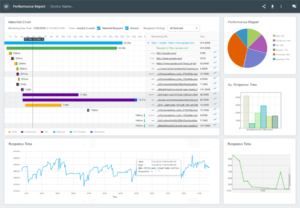
3. Content Availability is important, especially in Web 2.0 websites that use CDN as distribution media. A website may have dozen or more providers and pull content from multiple sources. To ensure a positive end-user browser experience, it is necessary to ensure that all the content is present, not missing and delivered in timely fashion. As webpages increasingly rely on browser-generated content and user-experience becomes key, a monitoring service must load the page in the browser and provide a breakdown by webpage elements, to make sure that no elements are missing and everything loads properly. For example: a delay in loading a java script file, may result in the delayed loading of a video or of a company logo. A CDN monitoring service provides a breakdown by individual webpage element (.gifs, .css, Ajax etc…) as shown in Exhibit C (below). The resulting waterfall chart pinpoints where problems causing increased webpage load times.

CDN Monitoring Services: The type of monitoring service used to conduct CDN-monitoring can vary based on the type of website, type of content, data points needed, “level’ of monitoring needed, and budget.

There are several levels of Dotcom-Monitor services available for conducting varying levels of CDN testing and ongoing monitoring to address a variety of client types and client needs during different stages of the CDN process. For example, an interactive agency could use standard HTTP/S monitoring to do an initial comparison of CDNs during evaluation, and then utilize UserView Monitoring™ to conduct ongoing website monitoring of a client’s complex Web 2.0 content being served by a CDN.

The Results of CDN Monitoring

CDNs, like other networks, experience change and adjustments that can affect client content. By using a Dotcom-Monitor CDN monitoring solution an interactive agency will be able to accomplish several objections that help to improve the client relationship, client retention, and performance of client websites. Specifically an interactive agency will be able to:

  • Quantify the value proposition of CDNs for its clients.
  • Compare competing CDN service providers on behalf of its clients
  • Respond quickly be alerted to and identify CDN and CDN-based content issues (often before a client is ever aware of the issue)
  • Solve CDN and CDN content issues
  • Maintain a  focus on its core business mission of providing services to its client
  • Provide answers to its clients when CDN-based content issues occur by using the data points gathered, error codes generated, and coordinating with Dotcom-Monitor Support.
  • Enforce Service Level Agreement (SLA) parameters on behalf of their clients with the CDN using the performance report SLA report data gathered by Dotcom-Monitor.

Exhibit A:

Traceroute: Tracing DNS to cdn.eyewonder.com

  1 A.ROOT-SERVERS.NET [198.41.0.4]: Class=IN Type=NS
  2    K.GTLD-SERVERS.NET [192.52.178.30]: Class=IN Type=NS
  3       ns2.dnsmadeeasy.com [208.80.126.2]: Class=IN Type=NS
  4          eyewond.vo.llnwd.net: Class=IN Type=CNAME
  5          A.ROOT-SERVERS.NET [198.41.0.4]: Class=IN Type=NS
  6             B.GTLD-SERVERS.NET [192.33.14.30]: Class=IN Type=NS
  7                dns13.llnwd.net [69.28.143.13]: Class=IN Type=NS
  8                   eyewond.vo.llnwd.net [208.111.168.7]: Class=IN Type=A
  9                   eyewond.vo.llnwd.net [208.111.168.6]: Class=IN Type=A
 10                dns14.llnwd.net [69.28.143.14]: Class=IN Type=NS
 11                   eyewond.vo.llnwd.net [208.111.168.7]: Class=IN Type=A
 12                   eyewond.vo.llnwd.net [208.111.168.6]: Class=IN Type=A
 13                dns12.llnwd.net [69.28.143.12]: Class=IN Type=NS
 14                   eyewond.vo.llnwd.net [208.111.168.6]: Class=IN Type=A
 15                   eyewond.vo.llnwd.net [208.111.168.7]: Class=IN Type=A
 16                dns11.llnwd.net [69.28.143.11]: Class=IN Type=NS
 17                   eyewond.vo.llnwd.net [208.111.168.7]: Class=IN Type=A
 18                   eyewond.vo.llnwd.net [208.111.168.6]: Class=IN Type=A
 19          A.ROOT-SERVERS.NET [198.41.0.4]: Class=IN Type=NS
 20             M.GTLD-SERVERS.NET [192.55.83.30]: Class=IN Type=NS
 21                dns13.llnwd.net [69.28.143.13]: Class=IN Type=NS
 22                   dns11.llnwd.net: Class=IN Type=SOA
 23                dns14.llnwd.net [69.28.143.14]: Class=IN Type=NS
 24                   dns11.llnwd.net: Class=IN Type=SOA
 25                dns12.llnwd.net [69.28.143.12]: Class=IN Type=NS
 26                   dns11.llnwd.net: Class=IN Type=SOA
 27                dns11.llnwd.net [69.28.143.11]: Class=IN Type=NS
 28                   dns11.llnwd.net: Class=IN Type=SOA
 29       ns0.dnsmadeeasy.com [208.94.148.2]: Class=IN Type=NS
 30          eyewond.vo.llnwd.net: Class=IN Type=CNAME
 31       ns3.dnsmadeeasy.com [208.80.125.2]: Class=IN Type=NS
 32          eyewond.vo.llnwd.net: Class=IN Type=CNAME
 33       ns4.dnsmadeeasy.com [208.80.127.2]: Class=IN Type=NS
 34          eyewond.vo.llnwd.net: Class=IN Type=CNAME
 35       ns1.dnsmadeeasy.com [208.80.124.2]: Class=IN Type=NS
 36          eyewond.vo.llnwd.net: Class=IN Type=CNAME
 37 A.ROOT-SERVERS.NET [198.41.0.4]: Class=IN Type=NS
 38    J.GTLD-SERVERS.NET [192.48.79.30]: Class=IN Type=NS
 39       ns2.dnsmadeeasy.com [208.80.126.2]: Class=IN Type=NS
 40          eyewond.vo.llnwd.net: Class=IN Type=CNAME
 41       ns0.dnsmadeeasy.com [208.94.148.2]: Class=IN Type=NS
 42          eyewond.vo.llnwd.net: Class=IN Type=CNAME
 43       ns3.dnsmadeeasy.com [208.80.125.2]: Class=IN Type=NS
 44          eyewond.vo.llnwd.net: Class=IN Type=CNAME
 45       ns4.dnsmadeeasy.com [208.80.127.2]: Class=IN Type=NS
 46          eyewond.vo.llnwd.net: Class=IN Type=CNAME
 47       ns1.dnsmadeeasy.com [208.80.124.2]: Class=IN Type=NS
 48          eyewond.vo.llnwd.net: Class=IN Type=CNAME
Trace complete.

Exhibit B:

From MN, USA:

Tracing route to cdn.eyewonder.com [208.111.168.6]
  1   <10 ms   <10 ms   <10 ms 207.250.234.1 [207.250.234.1]
  2   <10 ms   <10 ms   <10 ms 207-250-148-109.static.twtelecom.net [207.250.148.109]
  3    15 ms   <10 ms    15 ms chi2-pr1-ge-7-1-0-0.us.twtelecom.net [66.192.243.142]
  4    15 ms    31 ms   <10 ms tge7-1.fr3.ord.llnw.net [69.28.172.41]
  5    15 ms    15 ms    15 ms cdn-208-111-168-6.ord.llnw.net [208.111.168.6]

From Frankfurt, Germany:
Tracing route to cdn.eyewonder.com [87.248.217.254]
  1   <10 ms   <10 ms   <10 ms 83.243.81.1 [83.243.81.1]
  2   <10 ms   <10 ms   <10 ms tng.decix.as31530.net [89.106.64.142]
  3    15 ms   <10 ms   <10 ms 80.81.192.221 [80.81.192.221]
  4   <10 ms   <10 ms   <10 ms cdn-87-248-217-254.frf.llnw.net [87.248.217.254]

From Sydney, Australia:
Tracing route to cdn.eyewonder.com [117.121.253.254]
  1   <10 ms   <10 ms   <10 ms 202.157.178.193 [202.157.178.193]
  2   <10 ms   <10 ms   <10 ms 210.80.173.113 [210.80.173.113]
  3    15 ms    15 ms   <10 ms 210.80.33.85 [210.80.33.85]
  4   <10 ms   <10 ms   <10 ms 210.80.32.218 [210.80.32.218]
  5   <10 ms   <10 ms   <10 ms gigabitethernet3-21.chw51.sydney.telstra.net [139.130.43.97]
  6   <10 ms   <10 ms   <10 ms tengige0-1-0-0.chw-core2.sydney.telstra.net [203.50.20.129]
  7   <10 ms    15 ms   <10 ms Bundle-Ether1.chw48.Sydney.telstra.net [203.50.6.154]
  8   <10 ms    15 ms    15 ms bundle-ether2.ken39.sydney.telstra.net [203.50.6.182]
  9   171 ms   171 ms   187 ms tge5-1.fr3.syd.llnw.net [117.121.252.33]
 10   187 ms   171 ms   203 ms cdn-117-121-253-254.syd.llnw.net [117.121.253.254]

Exhibit C:


Posted in Blog | Tagged , , | Leave a comment

The Internet Backbone for Noobs – Infographic

Deep within the very heart of your body, lurks a force so intrusive and so powerful that it would terrify you if you came face to face with it.  Your backbone – which is, in fact, many bones that together hold your skeleton and the rest of your body together.

The Internet also has a backbone.  And just like your backbone, the Internet backbone holds the Internet together – a network of high capacity communications routes linking local Internet networks (comprising over 35 million Internet server sites) across land and under the sea.  Here is a quick look at the Internet backbone.

To publish this Infographic on your website, click on the text box below to highlight and copy the code.


To see what real-time delay there is (in milliseconds)for data to move from one monitoring station to another, go to Dotcom-Monitor’s free online live “pulse” latency tracker at http://www.dotcom-monitor.com/network_latency.aspx

Posted in Uncategorized | 2 Comments

System Status

A new stream of news is coming to the Dotcom-Monitor Blog: System Status. We’ll be sure to tag these posts “status” and categorize the status related posts as “Status” for easy RSS subscribing and filtering.

Posted in Blog, Status | Tagged , , , , | 2 Comments

Double Rainbow Monitoring

 The Double Rainbow video guy is shilling for Microsoft and the stats on online videos continue on a sky rocketing uptick. Thus spoketh Double Rainbow guy “It’s so beautiful, but what does it mean?” It means that the ying of online video is in a gigantic, exubertantly crazy growth phase and that the yang of video stream monitoring is nearby. (Try a free instant video stream test here.)

  • June, 2010 – “The consumption of online video news and information clips in the U.S. has doubled over the past 12 months, to 565 million video views in May, up from 277 million last May, according to comScore. While the increase in new views tracks closely to a doubling of total video views, news videos are seen by a bigger percentage for the Internet audience, now 34.2 percent, up from 31.8 last May.” — Beet.tv

As downloads of the Double Rainbow Guy video climbs into the ga-billions, our exuberant friend Paul “Hungry Bear” Vasquez (aka “the double rainbow guy“) has reminded us once again of the wild “Double rainbow all the way!” nature of the online video universe.

Paul “Double Rainbow Guy” Vasquez

 Of course, its difficult to know when and if a “consumer” video will jump to prominence. Vasquez’s video was online in Janurary 2010 and didn’t fully explode into the meme-osphere until July. Similarly,the Mayo Hospital older couple video, took months to build momentum. On the one hand, its difficult to make a case for monitoring every blissed out Yosemite rainbow inspired video on the web.  On the other hand, business-related videos (or video as a service) tends to be much more consistent in the number of views. Also, despite having generally a smaller number of viewers than the Youtube videos that make The Daily Show, the impact of uptime and performance of a “business” video on a business is of more strategic importance. Bottomline: the audience expectation of a “business” video is high and reflects on the overall business itself. This is where video stream monitoring plays an especially important role — by helping to ensure the reputation and revenues of online “business” videos, such as the one where Mr. Vasquez uses his YouTube moment of inspiration to launch a career as an actor in the recent online video for Microsoft Live Photo Gallery.

Broadly speaking, Video Stream Monitoring checks video streaming services for performance and availability. The monitoring service itself works similarly to a Windows Media Player. Essentially, if a stream can be played with a Windows Media Player, then the Video Stream Monitoring service can monitor the stream.

How does it work? The monitoring service connects to the media server, performs buffering, plays the stream for 3-5 seconds, and then disconnects. The monitoring service measures metrics like Connection time, Buffering Time, Received Packages, Buffering Packages, Frame Rate and Average Bytes Per Second. If a metric falls outside of established parameter an alert can be sent. For example, if a news website hosting the Double Rainbow guy video slows down because it has 10,000 additional hits in an hour, then an alert is sent to the owner of the website.

Now, do yourself a favor. Close your office door, turn up the volume and enjoy the video ying of The Double Rainbow Guy. Then open your office door, put your hand to your chin in a thoughtful manner and try the video yang of the Instant Free Video Stream Monitoring Test on your own business video.

Posted in Uncategorized | Tagged , , , , | 10 Comments

The 9 Levels of Website Performance Monitoring

At last! A Practical Guide to Selecting Website Performance Monitoring

Website owners view “website performance monitoring” from many different perspectives. These perspectives vary based on the monitoring technologies/services, requirements, and goals for a website.
Continue reading

Posted in Uncategorized | 2 Comments

Server Cable Hell: 15 of the Worst Wiring Jobs Ever!

It’s pretty sweet when you don’t have to worry about your servers. But while we are monitoring your servers remotely for everything from speed to temperature, some poor system admins or IT technicians are being dropped into a tangled nightmare. Here are 15 of the worst wiring jobs ever, or in other words, welcome to Server Cable Hell.

Some installers underbid and come away with the job, but they simply did not care what kind of mess they were leaving for someone else to take care of in the future.

Sometimes it’s a matter of a big rush to get connected, then a humongous headache to go back and properly wire.

Jobs are scarce these days, but you might want to take a peak in the server room or data center before you accept the IT position.

You may find a rat’s nest of cables in the basement, a bird’s nest of wires under the stairs, cables vomiting out of a rack and onto the floor.

Sometimes nothing is color-coded or labeled, inducing dread when the day comes that the guts of the system have to be rewired.

At first, we though this server had been slimed. But, no, just another day in Server Cable Hell.

Can somebody please tell me why the server goes down every time somebody flushes? Oh, wait. Here’s why…

It’s hopeless. They have me surrounded. Beam me up.

If the new IT guy can’t untangle these wires, they look like they would make a great noodle snack.

So how do you know when you’ve arrived in Server Cable Hell? You’ll know. You’ll know…

Posted in Uncategorized | 9 Comments

The 4 Principles of Building Website Trust using the Dotcom-Monitor® Uptime Meter

The Uptime Meter provided free by Dotcom-Monitor® is a tool that certifies to website visitors that an online business is reliable, dependable, and trustworthy. It is a tool that provides:

  • 30-minute website uptime monitoring
  • A website button summarizing uptime,, such as, “Uptime 100%”
  • Clickable drill-downs to detailed uptime reports for website owners and visitors

 Fine….but, how does the Uptime Meter help to position my online presence for success? One of the key principles involved in creating a successful website is establishing trust with users. The below key principles demonstrate how a third-party website uptime validation tool helps to create trust with online users:

 Actions Speak Louder than Words

Creating a web business that users trust involves a series of small steps. Setting up the Uptime Meter on a website helps to create trust in a unique, but important manner. Specifically, the Uptime Meter provides an active measure of website reliability, rather than a passive approach (such as simply writing a lot of words designed to argue/entice/encourage trust). Also, rather than a passive website certification or stamp which may have been purchased in say, 2004, the Uptime Meter is active and ongoing with updates regarding website reliability occurring every 30-minutes.

Trust (but Verify)

The free Dotcom-Monitor Uptime Meter actively demonstrates third-party verification of website reliability.

In much that same sense that during the late 1980’s Ronald Ragan famously said “Trust, but Verify” website visitors go through a series of decisions to trust a website only as far as they can verify that the online presence is trustworthy. One way to instill confidence in website users is to actively provide verified uptime and reliability. Moreover, by using the Uptime Meter the website itself is demonstrating trust by working with a third-party to provide key, verified information about the website.

 Third-party Validation

Typically, website users are hesitant to interact with a website until they feel a website is reliable (“why interact with this website if it is going to fail after I input all this info?”). The Uptime Meter helps to remove that hesitancy by assuring users that interacting with a website isn’t a waste of time

 Building Trust with Details

For many online buyers of specialty products, or services trust is created not by marketing messages, but by reviewing the details. In fact, many website users inherently do not trust marketing language. They expect and demand openness and details. Providing details about your public-facing website helps to establish trust.

 Demonstrate Dependability with the Dotcom-Monitor® Uptime Meter

The Uptime Meter is provided free by Dotcom-Monitor® and certifies to your website visitors that your online business is reliable. Updated every 30-minutes, the average uptime and performance of your website is displayed on the Uptime Meter itself. By clicking on the Uptime Meter the user is linked to detailed graphical uptime reports.

  • Validates the dependability and usability of the website for visitors
  • Demonstrates third-party certified website uptime
  • Details of uptime are available to users and website owners

 How it works

Dotcom-Monitor® automatically gathers statistics about a website every 30-minutes. The Uptime Meter shows the average uptime and performance of  a website using that information. When a user clicks on the Uptime Meter the user is linked to detailed graphical uptime reports.

Click Here to See it in Action
website monitoring service

Posted in Uncategorized | Tagged , , , , | Leave a comment

Enhanced Waterfall Reports, Fullpage Monitoring, and Webpages of the Lycra-clad

An icon in the Twin Cities triathlon community, Jerry Bous, has a website problem thats good to have. He has been able to parlay his love for the sport of triathlon into an occupation as THE triathlon race announcer as well as owner of the very popular and respected website www.MinnesotaTriNews.com.

 Its All about Performance                                                                                                                                                                                                                                                                                  But, the problem — similar to a triathlete who plateau in their swim/bike/run speed at this point in the racing season  — is that Jerry’s website may have recently “plateaued” in response time and in order to continue to improve is likely in need of some ongoing response time and performance monitoring. Notably, as the summer racing season had moved on and the number of advertising .gifs and .jpgs  of lycra-clad triathletes on the website grew, website response time has correspondingly sloooow-ed. And finally, after an especially busy July 18-19 weekend of triathlon announcing, posting race re-caps and pictures, website response time was literally crawling across the finish line, so to speak.

So, as I’m active in the Twin Cities triathlon world and wanted to have a better experience reading out this past weekend’s racing, I ran some full page download monitoring tests and sent Jerry a quick email with a snapshot of his page elements’ response times using Dotcom-Monitor’s recently enhanced waterfall chart report tool to help him improve his site speed.

 Triathletes are masters at identifying tiny aspects of their racing for increasing their speed (see minutiae on swim-to-bike transition tips here). Similarly, on a dynamic and continually updated website like www.MinnesotaTriNews.com monitoring page element response times is especially important in order to tweak the site as necessary to maintain fast response times. Following a race weekend triathletes start logging into a website like Jerry’s on Monday morning to check on race results and updates and anecdotes on triathlon races. As might be expected they expect the website to have cool pictures and ads for triathlete stuff, but as may be expected they also want the website to be FAST.

 Uptime is Not Response Time                                                                                                                                                                                                                                                                                While uptime remained at 100%, the response time trended slower and slower during peak daytime hours. Specifically, the individual page elements  were also running slower due to two new images recently added to the website over the weekend and a large JavaScript. In other words, every things was working perfectly…but slowly, due to the addition of the type of web content (specifically, the two large image files) that the users went to the website to see in the first place.

Fullpage Download Website Monitoring waterfall chart showing individual page element load times

  To Add the Lycra Pic or Not to Add the Lycra

The inherent tension between providing the users what they want (pictures of Lycra-clad triathletes) and maintaining fast response times on a rapidly changing site so users don’t leave is ongoing. Therefore, this is precisely the scenario where where ongoing full page download monitoring can make a difference between ensuring a fast and successful website like www.MinnesotaTriNews.com stays successful, and a not website that is — as triathletes say when they run out of energy during a triathlon — “a death march.” 

Posted in Uncategorized | Tagged , , | Leave a comment

Video: Application Monitoring with the EveryStep(TM) Macro Recorder

In this video we get up and running with the EveryStep(TM) Macro Recorder and use it to create Devices for monitoring websites and web applications. In a nutshell, it’s an easy to use windows application that generates tasks and steps you can use with your Dotcom-Monitor member account. If you’re wondering how to quickly create a device for ServerView Monitoring(TM) or UserView Monitoring(TM) for uptime and performance alerts and reports then this video is for you.


Permalink

| Leave a comment  »

Posted in Uncategorized | Leave a comment

Video: Alerts Configuration for Monitoring Devices


This video provides a quick overview in how to get Alerts configured. If you’re curious how Filters, Schedules, and Groups all work together to help you configure the most useful Monitoring Device for your web application, website, or network service, then this video is for you.

Permalink

| Leave a comment  »

Posted in Uncategorized | Leave a comment